82 Chapter 7—Other DME Designer Functions
DME32—Owner’s Manual
Changing the Size of Rotary Controls & Sliders
The size of individual rotary controls and sliders can be changed as follows.
1 Open the control window as normal.
The control window opens.
2 Select the rotary control or slider.
The rotary control or slider appears highlighted.
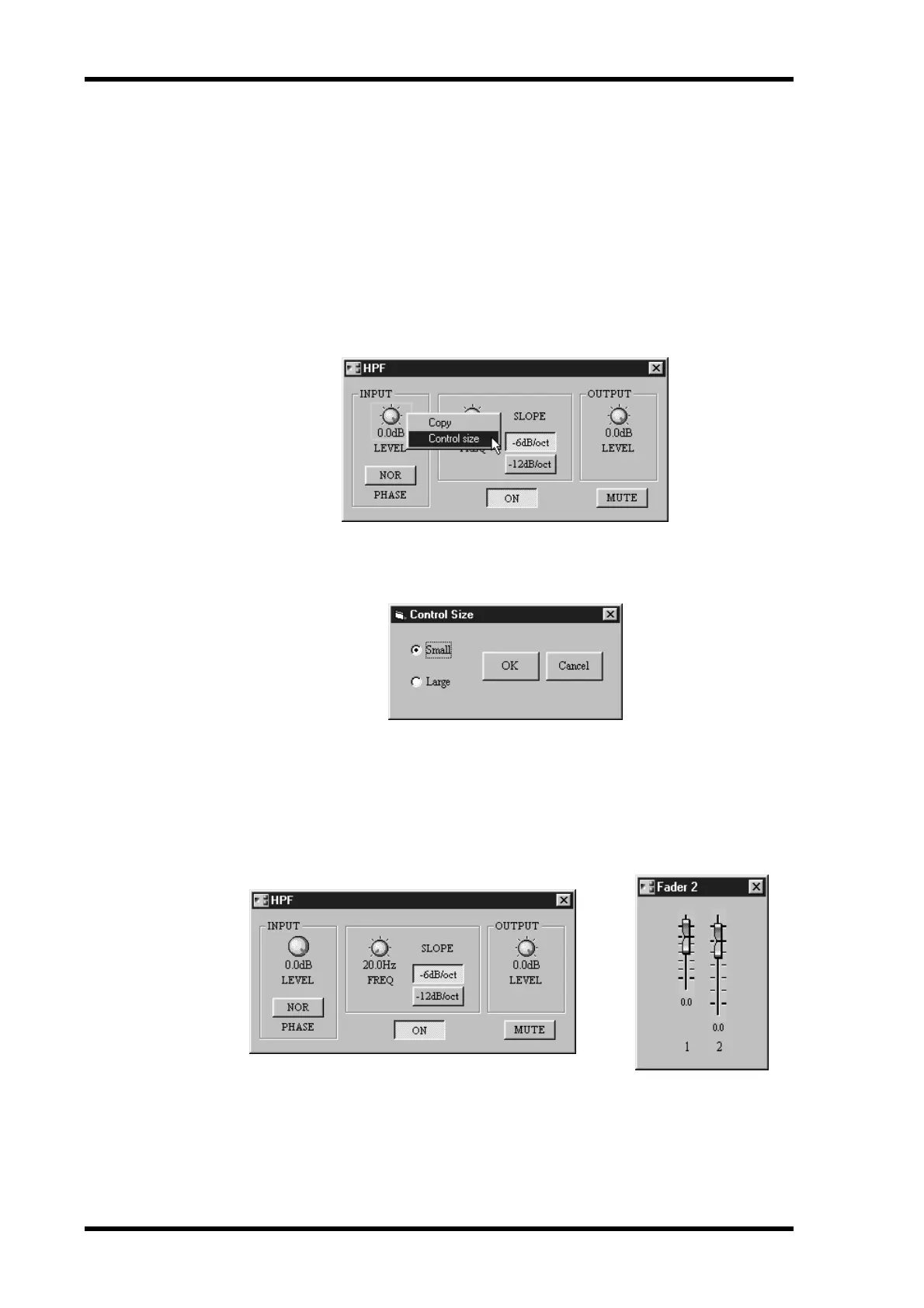
3 While holding down the Shift key, right-click over the control.
The following pop-up menu appears.
4 Choose Control Size.
The Control Size window appears, as shown below.
5 Select a size and then click OK to save your settings, or click Cancel to leave
them unchanged.
The Properties window closes and the control appears at the selected size.
Examples of large and small rotary controls and sliders are shown below.


 To Next Page