Main Window 25
DME32—Owner’s Manual
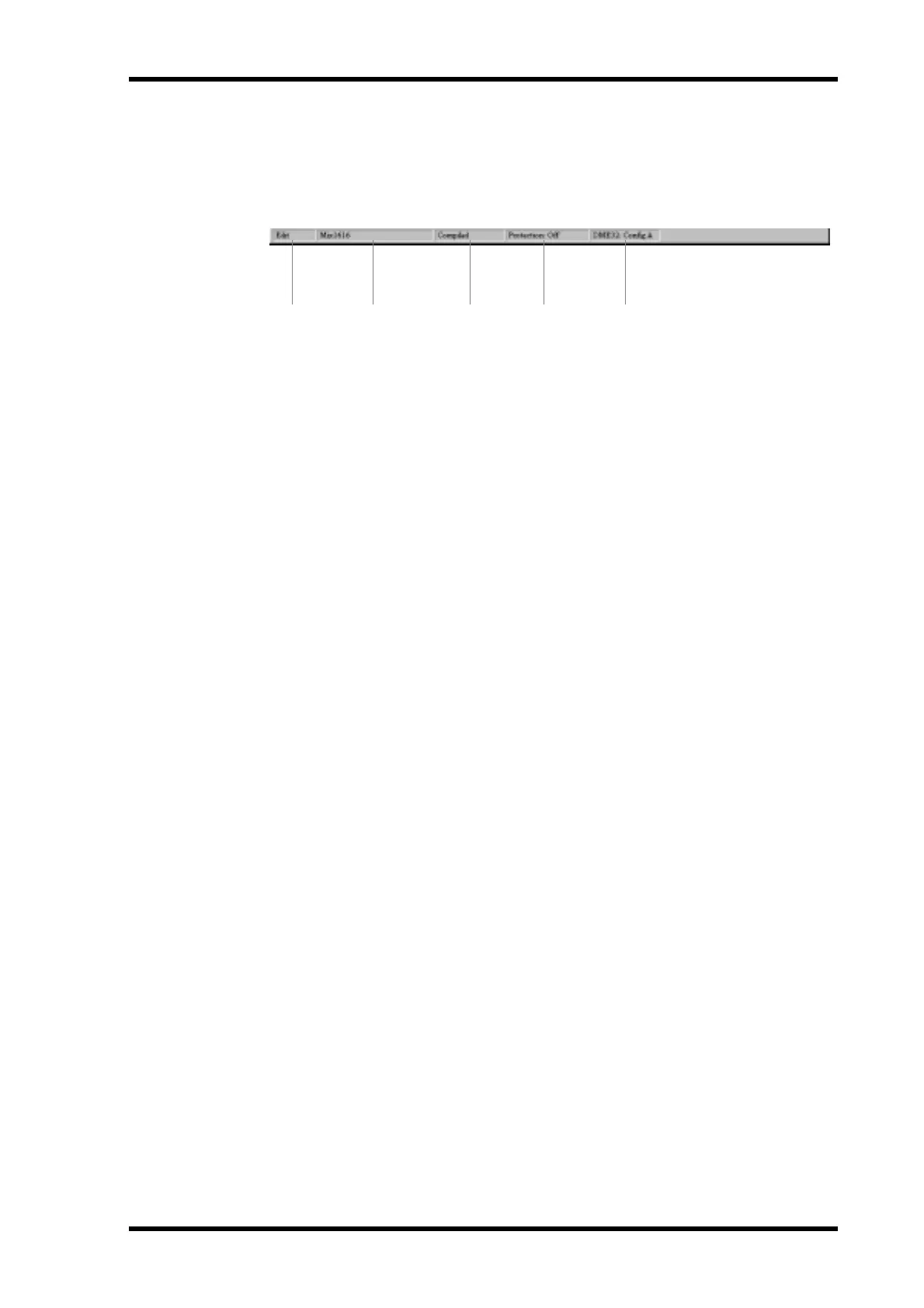
Status bar
The status bar displays the current mode, the title of the current component, the com-
pilation status, and the protection status.
A Selected Mode
This section displays the currently selected mode: Edit, Cable, or Run. See “Modes” on
page 22 for more information.
B Selected Component
This section displays the title of the currently selected component.
C Compilation Status
This section displays the compilation status of the current configuration: Uncompiled,
Compiled, or Compile Failure. See “Compiling Configurations” on page 61 for more
information.
D Protection Status
This section displays the protection status of the current configuration: Off, Compo-
nent, or Operation. See “Using Password Protection” on page 83 for more information.
E DME32 Status
This section displays which configuration is currently selected on the DME32: “Config
A” or “Config B.” If no DME32 is available, “Offline” appears.
1 2 3 4 5


 To Next Page