68 Chapter 6—Running the System
DME32—Owner’s Manual
Scene Control
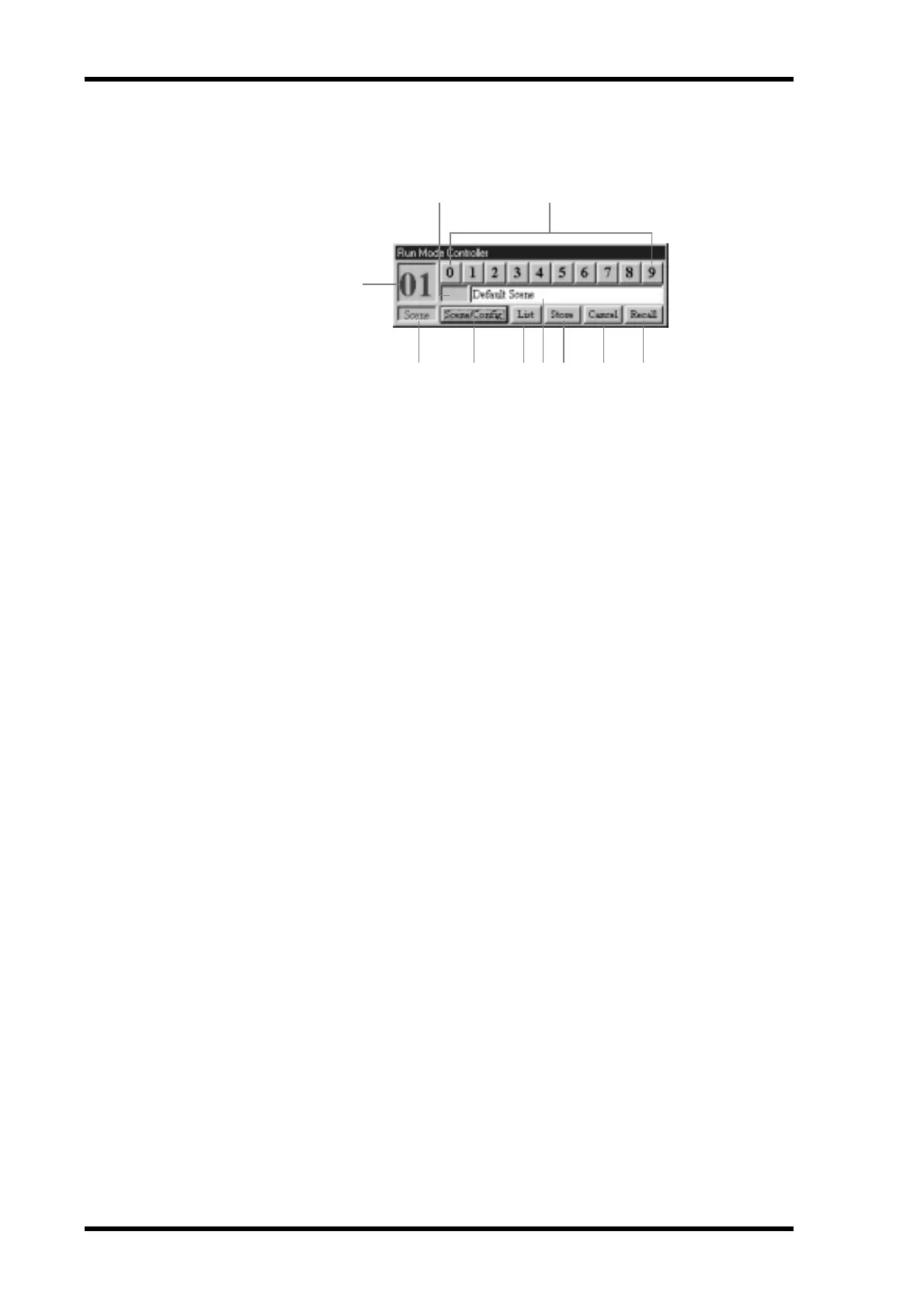
When scene control is selected, the Run Mode Controller appears as shown below.
A Scene number
This displays the number of the current scene. When another scene is selected, its num-
ber flashes until that scene is recalled, stored, or cancelled.
B Edit indicator
This indicates whether or not the current scene (i.e., the current component parameter
settings) matches the last recalled scene. When a scene is recalled, this indicator is
empty. If a parameter is edited, the word “EDIT” appears, indicating that a parameter
has been edited since the last scene was recalled. When a scene is stored, “EDIT” disap-
pears. This operates in exactly the same way as the scene edit dots on the DME32 dis-
play. See “Front Panel” on page 16 for more information.
C Selector buttons
These buttons are used to select scenes and operate in exactly the same way as the num-
ber keypad on the DME32 front panel.
D Scene/Config indicator
This indicates whether configuration control or scene control is selected.
E Scene/Config button
This button toggles between configuration control and scene control.
F List button
This button opens the Scene List.
G Scene title
This section displays the title of the current scene. Scenes can be titled by entering a title
here before clicking the Store button.
H Store button
This button is used to store the current scene (i.e., the current component parameter
settings) to the selected scene memory.
I Cancel button
This button is used to cancel the selection made using the selector buttons.
J Recall button
This button is used to recall the selected scene. If the selected scene memory contains
no data, this button is unavailable.
1
2 3
4 5 678 9 J


 To Next Page