Touring the Menus 37
DME32—Owner’s Manual
Component Menu
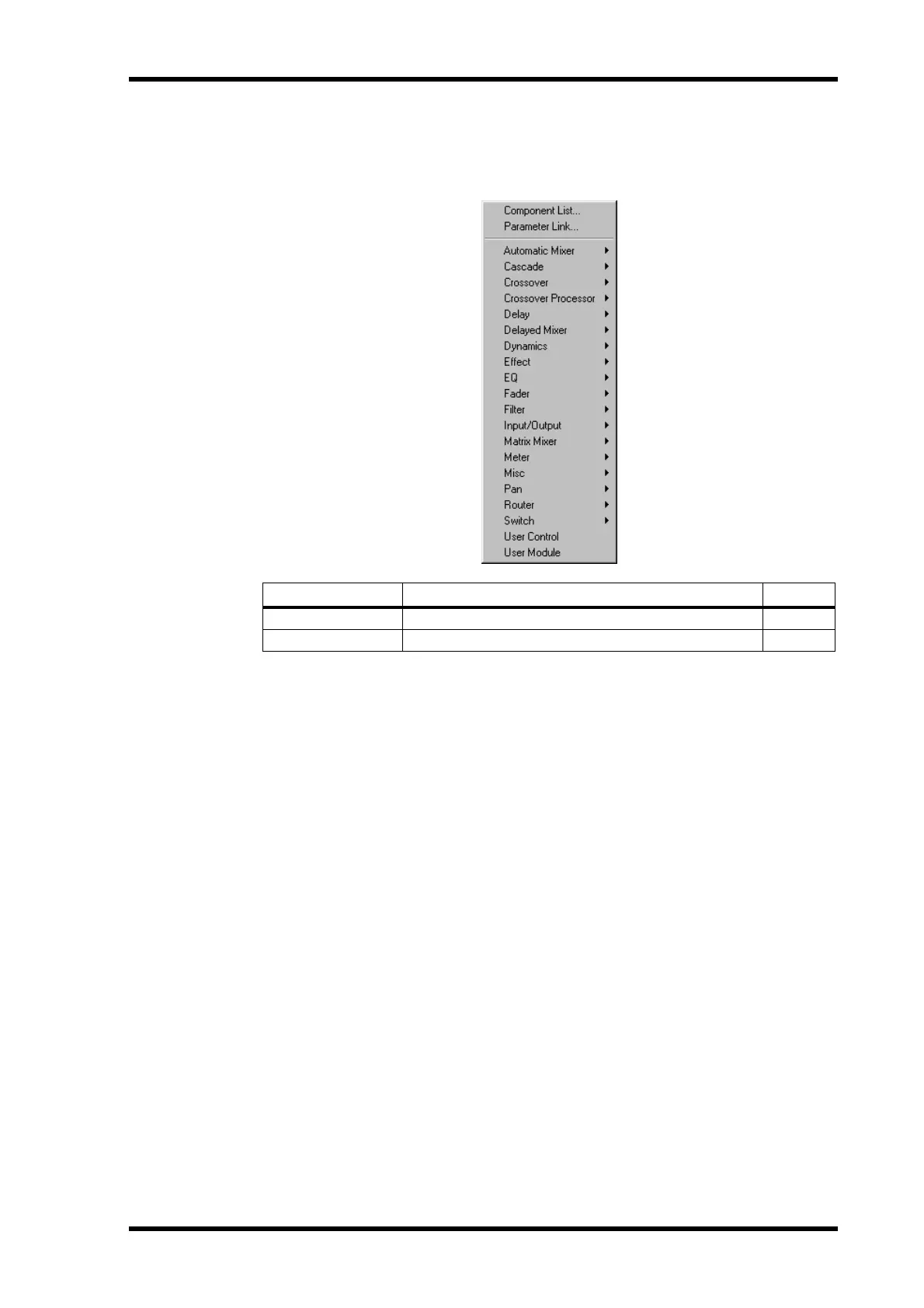
The Component menu provides access to the Component List and Parameter Link
windows and also lists all the available components.
The remainder of the Component menu lists all the available components. Compo-
nents can be selected from the menu and added to configurations. See page 47 for
information on adding components to configurations. See “Component Guide Part I”
on page 89 and “Component Guide Part II” on page 141 for detailed information on all
the components.
Command Description See page
Component List Opens the Component List 40
Parameter Link Open the Parameter Link window 78


 To Next Page