Deleting Wires 57
DME32—Owner’s Manual
Deleting Multiple Wires
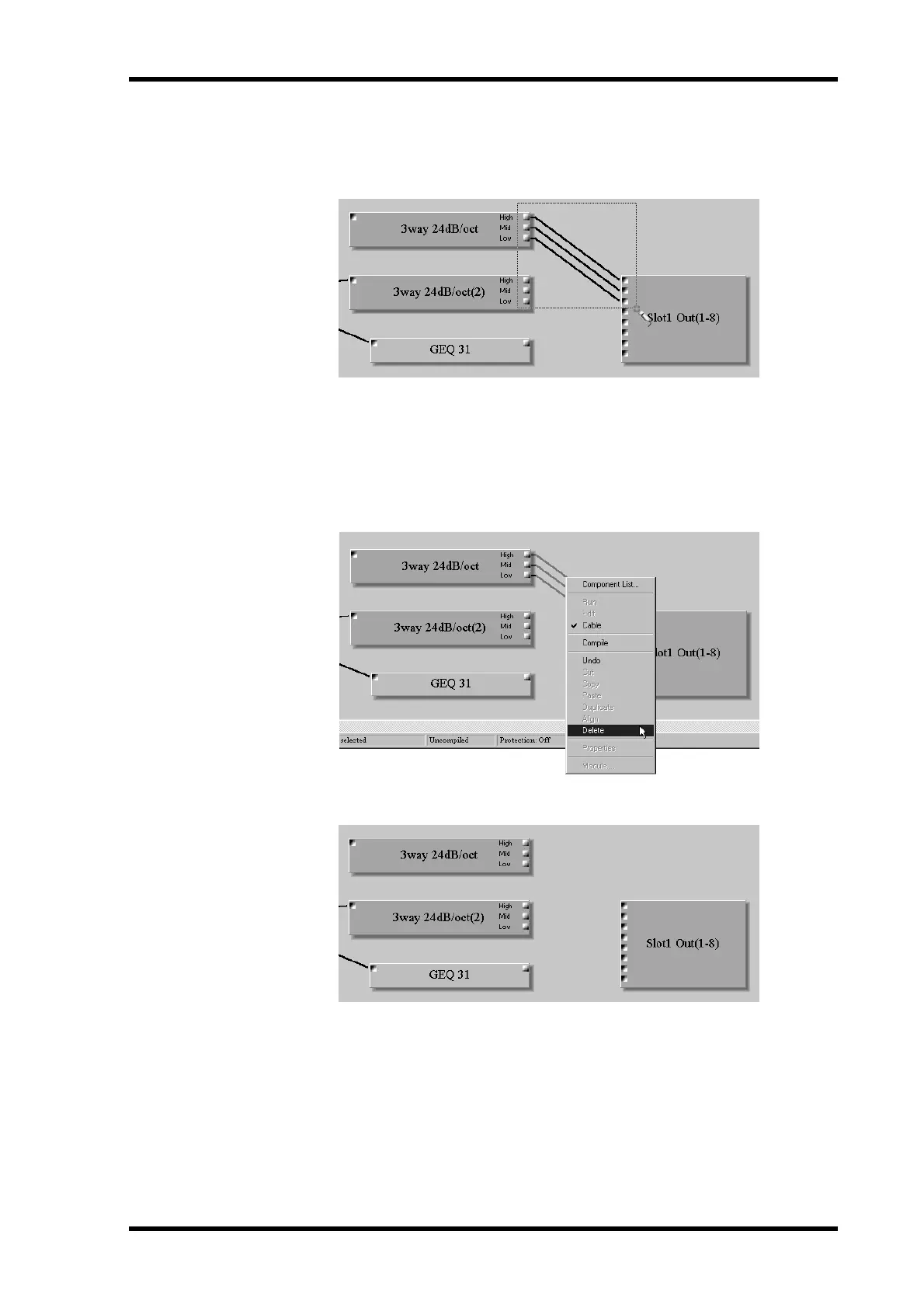
1 Click in a blank area next to one of the nodes whose wire is to be deleted and
then drag around the other nodes, as shown below.
The wires appears highlighted.
Multiple wires can also be selected by holding down the Shift key and selecting with the
mouse.
2 Choose the Delete command from the Edit or Shortcut menu.
The Shortcut menu is shown below.
The wires are deleted, as shown below.


 To Next Page