41
English
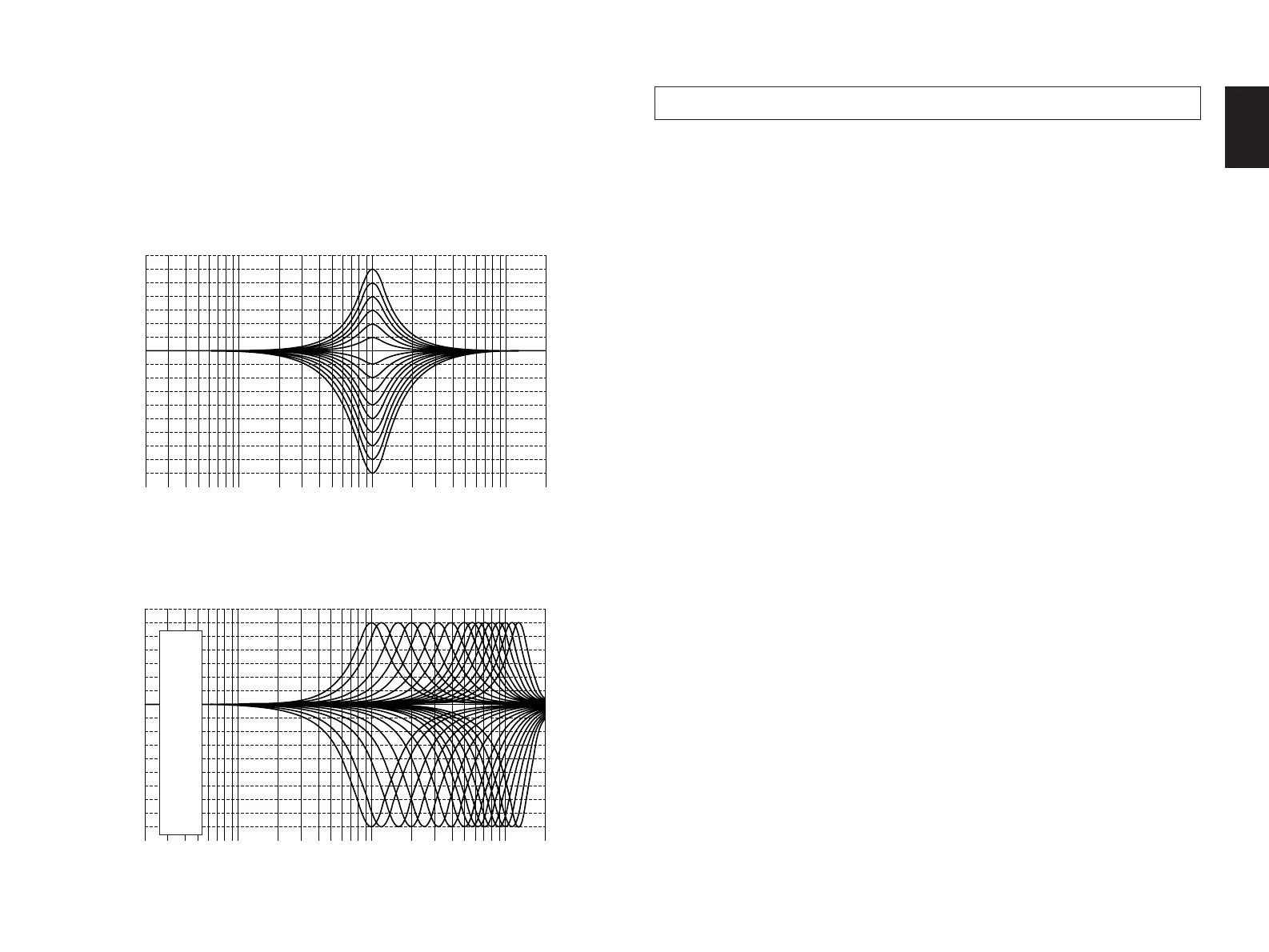
The following curves show frequency characteristics when the
Parametric Equalizer (PEQ) is adjusted at the indicated values.
PEQ: FRQ
................................
1.0 kHz
GAIN
.............................
+6 dB to –9 dB
PEQ: FRQ
............
1.0 kHz to 12.7 kHz
GAIN
.................................
+6 dB/–9 dB
7. DYNAMIC RANGE (Adjusting dynamic range)
Choices: MAX/STD/MIN
Preset position: MAX
* This adjustment is effective only when the Dolby Surround AC-
3 is decoded.
After selecting this function (title) in step 2 on page 36, press
the Parameter + or – key to display the choices MAX, STD and
MIN.
MAX: “Dynamic range” is the difference between the maximum
level and the minimum level of sounds. Sounds on a movie
originally designed for movie theaters feature very wide
dynamic range.
AC-3 technology can bring the original sound track into a
home audio format with this wide dynamic range
unchanged.
In this position, an AC-3 source is reproduced in the
original sound track’s wide dynamic range providing you
with powerful sounds like a movie theater.
Selecting this position will be more ideal if you can listen to
a source in a high output level in a room specially
soundproofed for audio/video enjoyment.
Frequency (Hz)
GAIN (dB)
Frequency (Hz)
GAIN (dB)


 To Next Page
 Loading...