PM5DV2/DSP5D Editor Owner’s Manual
38
❏ COMPRESSOR
Except for the fact that the COMP LINK GROUP is A–H, and that the types of signal that can be selected for key-
in are different, this is the same as for the compressor of an input channel (➥ p.25).
❏ INSERT
Except for the fact that the insert points that can be selected are different, this is the same as for the insert settings
of an input channel (➥ p.26).
❏ EQUALIZER
This is the same as the equalizer settings of a MIX channel (➥ p.32).
❏ DELAY
This is the same as for the delay settings of an input channel (➥ p.28).
❏ DCA GROUP / MUTE GROUP / SAFE
These are the same as the DCA Group / Mute Group / Safe settings of a MIX channel (➥ p.33).
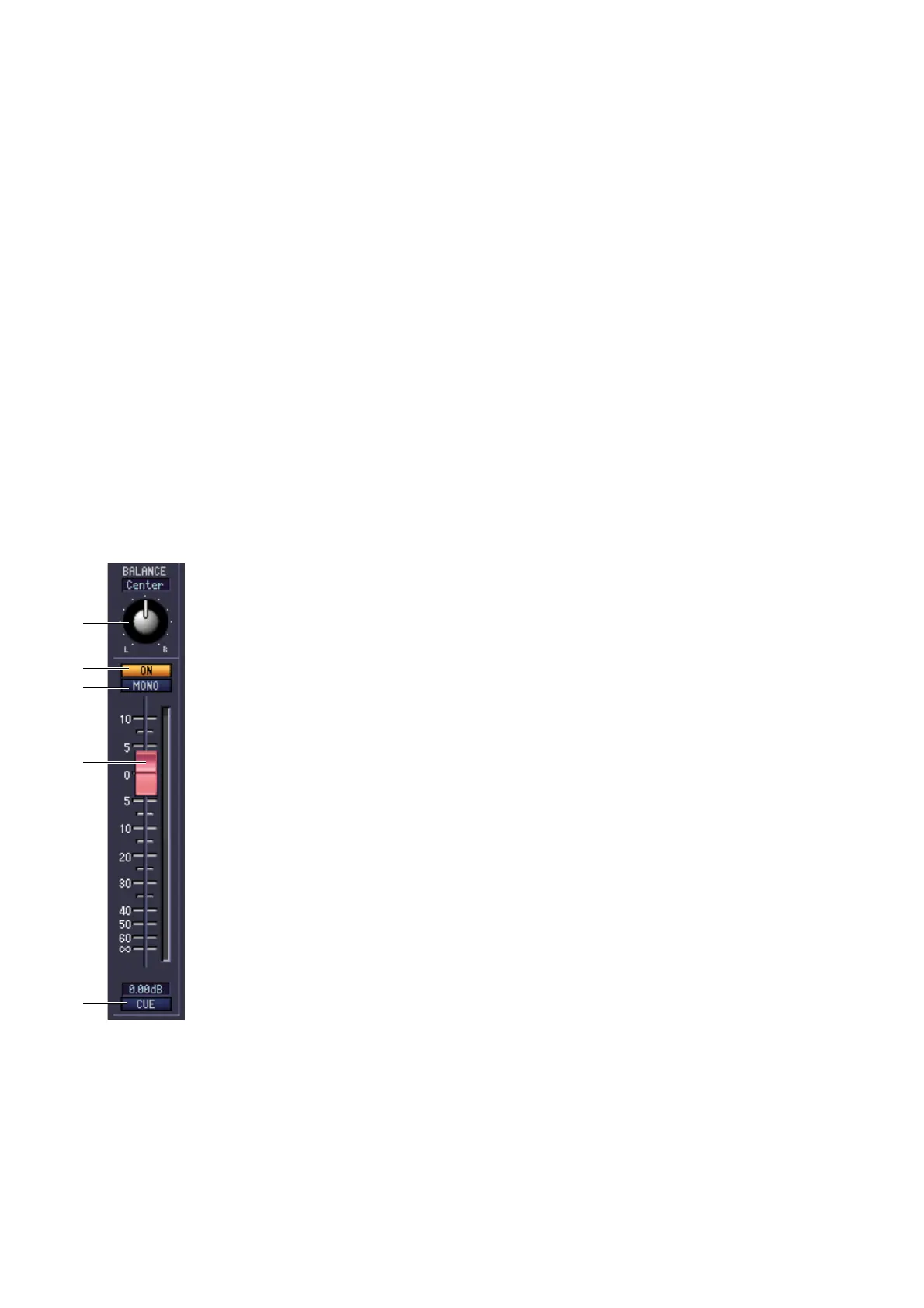
❏ Pan / Fader
A BALANCE
Adjusts the left/right output balance of the STEREO A/B channel.
B ON
This switches the STEREO A/B channel on/off. This is linked with the STEREO [ON]
key in the STEREO A/B channel strip of the PM5D panel.
C MONO (ST B channel only)
Switches the ST B channel between stereo/mono.
D Fader
Adjusts the output level of the STEREO A/B channel. This is linked with the STEREO
fader in the STEREO A/B channel strip of the PM5D panel. The current value is shown
in the numerical box immediately below. A level meter is shown beside the fader.
E CUE
This button cue-monitors the signal of the STEREO A/B channel. This is linked with
the STEREO [CUE] key in the STEREO A/B channel strip of the PM5D panel. If SOLO
is active, this will function as SOLO.
2
3
1
4
5











 To Next Page