32
DTX-PRO Owner’s Manual
Basic Operation of the DTX-PRO
Basic Guide
Changing the Effect Type and Amount of Effect to Apply
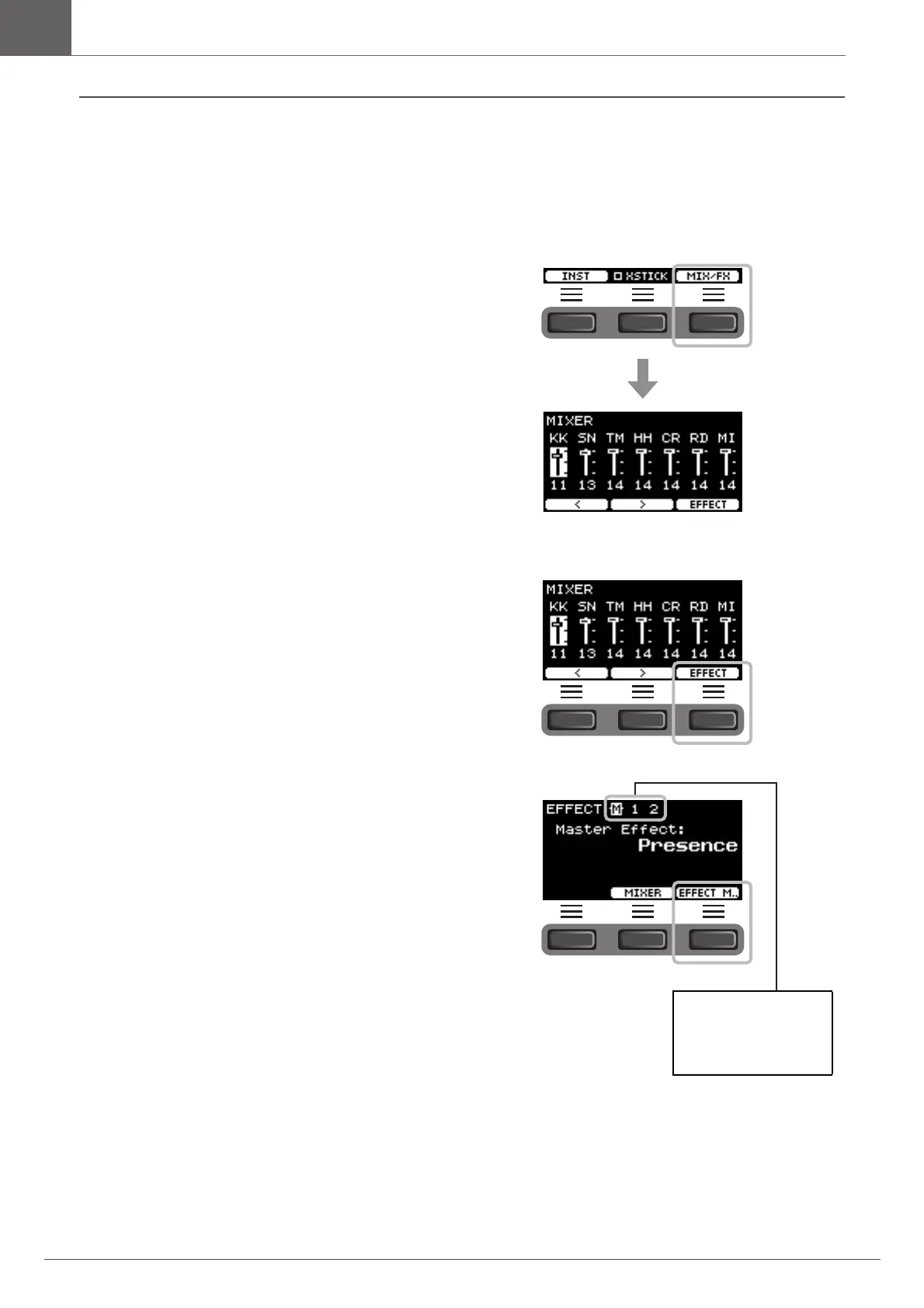
You can set a different effect type or change the amount of the effect that you control with the [EFFECT] knob.
Master Effect (effect applied to the overall sound), Effect 1 and Effect 2 (effects whose amounts can be set independently
for each Inst) are available.
1.
Press the button below “MIX/FX” ([F3]).
MIXER screen appears.
2.
Press the button below “EFFECT” ([F3]).
3.
Press the button below “EFFECT M…” ([F3])
to select the effect you wish to set.
Effect Selection
M: Master effect
1: Effect 1
2: Effect 2



 To Next Page