13
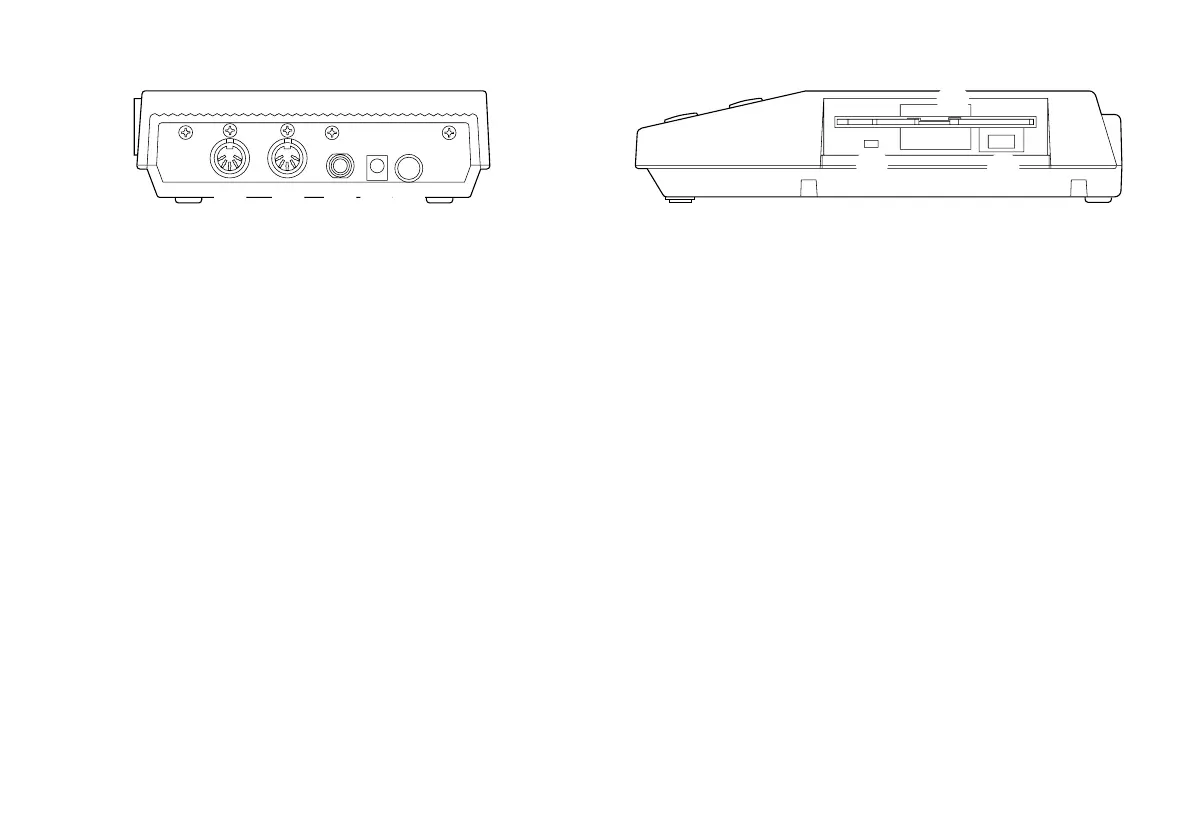
Rear Panel
o MIDI OUT This jack outputs MIDI data.
!0 MIDI IN Received MIDI data is input via this
jack.
!1 FOOT SW This jack enables START/STOP control
by pressing the foot switch (optional
Yamaha FC4, FC5, etc.) if it is con-
nected.
!
22
22
2 DC IN The DC plug of an optional AC power
adapter (Yamaha PA-3B) can be con-
nected here.
!3 POWER This switch turns the power to the
MDF3 on and off.
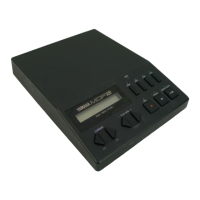
!4 Disk Drive This 3.5" disk drive is capable of ac-
cepting both 2HD and 2DD floppy
disks.
!5 Eject button This button ejects the floppy disk from
the disk drive.
!6 Disk Access This LED lights when data is being
LED written to or read from a disk. Never
attempt to remove a disk from the disk
drive while this lamp is lit.
Side Panel
o !0 !1 !2 !3
!4
!6
!5


 To Next Page