12
I
NTRODUCING THE
MDF3
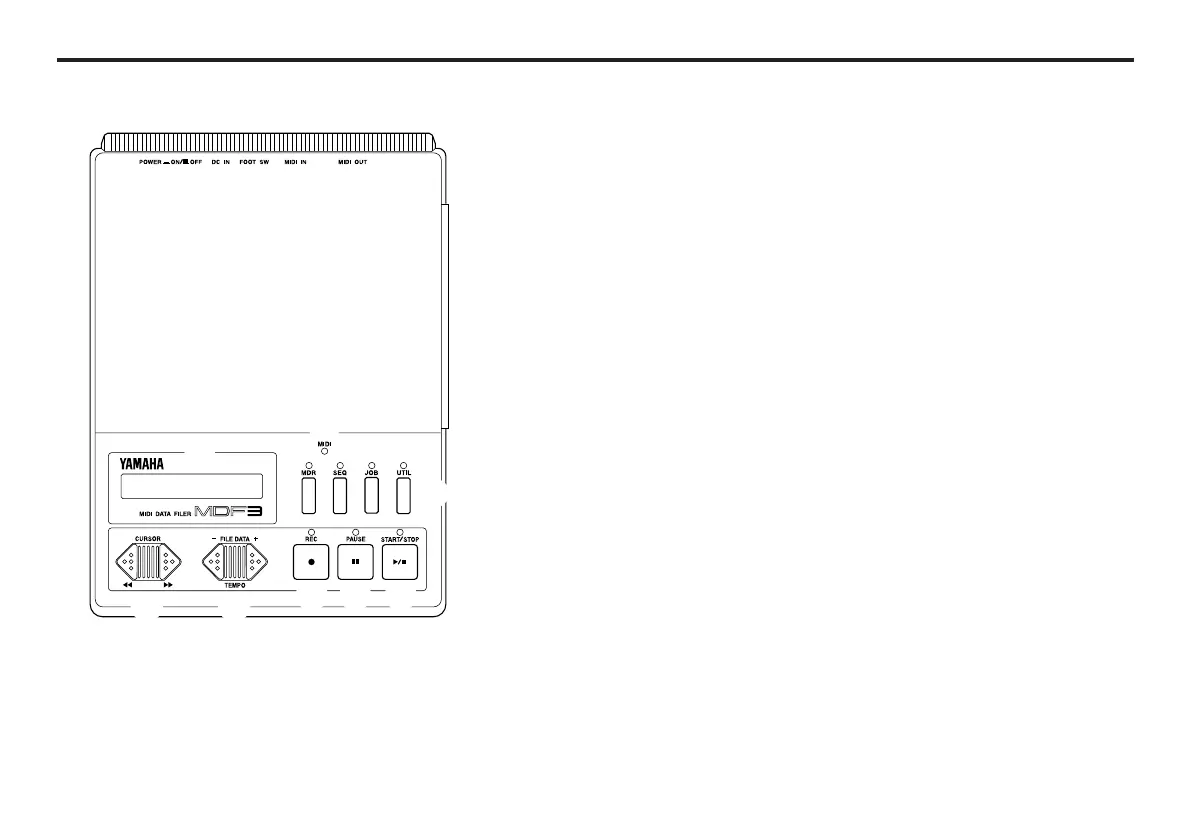
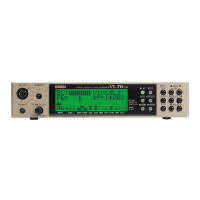
Front panel
q MIDI LED This LED lights when the MDF3
is receiving MIDI data. Note that
it does not light when data is be-
ing transmitted, however.
w LCD The LCD displays a variety of information to as-
sist you in operating the MDF3.
e Mode keys These keys allow you to switch between the
MDF3’s four operating modes. The MDF3’s
modes — MDR mode, SEQ mode, JOB mode,
and UTILITY mode — are outlined in the MDF3
Mode Overview on page 20.
r CURSOR keys These keys move the cursor in the LCD to the left
or right. They can also be used to fast forward or
rewind a file during playback in SEQ mode.
t FILE DATA These keys are used to select a file ( in the MDR
keys and SEQ modes) or a function (in the JOB and
UTILITY modes). They can also be used to change
the tempo during playback in SEQ mode.
y REC key This key is used in combination with the START/
STOP key to begin the reception/recording of data
in MDR and SEQ modes.
u PAUSE key This key pauses the recording or playback of a
file in progress in SEQ mode .It can also be used
in combination with the REC key to tell the MDF3
to standby for recording in this mode.
i START/STOP This key is used to start and stop reception/
key recording or transmission/playback in MDR and
SEQ modes. It is also used to execute functions
in the JOB and UTILITY modes.
q
e
r t
y u i
w


 To Next Page