47
UTIL
UTILITY M
ODE
The UTILITY mode functions let you rename, delete, or copy the files on a
disk; append files to one another; or copy the entire contents of one disk to
another.
Selecting a UTILITY mode function
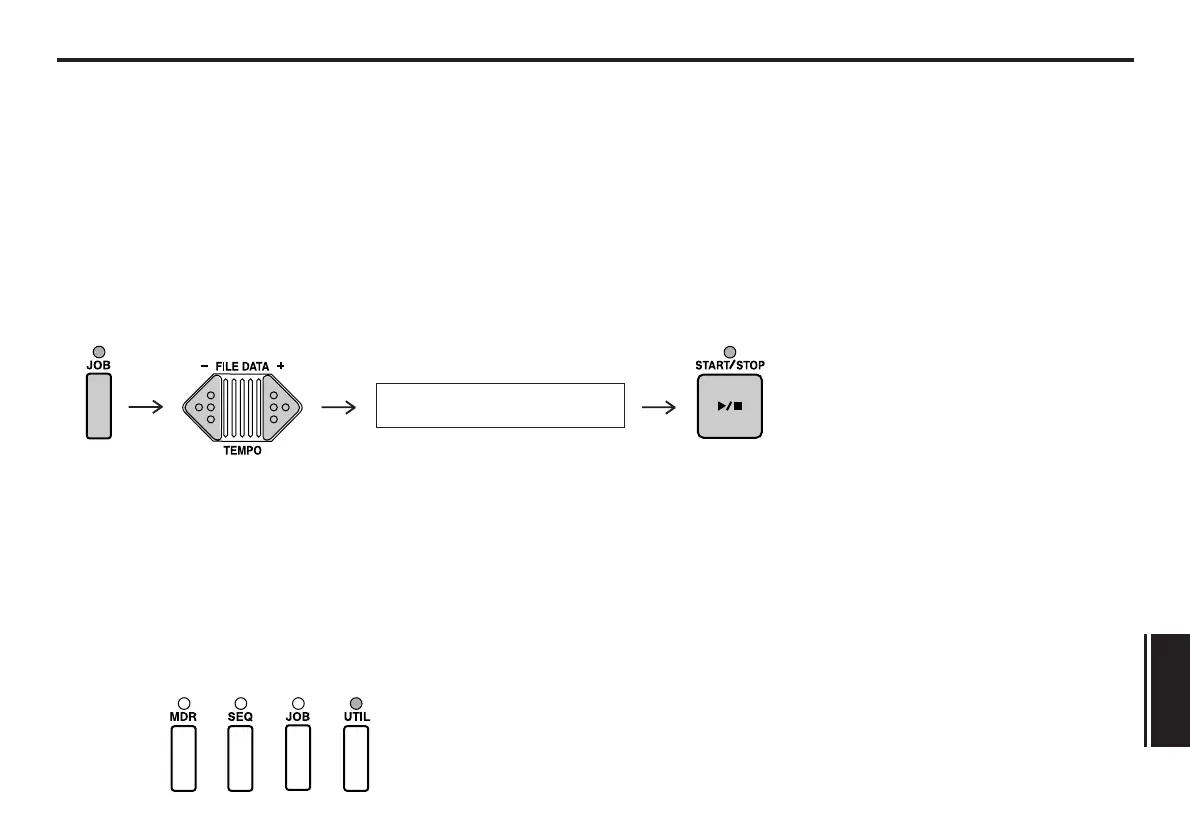
To use a UTILITY mode function, first press the UTIL key, then use the FILE DATA
keys to select the function. When the name of the desired function is displayed in
the LCD, press the START/STOP key.
Note:
You must place a disk in the disk drive in order to use the “UTILITY mode” functions.
Exiting a UTILITY mode function
When you have finished using a UTILITY mode function, you can exit the function
by pressing any of the mode selection keys.
01:~~~~~~~Rename


 To Next Page