En 115
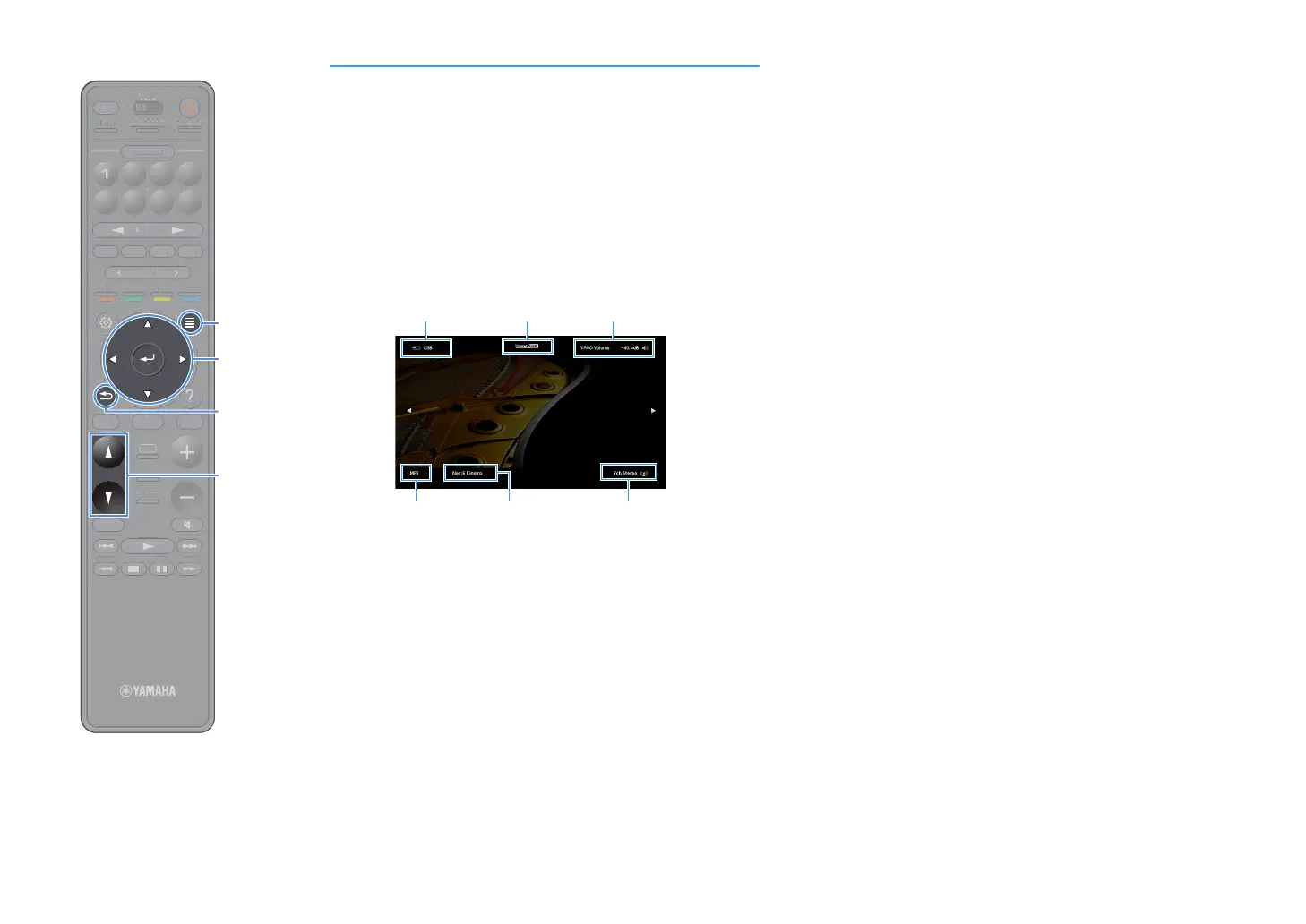
Viewing the status information on the TV
1
Press OPTION.
2
Use the cursor keys to select “On-screen Information”
and press ENTER.
The following information is displayed on the TV.
X
When SURROUND:AI is enabled, the status information for SURROUND:AI is also
displayed.
3
To close the information display, press RETURN.
Y
• You can use the PROGRAM key on the remote control for displaying the status
information on the TV. For details, see “PROGRAM Key” (p.151).
• Use the left/right cursor keys to display other informations in the “Setup”
menu on the TV.
Input source/
Party mode status
Audio format
CINEMA DSP/
ENHANCER status
Decoder
Sound mode
Volume/YPAO
Volume status
TUNINGBANDTUNING
MEMORY
STRAIGHT
VOLUME
ENHANCER
SUR. DECODE
AI
PROGRAM
POP-UP
/MENU
HOME
TOP
MENU
BLUE
YELLOW
GREENRED
PRESET
BLUETOOTH
NET USBTUNER
INPUT
8765
4321
SCENE
HDMI OUTPURE DIRECT
PARTY
MAIN 2 3 4
ZONE
SLEEP
TUNIN
AN
TUNIN
EM
RY
TRAI
HT
E
NHAN
E
UR. DE
D
P
P-
P
HOM
T
P
LU
T
T
PUT
ENE
E
NE
L
EP


 To Next Page