En 47
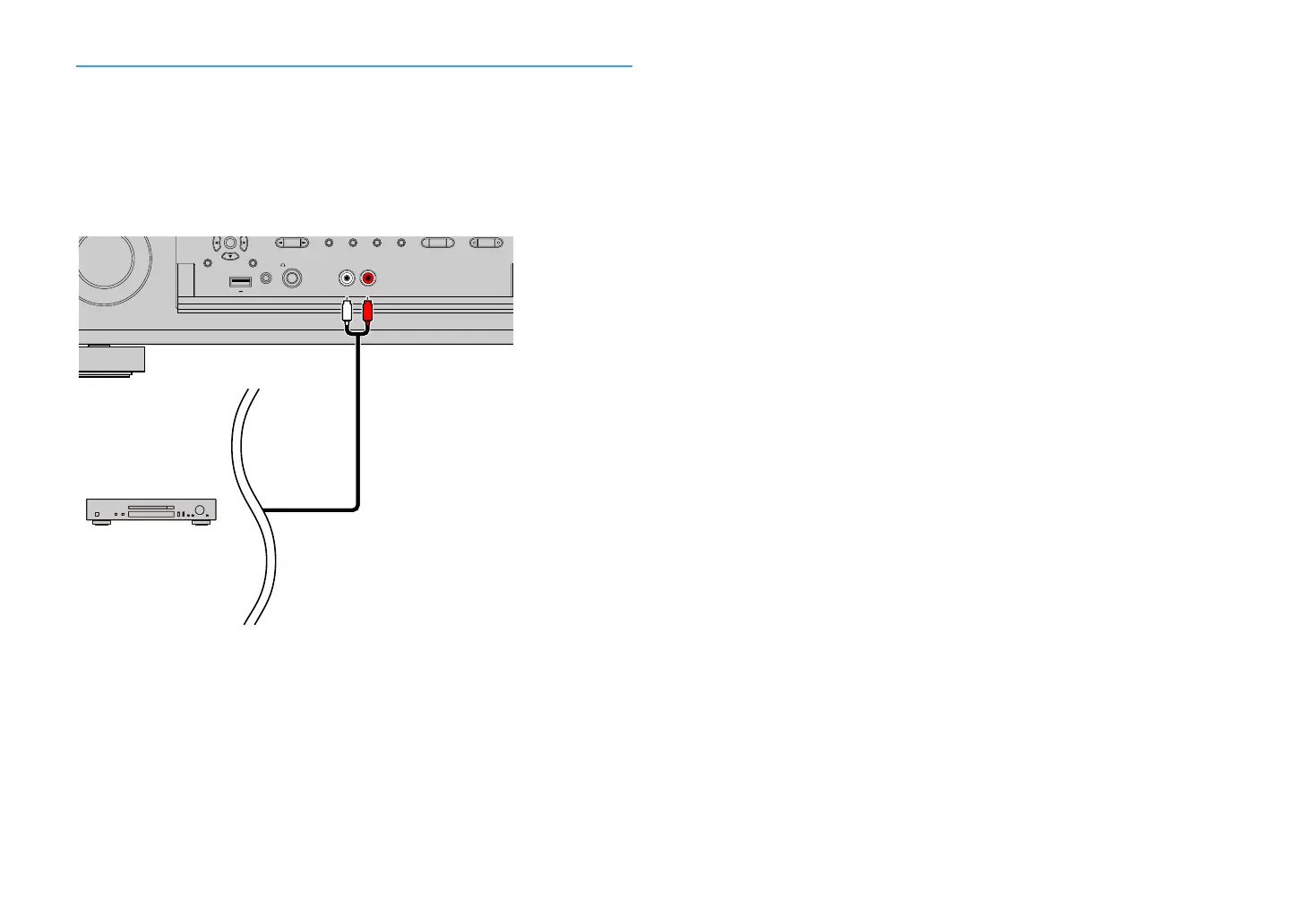
Connecting to the jacks on the front panel
The AUX jacks are convenient for temporarily connecting an audio playback device.
Use stereo pin cables to connect an audio device (such as a CD player) to the unit.
For details on connecting a USB device to the USB jack, see “Connecting a USB storage device”
(p.94).
X
Before making connections, stop playback on the device, and turn down the volume of the unit sufficiently.
If you select “AUX” as the input source by pressing INPUT, the audio played back on the device
will be output from the unit.
ENTER
HELPRETURN
YPAO MIC
PHONES
USB
SILENT CINEMA
AUX
ZONE 2
ZONE 3
ZONE 4
ZONE CONTROL
5V
1A
RL AUDIO
RL
Audio device
The unit (front)


 To Next Page