En 52
7 Selecting an on-screen menu language
Select the desired on-screen menu language from English, Japanese,
French, German, Spanish, Russian, Italian and Chinese.
1
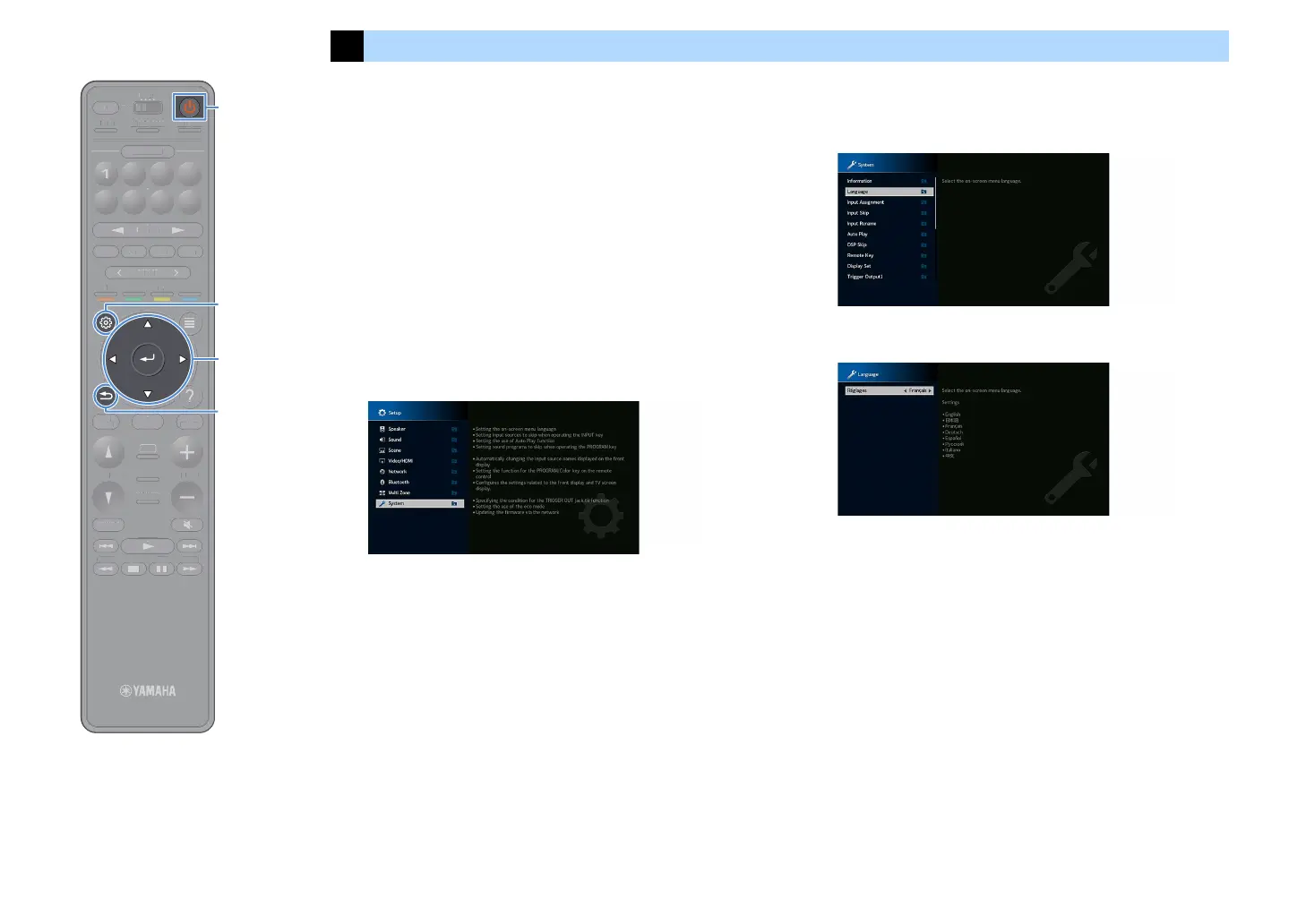
Press z (receiver power) to turn on the unit.
2
Turn on the TV and switch the TV input to display video
from the unit.
X
If you turn on the unit for the first time, the message regarding the network
setup appears. For now, press RETURN and proceed to Step 3.
3
Press SETUP.
4
Use the cursor keys to select “System” and press ENTER.
5
Use the cursor keys to select “Language” and press
ENTER.
6
Use the cursor keys to select the desired language.
7
To exit from the menu, press SETUP.
X
The information on the front display is provided in English only.
TUNINGBANDTUNING
MEMORY
STRAIGHT
VOLUME
ENHANCER
SUR. DECODE
AI
PROGRAM
POP-UP
/MENU
HOME
TOP
MENU
BLUE
YELLOW
GREENRED
PRESET
BLUETOOTH
NET USBTUNER
INPUT
8765
4321
SCENE
HDMI OUTPURE DIRECT
PARTY
MAIN 2 3 4
ZONE
SLEEP
TUNIN
AN
TUNIN
EM
RY
TRAI
HT
ME
NHAN
E
UR. DE
D
R
RA
P
P-
P
HOM
T
P
LUET
T
PUT
ENE
E
NE
L
EP


 To Next Page