En 94
Playing back music stored on a USB storage device
You can play back music files stored on a USB storage device on the unit.
The unit supports USB mass storage class devices (FAT16 or FAT32 format).
X
For details on playable file formats, see “Supported devices and file formats” (p.180).
Connecting a USB storage device
1
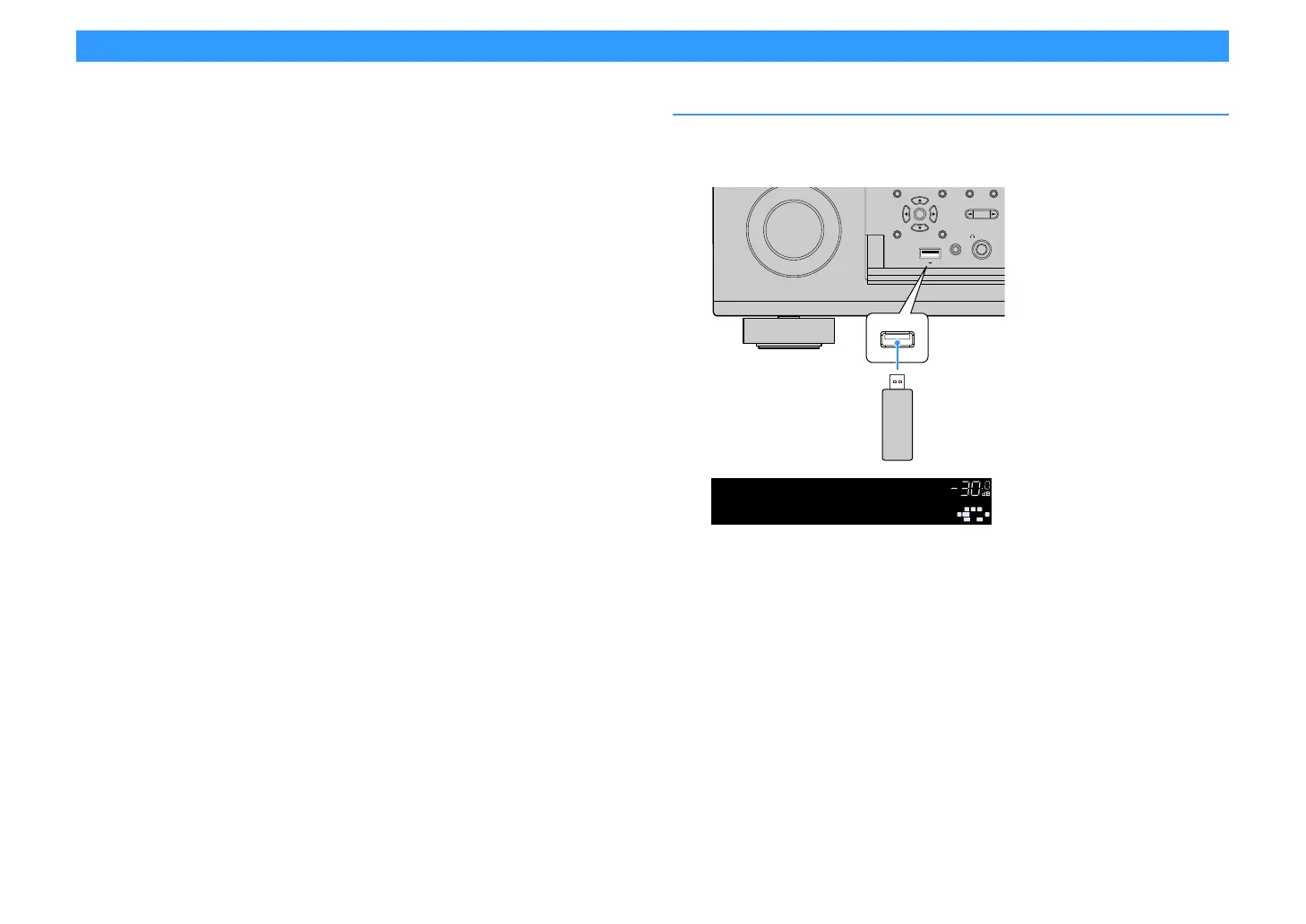
Connect the USB storage device to the USB jack.
X
If the USB storage device contains many files, it may take time to load the them. In this case, “Loading...” appears
in the front display.
Y
• Stop playback of the USB storage device before disconnect it from the USB jack.
• Connect a USB memory device directly to the USB jack of the unit. Do not use extension cables.
• The unit cannot charge USB devices while it is in standby mode.
ENTER
HELPRETURN
YPAO MIC
PHONES
USB
SILENT CINEMA
PROGRAM
5V
1A
(
CONNECT
)
The unit (front)
USB storage device


 To Next Page