En 68
8
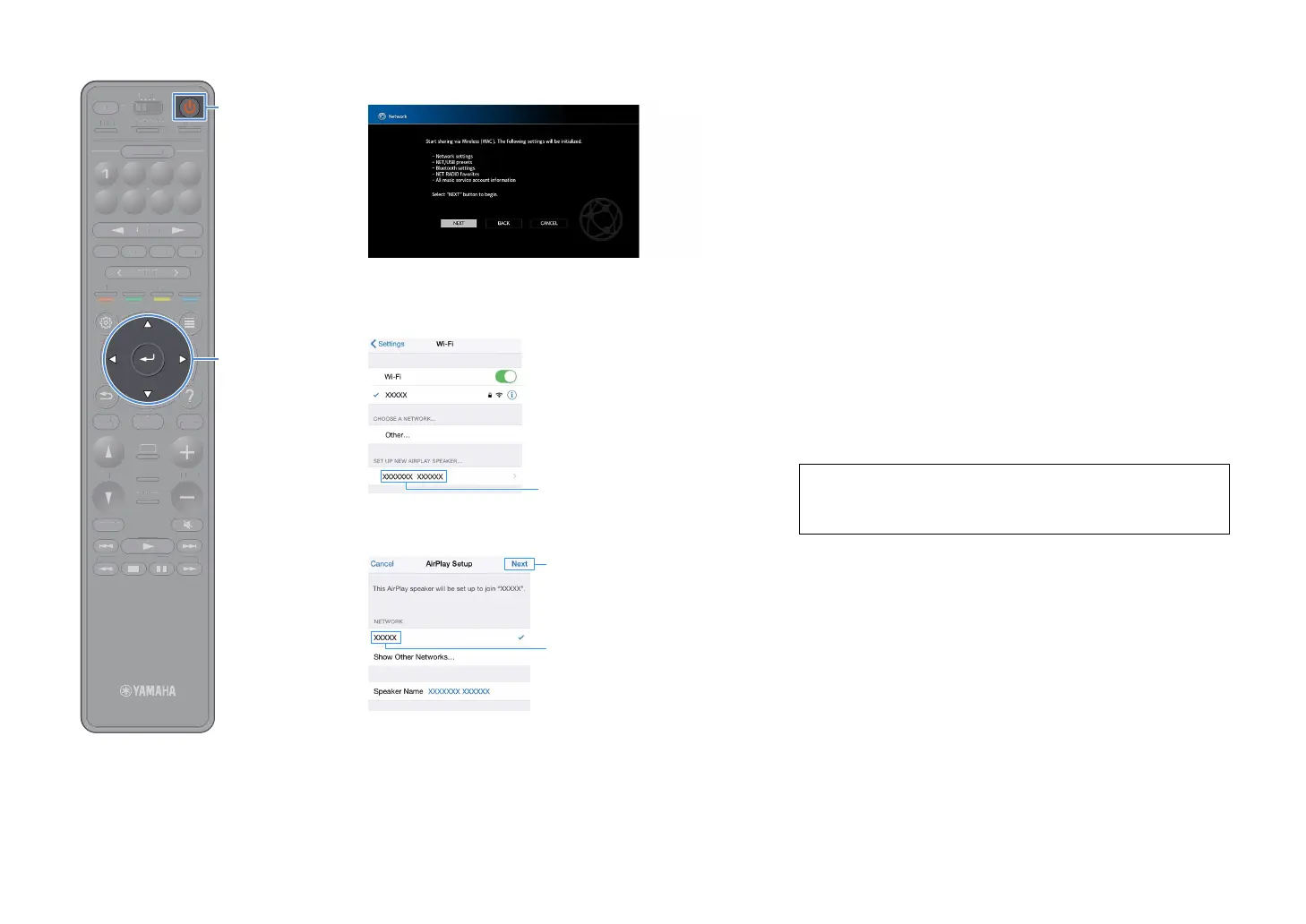
After checking the on-screen message, use the cursor
keys and ENTER to select “NEXT”.
9
On the iOS device, select the unit as the AirPlay speaker in
the Wi-Fi screen.
10
Check the network currently selected and tap “Next”.
When the sharing process finishes, the unit is automatically connected to
the selected network (access point).
■ Using the WPS push button configuration
You can easily set up a wireless connection with one push of the WPS
button.
Y
This configuration does not work if the security method of your wireless router (access
point) is WEP. In this case, use other connection method.
1
Press z (receiver power) to turn on the unit.
2
Hold down INFO (WPS) on the front panel for 3 seconds.
“Press WPS button on Access Point” appears on the front display.
3
Push the WPS button on the wireless router (access
point).
When the connection process finishes, “Completed” appears on
the front display.
If “Not connected” appears, repeat from Step 1 or try another
connection method.
Tap here to start setup
The network currently selected
About WPS
WPS (Wi-Fi Protected Setup) is a standard established by the Wi-Fi Alliance,
which allows easy establishment of a wireless home network.
TUNINGBANDTUNING
MEMORY
STRAIGHT
VOLUME
ENHANCER
SUR. DECODE
AI
PROGRAM
POP-UP
/MENU
HOME
TOP
MENU
BLUE
YELLOW
GREENRED
PRESET
BLUETOOTH
NET USBTUNER
INPUT
8765
4321
SCENE
HDMI OUTPURE DIRECT
PARTY
MAIN 2 3 4
ZONE
SLEEP
TUNIN
AN
TUNIN
EM
RY
TRAI
HT
L
E
NHAN
E
UR. DE
D
RA
P
P-
P
HOM
T
P
LUET
T
PUT
ENE
E
NE
L
EP


 To Next Page