En 83
■ Registering radio stations automatically
(FM Auto Preset)
Automatically register FM radio stations with strong signals.
1
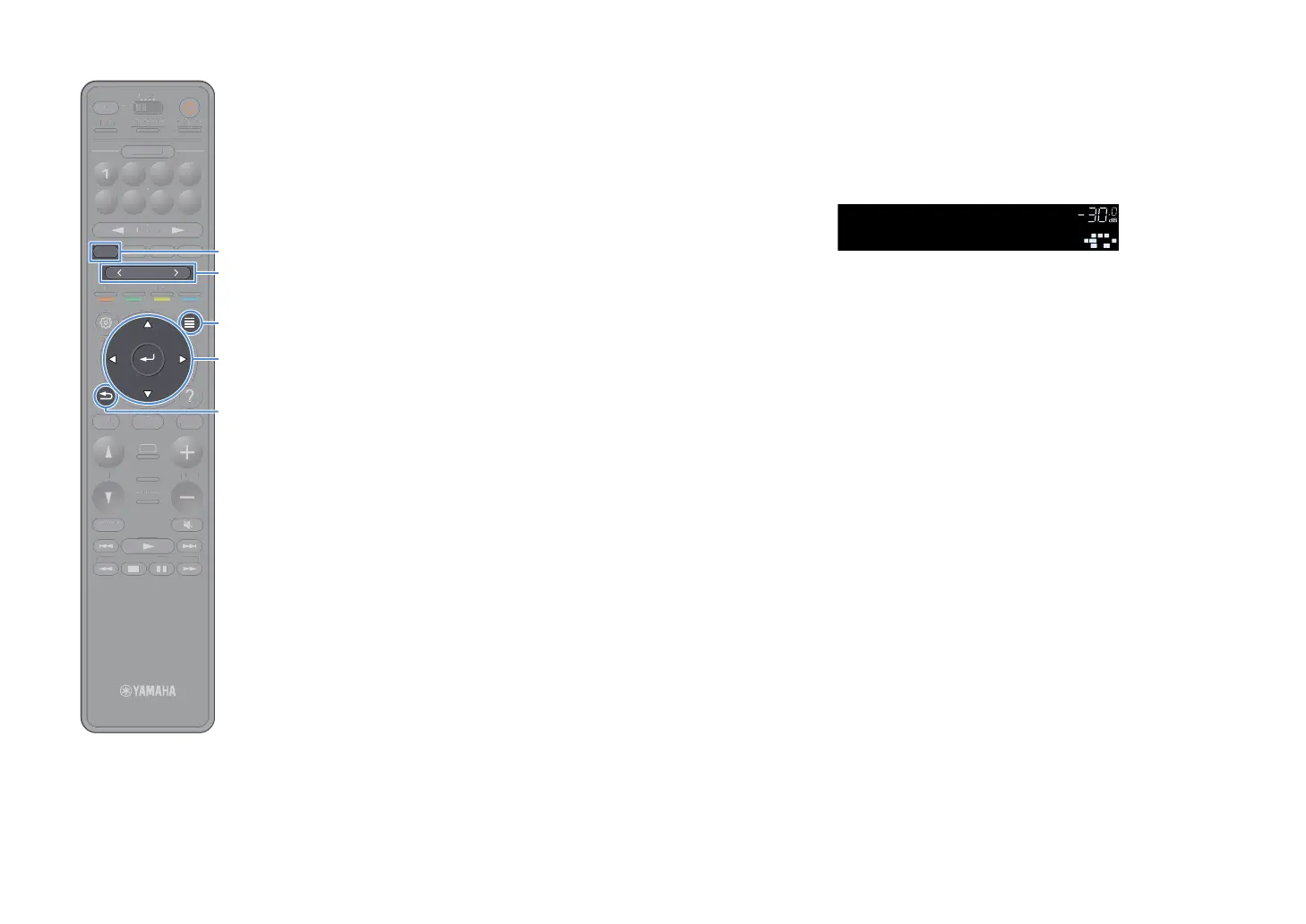
Press TUNER to select “TUNER” as the input source.
2
Press OPTION.
3
Use the cursor keys to select “Preset” and press ENTER.
X
To specify the preset number from which to start the registration, press cursor
keys or PRESET to select a preset number.
4
To start the Auto Preset process, press ENTER.
Y
To cancel the Auto Preset process, press RETURN.
When the Auto Preset process finishes, “Finished” appears at the
“Preset” screen and the “Option” menu closes automatically.
■ Selecting a preset station
Tune into a registered radio station by selecting its preset number.
1
Press TUNER to select “TUNER” as the input source.
2
Press PRESET repeatedly to select the desired radio
station.
Y
“No Presets” appears when no radio stations are registered.
■ Clearing preset stations
Clear radio stations registered to the preset numbers.
1
Press TUNER to select “TUNER” as the input source.
“TUNER” is selected as the input source and the frequency
currently selected is displayed on the front display.
2
Press OPTION.
3
Use the cursor keys to select “Preset” and press ENTER.
4
Use the cursor keys to select “Clear Preset”.
5
Use the cursor keys to select a preset station to be cleared
and press ENTER.
If the preset station is cleared, “Cleared” appears and then the next
in-use preset number is displayed.
6
To exit from the menu, press OPTION.
Preset
VOL.
SBL SBR
SL SR
CL R
STEREO TUNED
SW1
TUNINGBANDTUNING
MEMORY
STRAIGHT
VOLUME
ENHANCER
SUR. DECODE
AI
PROGRAM
POP-UP
/MENU
HOME
TOP
MENU
BLUE
YELLOW
GREENRED
PRESET
BLUETOOTH
NET USBTUNER
INPUT
8765
4321
SCENE
HDMI OUTPURE DIRECT
PARTY
MAIN 2 3 4
ZONE
SLEEP
TUNIN
AN
TUNIN
EM
RY
TRAI
HT
E
NHAN
E
UR. DE
D
PR
RA
P
P-
P
HOM
T
P
LU
T
T
PUT
ENE
E
NE
L
EP
RETURN
OPTION
ENTER
PRESET
TUNER


 To Next Page