Connecting zone speakers
Connecting zone speakers using the unit’s internal amplifier
Connect zone speakers to the unit with speaker cables. And according to the speaker’s connection, change
your speaker configuration setting.
NOTICE
(
Unplug the unit’s power cable from an AC wall outlet before connecting the speakers.
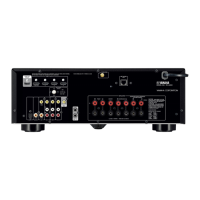
1 Connect zone speakers to the EXTRA SP1 or EXTRA SP2 terminals.
2 Set “Power Amp Assign” in the “Setup” menu.
Related links
(
“7.1 +1Zone”(p.57)
(
“5.1.2 +1Zone”(p.59)
(
“Setting your speaker system”(p.187)
149
ENJOYING IN MULTIPLE ROOMS (ZONES) > Preparing zones


 To Next Page