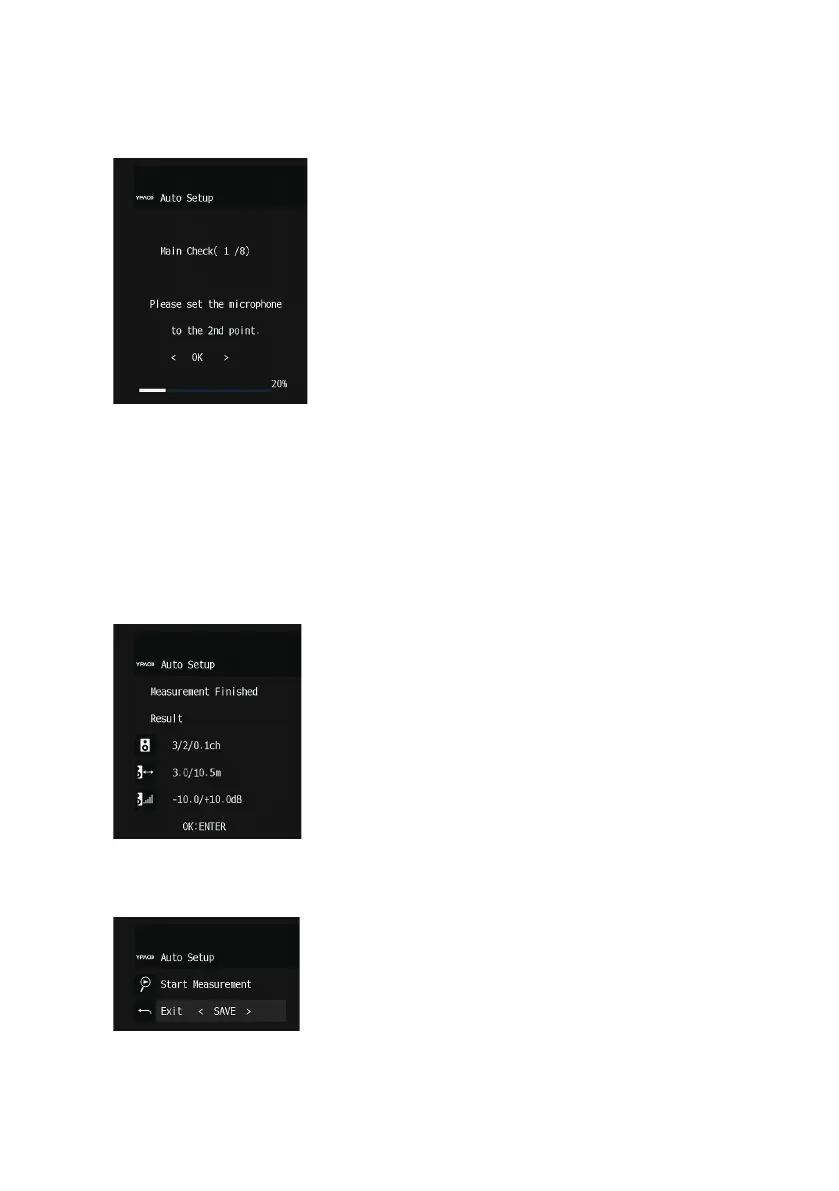
7 According to the guidance displayed on the screen, start the measurement.
The following screen appears on the TV when the measurement at the first position finishes.
8 Move the YPAO microphone to the next listening position and select “OK”.
Repeat it until measurements at all listening positions (up to 8) have been taken.
9 When the measurements at the positions you want to measure are completed,
select “Skip”.
When you have taken measurements at 8 listening positions, the following screen appears
automatically.
After confirming the measurement results, press ENTER.
10 Select “Save” to save the measurement result.
The adjusted speaker settings are applied.
11 Disconnect the YPAO microphone from the unit.
Thicompletes optimization of the speaker settings.
96
PREPARATIONS > Configuring the speaker settings


 To Next Page