5-8
5
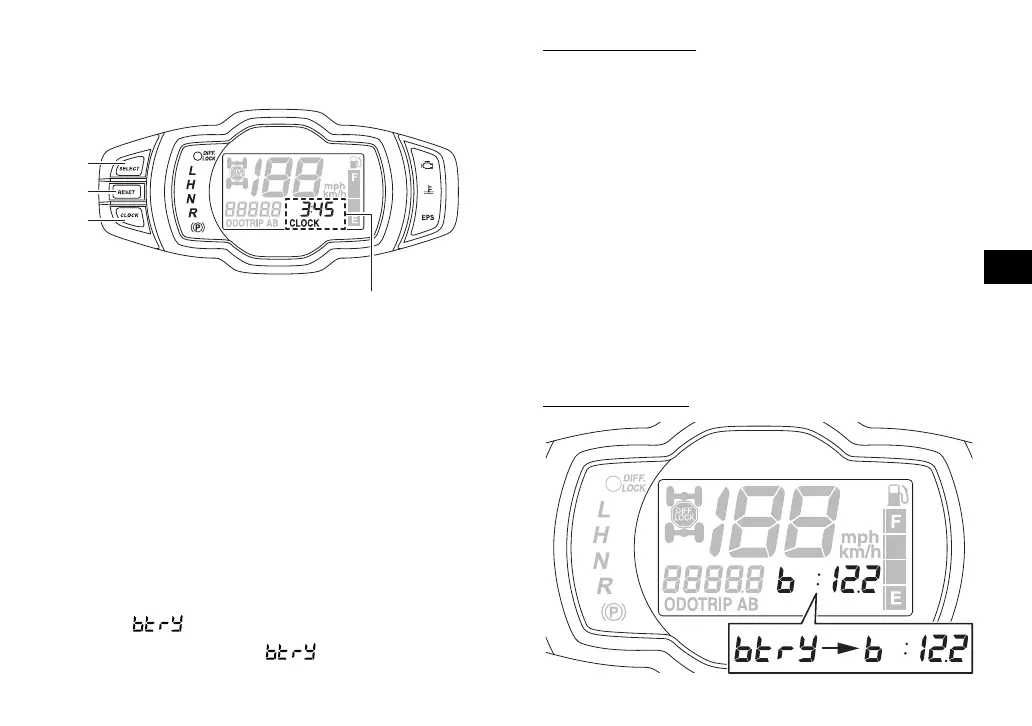
Clock, hour meter and voltage display
The clock displays time in 12-hour format.
The hour meter shows the total time the en-
gine has been running. The voltage display
shows the battery voltage.
Push the “CLOCK” button to switch between
the clock “CLOCK”, the hour meter mode
“HOUR” and the voltage display
mode “ ” in the following order:
CLOCK → HOUR → → CLOCK
To set the clock
1. Set the display to the clock.
2. Push both the “SELECT” button and
“RESET” button until the hour digits start
flashing.
3. Use the “RESET” button to set the hours.
4. Push the “SELECT” button, and the min-
ute digits will start flashing.
5. Use the “RESET” button to set the min-
utes.
6. Push the “SELECT” button and then re-
lease it to start the clock.
Voltage display
1. “SELECT” button
2. “RESET” button
3. “CLOCK” button
4. Clock/Hour meter/Voltage display
4
1
2
3
UBHF11E0.book Page 8 Friday, October 1, 2021 5:00 PM










 To Next Page