20
4. OPERATION PROCEDURES
Constant Temperature Mode
Constant temperature
operation procedure
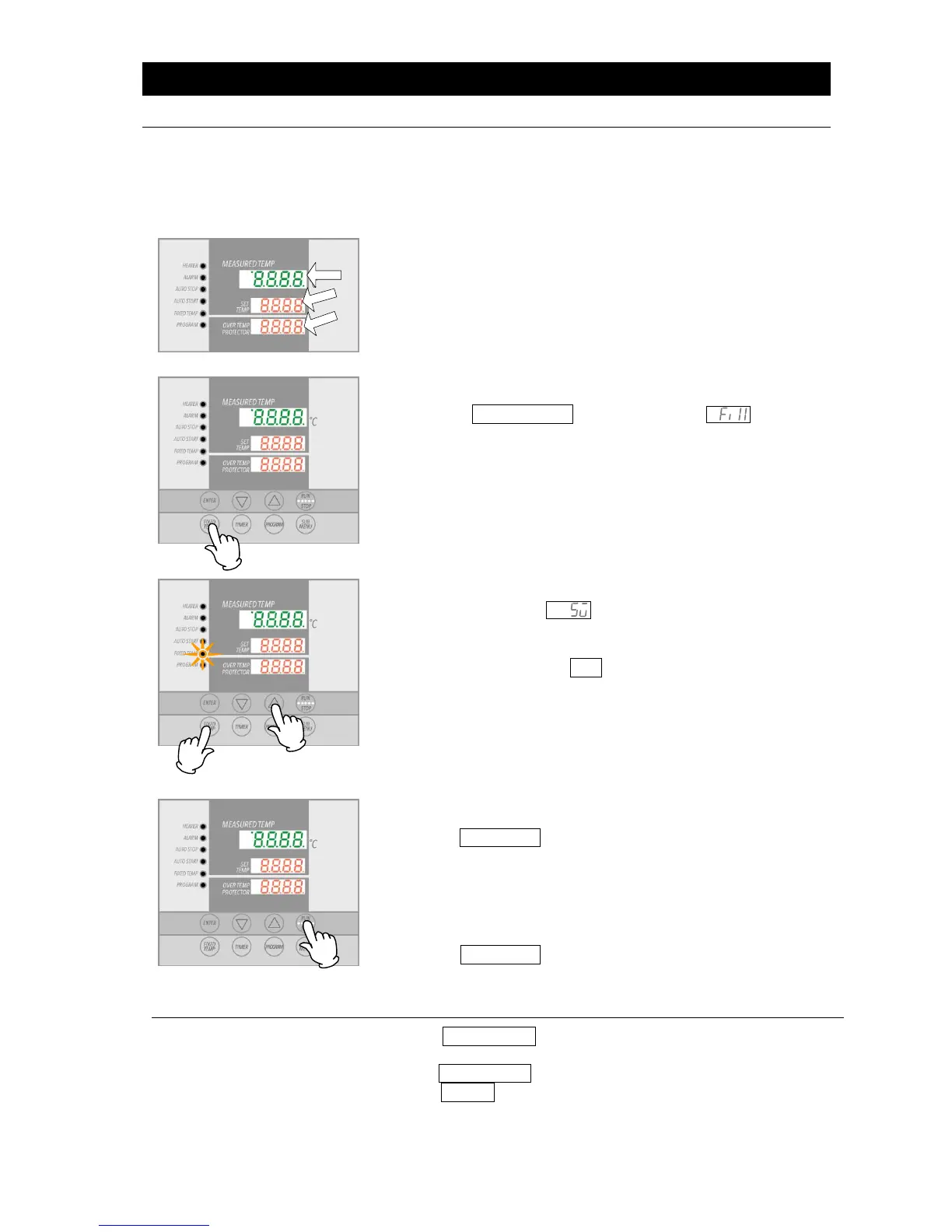
1. Turn on the main circuit breaker (MCB)
Default values are displayed for about four seconds after turning
on power. Initial settings will then show in respective displays.
Temperature monitoring display:
Shows current temperature in the chamber and other setting information.
Main temperature setting display:
Shows temperature setting and other setting information.
Overheat prevention display:
Displays the temperature setting of overheat prevention device.
(For more on mode and setting characters, see “Display Characters”, P.14)
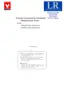
2. Select operation mode
Press the FIXED TEMP key to display , indicating
constant or “FIX” temperature mode, in center display.
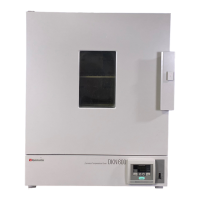
3. Set temperature
Center display shows , indicating temperature can be set.
Current temperature will flash in top display. FIXED TEMP lamp
also flashes.
Set temperature using the ▼▲ keys.
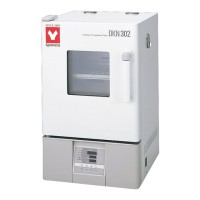
4. Start operation
Press the RUN/STOP key for about one second. Unit will begin
operation and FIXED TEMP lamp will change from flashing to
constant to indicating that unit is currently operating in constant
temperature mode.
5. Stop operation
Press the RUN/STOP key for about one second. Operation will
stop (terminate) and the FIXED TEMP lamp will go out. Control
panel reverts to initial settings screen.
Editing or confirming
settings.
Press the FIXED TEMP key again to edit or confirm settings.
Changing the temperature setting during operation is also possible
using the FIXED TEMP key. When setting changes have been made,
press the ENTER key to finish.



 To Next Page