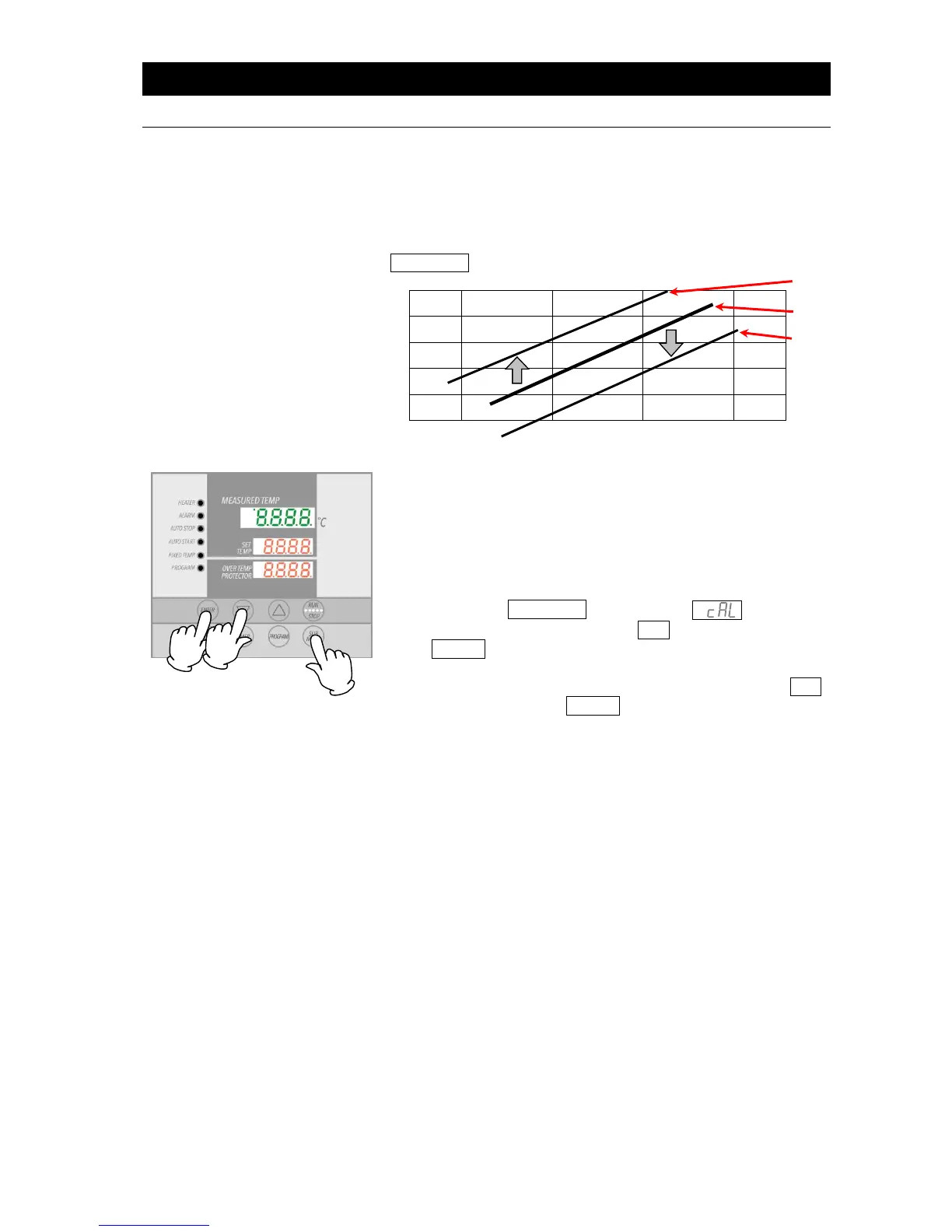
Calibration offset is function which can correct for any
differences discovered between actual chamber temperature
(taken manually) and the temperature displayed on the control
panel (taken by built-in sensor). Offset function can correct to
either the positive or negative side of the entire unit temperature
range. Offset function can be set or cancelled with the
SUBMENU key.
② Confirm whether there is difference between display
temperature (shown in top display) and chamber
temperature, as recorded by the thermograph. If a
difference in temperature values is confirmed, follow the
procedure below.
③
Press the SUBMENU key. Select , indicating
calibration offset, using the ▲▼ keys and press the
ENTER key.
④ Enter a value that brings temperature display (top display)
and chamber temperature into agreement, using the ▲▼
keys and press the ENTER key up to +99 or -99 in either
direction of 0.
Setting calibration offset to the negative side of 0
increases actual temperature by the negative value
entered (i.e. entering a value of -3 increases actual
temperature by 3C)
Setting calibration offset to the positive side of 0
decreases actual temperature by positive value entered
(i.e entering +3 decreases actual temperature by 3C
Entering excessive compensation values may cause
a precariously large discrepancy between actual
temperature and temperature reading. Contact
original dealer of purchase if entering large
compensation values is required.
In addition to the calibration offset function, DKN-C
series units have a two-point offset function built in,
which has some compensating effects in low and high
temperature zones. These offsets have already been
entered at the factory.
Contact original dealer of purchase, if further
questions arise concerning operation procedures.



 To Next Page