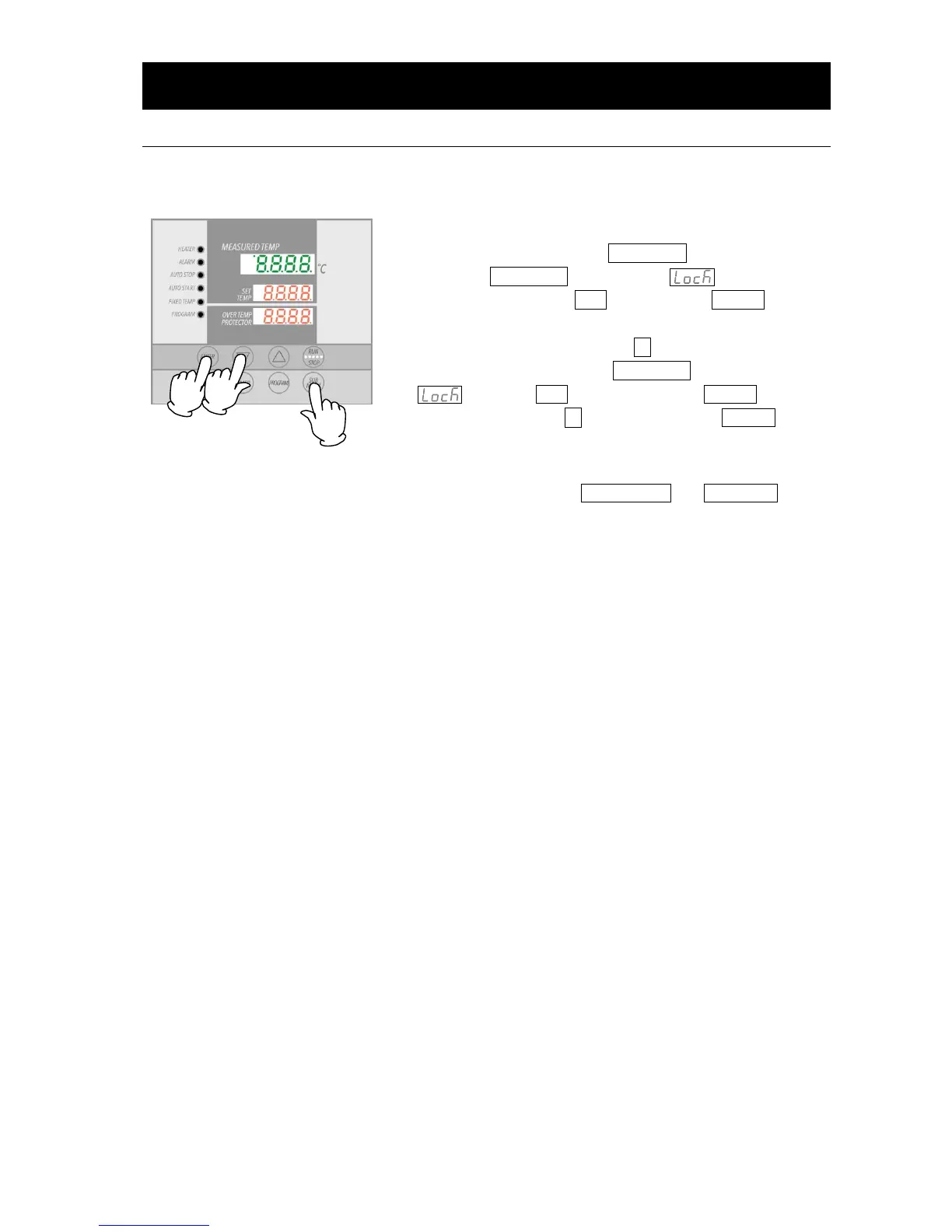
This function locks all keys except the SUBMENU and
START/STOP keys, so that settings cannot be unintentionally
changed.
Lock is set or cancelled with the SUBMENU key.
①
Press the SUBMENU key. Select , indicating key
lock function, using the ▲▼, and press the ENTER key.
②
Center display will read "oFF". The the keys are locked
when "On" is selected using the ▲ key.
③
To cancel the lock, press the SUBMENU key again. Select
using the ▲▼ keys and press the ENTER key.
Select "oFF" with the
▼
key, then press the ENTER key to
cancel the function.
● With the keypad lock function ON, all keys become
unresponsive except the START/STOP and SUBMENU keys.



 To Next Page