YCO-1127-12-08
PPC-300WP Operation Manual
Packing Function
Once the packing function is enabled, the target weight and allowable range need to be setup.
Setup
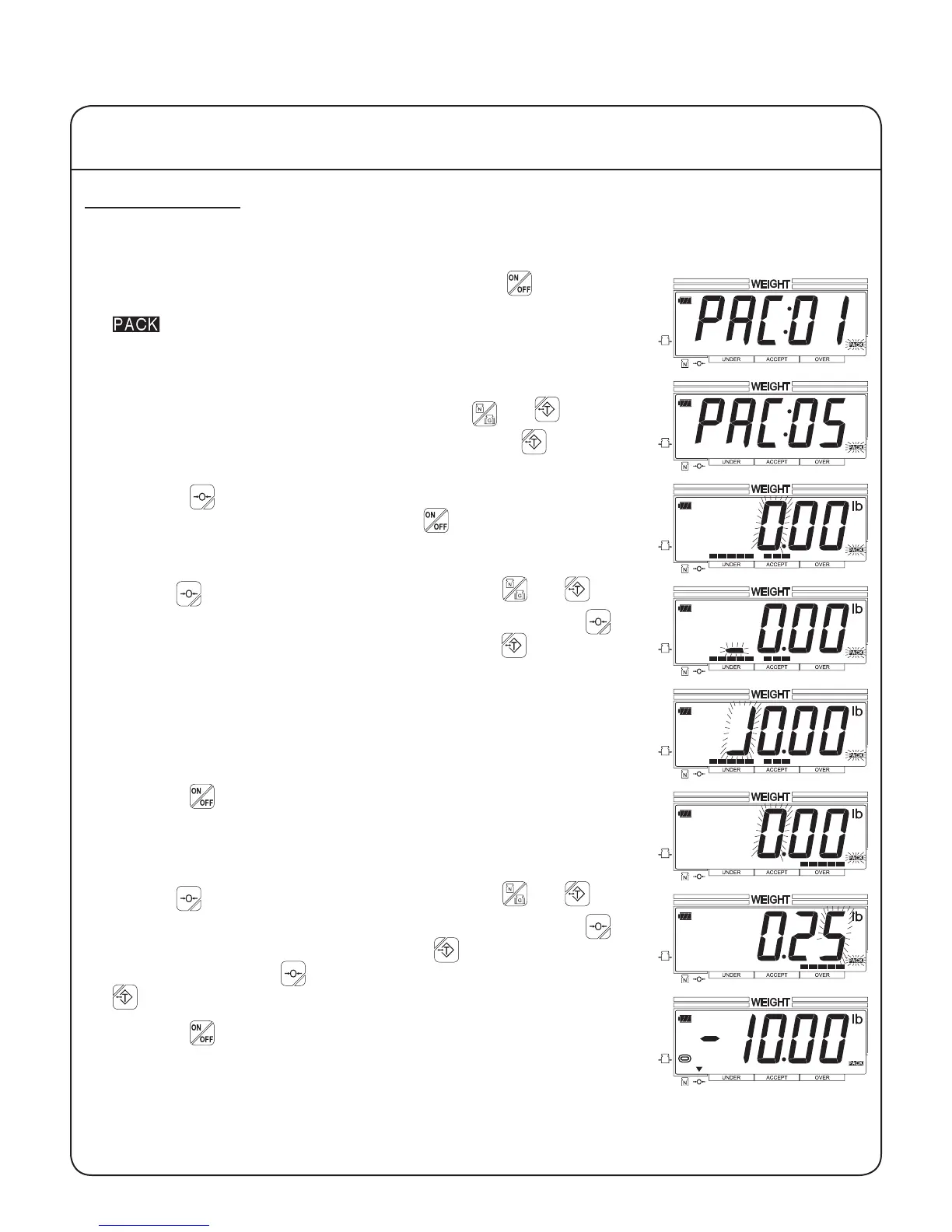
1. With the scale on and the platform empty, press the key for one
second. The scale will indicate that it is in pack setup mode and the
indicator will ash.
2. Up to 99 different congurations can be stored in memory. Initially,
the scale will display conguration 01. Use the and keys to
select the desired conguration. Example: Press the key four
times to select conguration 05.
3. Press the key to enter the target weight setting, or (if the congu-
ration has already been setup) press the key to exit setup and
begin weighing.
4. Use the key to select a digit to change, and the and keys
to decrease or increase the digit's value. Example: Press the
key three times to select the fourth digit. Press the key once to
change the digit to "1".
5. Press the key to enter the target weight and progress to the ac-
ceptable weight range. The acceptable weight range is the value
above the target weight that is acceptable. Example: For an accept-
able range of 10.00 to 10.25 pounds, enter 0.25 (10.00 + 0.25 lb.)
6. Use the key to select a digit to change, and the and keys
to decrease or increase the digit's value. Example: Press the key
once to select the second digit. Press the key twice to change the
digit to "2". Press the key again to select the next digit. Press the
key ve times to change the digit to "5".
7. Press the key to enter the acceptable weight range and exit setup
mode. The scale will display a negative value equal to the target
weight.
IV Using the Scale
14


 To Next Page