26
Program “MODE”
Setting Dry Temperature and Time
Dry Mode Temperature and Time
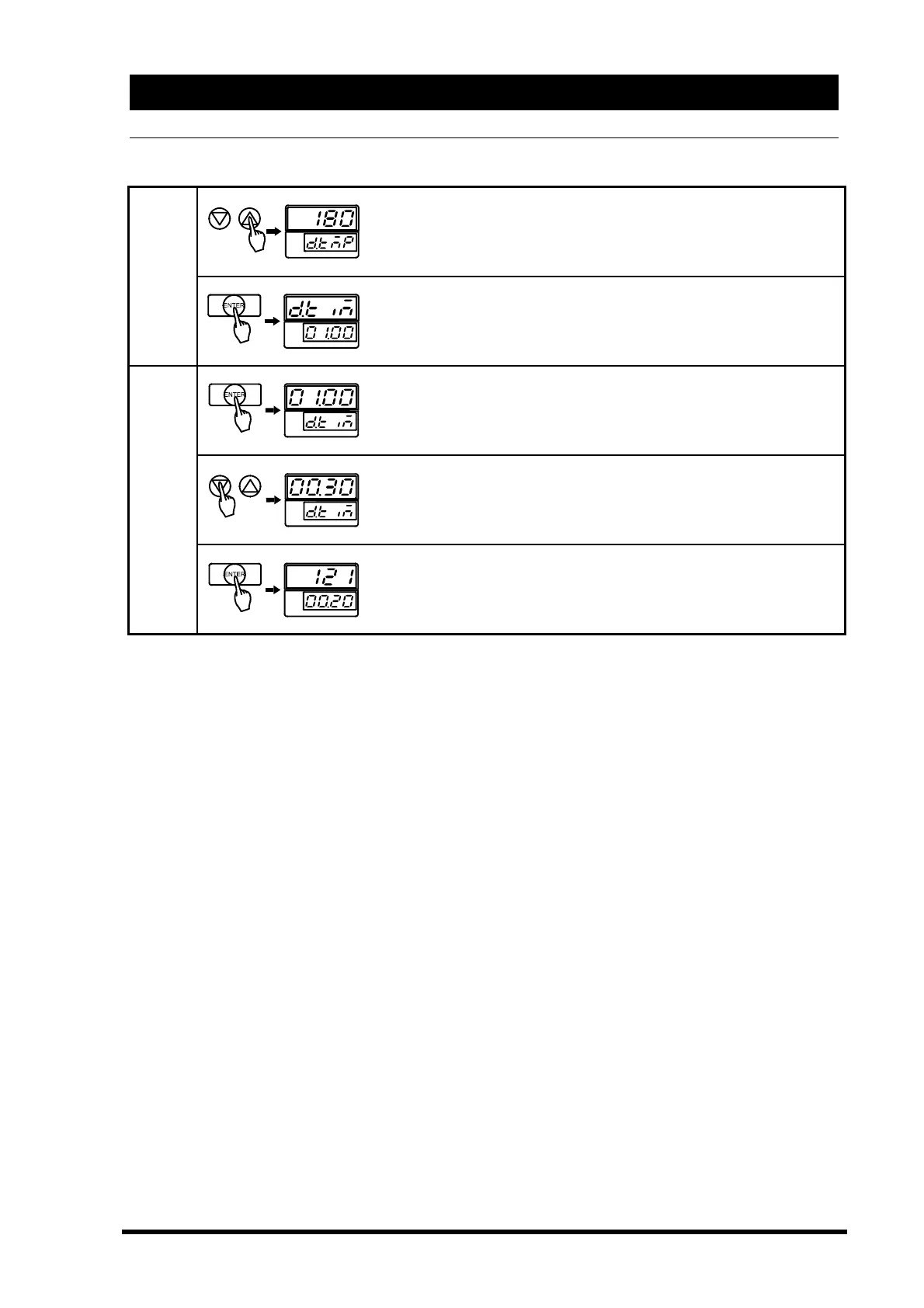
Input the dry temperature you desire by ▽△key.
▽key…To lower temperature to 150℃.
△key…To raise temperature up to 180℃.
D.
Temp.
Push the “ENTER” key.
The changed dry temperature is fixed, and the panel blinks the
next function, dry time set-up.
Push the “ENTER” key again.
You can now change the dry time.
Input the dry time you desire by ▽△key.
▽key…To reduce time.
△key…To increase time.
D.
Time
Push the “ENTER” key. The changed dry time is fixed and the
panel display automatically returns to stand-by. The displays
blinks newly set sterilization temperature and time.



 To Next Page