29
Run “MENU”
“STERILIZE” Procedure
“STERILIZE” procedure
Check the following:
① Is the drain valve closed? Pg.10
② Is the drain filter in place? Pg.15
③ Is the bottom plate set? Pg.15
④ Is the bottle set? Pg.16
⑤ Is water in chamber? Pg.17
⑥ Is the lid closed? Pg.18
◇Turn on the main circuit breaker(located on the left side of
the unit).
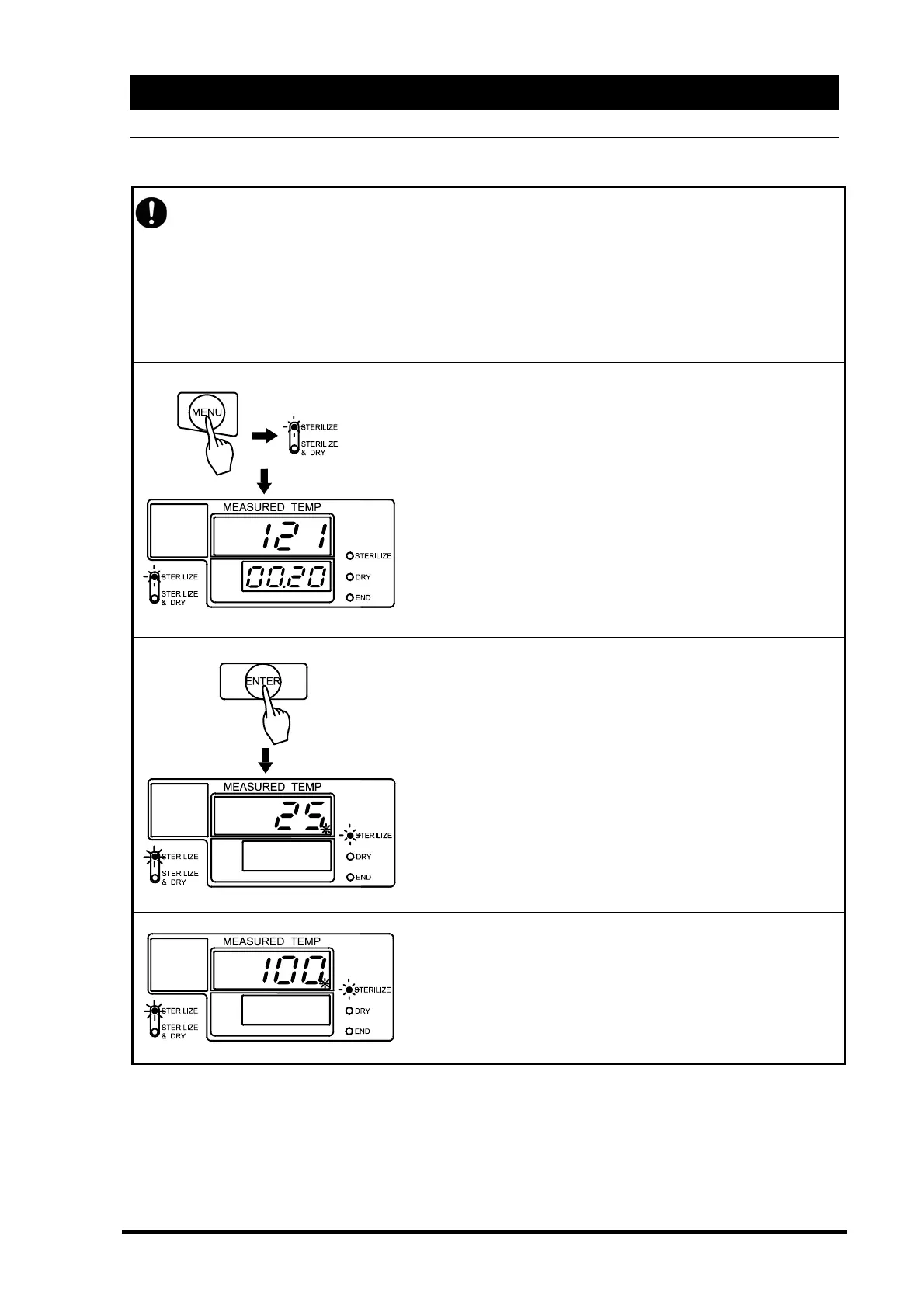
◇Push the “MENU” key and select “STERILIZE”.
(See P28)
◇Set the sterilization temperature and time as you desire.
(See P25)
→The main display blinks the set temperature.
→The sub display blinks the set time.
→The sterilize menu lamp comes on and off.
◇Push the “ENTER” key
Operation begins. The sterilization heater turns on.
The solenoid exhaust valve remains open. Air purges out of
the chamber. (Approximately 20-25 minutes)
→The main display shows water temperature and heater
lamp.
→The sub display goes off.
→Sterilize lamp comes on and off.
→Sterilize menu lamp blinks.
At the end of air purge, the solenoid exhaust valve closes,
and pressurization starts. (Approximately 20-25 minutes)
→The main display shows the chamber temperature.
→Sterilize lamp blinks.
→Sterilize menu lamp is lit.



 To Next Page