30
Run “MENU”
“STERILIZE” Procedure
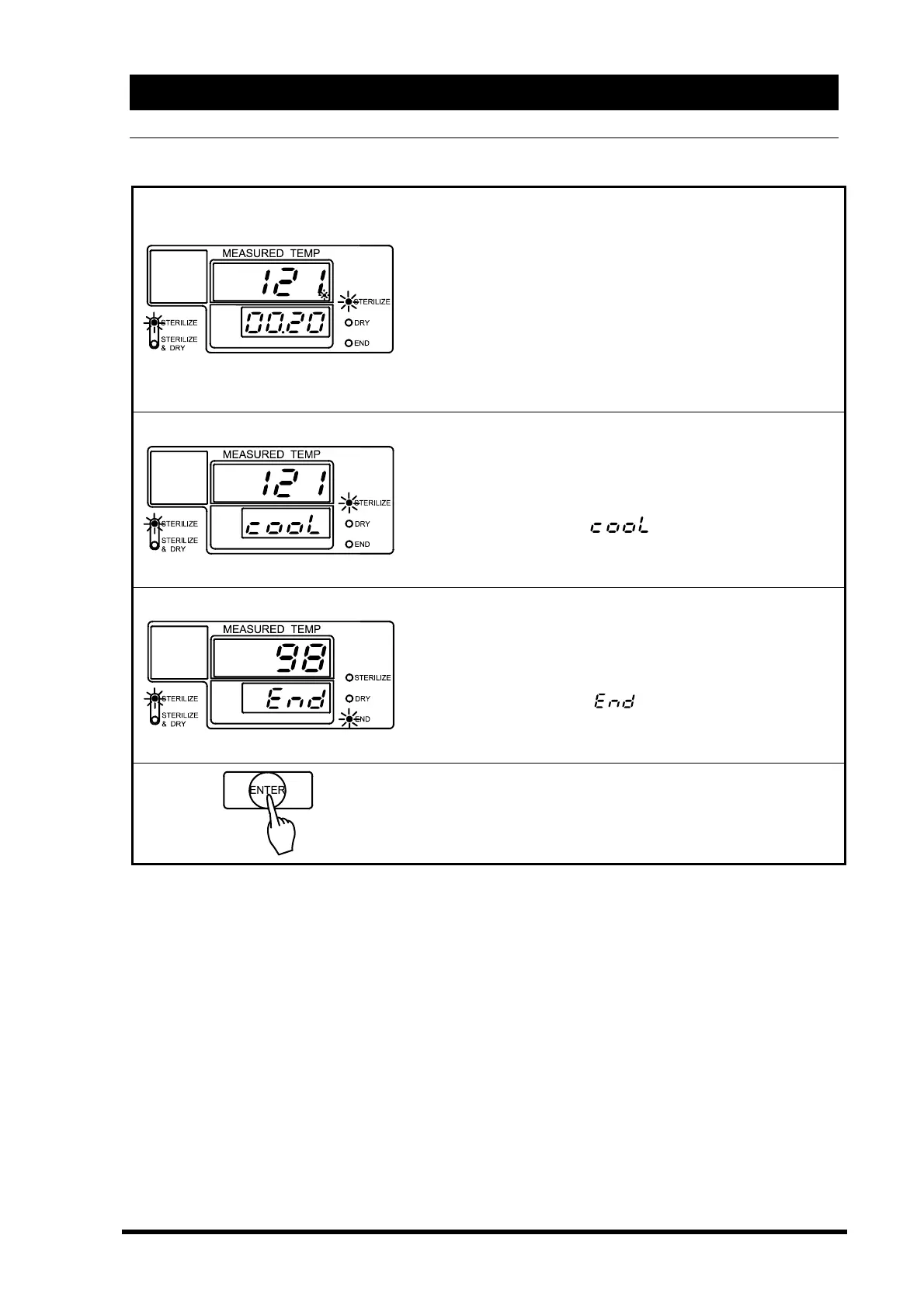
When the chamber temperature reaches the set temperature,
sterilization process begins and the time counter starts. At
this time, the sub display will show the sterilization time
remaining.
→The main display shows chamber temperature.
→The sub display shows the remaining sterilization time.
→Sterilize lamp is lit.
→Sterilize menu lamp is lit.
Natural cooling begins when the set sterilization time is
complete. At this time, the heater will automatically shut off.
→The main display shows chamber temperature.
→The sub display blinks
.
→Sterilize lamp is lit.
→Sterilize menu lamp is lit.
To prevent bumping, the solenoid exhaust valve opens once
the chamber temperature drops below boiling point.
→The main display shows chamber temperature.
→The sub display shows
.
→End lamp is lit.
→Sterilize menu lamp is lit.
◇Push the “ENTER” key.
The “ENTER” key resets the microprocessor. You may now
run another cycle.



 To Next Page