EasyManua.ls Logo

YASKAWA CIPR-GA50CB001 - User Manual

YASKAWA CIPR-GA50CB001
79 pages
Go to English
Print Icon
To Next Page IconTo Next Page
Loading...
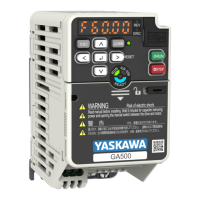
YASKAWA AC Drive GA500
Installation and Operation Instruction
Type CIPR-GA50Cxxxxxxxx
200 V Class, Three-Phase Input: 0.1 to 22 kW
200 V Class, Single-Phase Input: 0.1 to 4.0 kW
400 V Class, Three-Phase Input: 0.37 to 30 kW
PDF

Table of Contents

Other manuals for YASKAWA CIPR-GA50CB001

Questions and Answers

  • M
    Monique HeathNov 21, 2025
    Why does YASKAWA CIPR-GA50CB001 Controller show Ground Fault?
    • A
      Ann McfarlandNov 21, 2025
      If you're experiencing a ground fault with your YASKAWA Controller, here are a few things to check: 1. Motor Issues: * Overheating may have damaged the motor, or the motor insulation may be inadequate. Measure the motor insulation resistance and replace the motor if there's electrical conduction or unserviceable insulation. 2. Cable Problems: * The motor's main circuit cable might be short-circuiting against the ground. Examine the cable for damage and repair any shorts. Measure the resistance between the cable and the ground terminal; replace the cable if there's electrical conduction. 3. Stray Capacitance: * Increased stray capacitance between the cable and ground can cause leakage current. If the wiring length exceeds 100m, try decreasing the carrier frequency and ...
  • K
    Kathryn PalmerAug 25, 2025
    What to do if I get an Option Communication Error on my YASKAWA Industrial Electrical?
    • J
      Jon DavenportAug 26, 2025
      An option communication error in YASKAWA Industrial Electrical can occur due to several reasons. Start by checking for wiring errors and repairing any short circuits or disconnected cables. Electrical interference can also cause communication data errors, so examine the control circuit lines, main circuit lines, and ground wiring to minimize interference. Ensure the option is correctly installed in the drive. If the problem persists and the wiring is correct, the option may be damaged and need replacement.
  • R
    richardsonlaurenAug 27, 2025
    Why am I getting a Control Fault on my YASKAWA Industrial Electrical?
    • J
      John MaddenAug 27, 2025
      A control fault in YASKAWA Industrial Electrical can be caused by several factors. First, ensure that the motor parameters are set correctly and perform Auto-Tuning again. If the torque limit setting is too low, adjust L7-01 to L7-04 [Torque Limit]. For large load inertia, adjust C1-02, C1-04, C1-06, and C1-08 [Deceleration Times]. If the drive attempts to ramp to stop a machine that doesn't require it, correctly set b1-03 [Stopping Method Selection]. Finally, verify that the motor and drive are wired correctly.
  • B
    Bradley AndersonAug 27, 2025
    What to do for Braking Transistor Overload Fault in YASKAWA Industrial Electrical?
    • C
      Carlos HernandezAug 28, 2025
      A braking transistor overload fault in YASKAWA Industrial Electrical can occur if the braking transistor's duty cycle is too high. Consider installing a regenerative converter. If you have a regenerative converter and the protective function for the braking transistor is enabled, set L8-55 = 0 [Internal DB TransistorProtection Selection = Disable]. If the braking transistor is broken, replace the drive.
  • T
    Thomas RiosAug 29, 2025
    Why is there a DC Bus Undervoltage in my YASKAWA Industrial Electrical?
    • G
      Gabrielle GallagherAug 29, 2025
      A DC Bus Undervoltage in YASKAWA Industrial Electrical can happen for a few reasons. First, check the input power for any issues causing voltage fluctuations. Also, verify the main circuit drive input power wiring for phase loss. If U4-05 is more than 90%, the main circuit capacitors may be failing, requiring replacement of the control board or the entire drive.
  • R
    Russell WilliamsSep 23, 2025
    What does Baseblock mean on YASKAWA CIPR-GA50CB001?
    • L
      Linda JimenezSep 23, 2025
      If the YASKAWA Controller indicates a baseblock issue, it means an external baseblock command was entered through one of the MFDI terminals Sx, and the drive output stopped as shown by an external baseblock command. Examine the external sequence and timing of the baseblock command input.
  • A
    andreasmithSep 17, 2025
    What does External Fault (Terminal Sx) mean on YASKAWA CIPR-GA50CB001 Controller?
    • S
      Sean CarterSep 17, 2025
      If the YASKAWA Controller is showing an External Fault (Terminal Sx), it indicates that MFDI terminal Sx caused an external fault through an external device, or External Fault [H1-xx = 20 to 2B] is set to MFDI terminal, but the terminal is not in use. To fix this: * Remove the cause of the external fault to clear the external fault input in the MFDI. * Correctly set the MFDI.
  • D
    Dalton BlackwellSep 18, 2025
    What to do if YASKAWA CIPR-GA50CB001 Controller Cannot Reset?
    • D
      David BarkerSep 18, 2025
      If the YASKAWA Controller cannot be reset, it means the drive received a fault reset command when a Run command was active. Turn off the Run command then de-energize and re-energize the drive.
  • E
    edwardscodySep 8, 2025
    What causes Drive Overload on YASKAWA CIPR-GA50CB001 Controller?
    • C
      Christopher LucasSep 8, 2025
      If the YASKAWA Controller indicates a drive overload, consider the following: * The load might be too large: Examine the load. * The drive capacity might be insufficient: Ensure the drive is adequately sized for the load. * The torque might be excessive at low speed: Reduce the load or upgrade to a larger capacity drive, as the drive's overload capability diminishes at lower speeds.
  • N
    Nathan YangSep 5, 2025
    What to do if YASKAWA CIPR-GA50CB001 Controller shows overcurrent?
    • J
      jryanSep 5, 2025
      If the YASKAWA Controller shows an overcurrent error, it could be due to several reasons: * A short circuit in the motor main circuit cable: Replace damaged output or motor cables. * An excessive load: Repair any damaged devices. * An acceleration time that’s too short: Ensure the parameter settings are correct. * Incorrect V/f pattern settings: Verify the parameter settings. * Incorrect motor data: Confirm the sequence of the electromagnetic contactor on the drive output side.

YASKAWA CIPR-GA50CB001 Specifications

General IconGeneral
BrandYASKAWA
ModelCIPR-GA50CB001
CategoryController
LanguageEnglish

Related product manuals