EasyManua.ls Logo

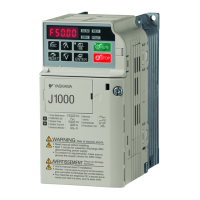
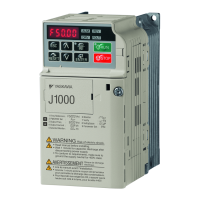
YASKAWA J1000 - User Manual

YASKAWA J1000
27 pages
Print Icon
To Next Page IconTo Next Page
Loading...
TOEP C710606 27 J1000 Quick Start Guide 3
ENGLISH
J1000
Quick Start Guide
ENGLISH
1 Safety Instructions and General Warnings . . . . . . . . . . 4
2 Mechanical Installation . . . . . . . . . . . . . . . . . . . . . . . . . . 9
3 Electrical Installation. . . . . . . . . . . . . . . . . . . . . . . . . . . 11
4 Keypad Operation . . . . . . . . . . . . . . . . . . . . . . . . . . . . . 16
5 Start Up. . . . . . . . . . . . . . . . . . . . . . . . . . . . . . . . . . . . . . 18
6 Parameter Table. . . . . . . . . . . . . . . . . . . . . . . . . . . . . . . 22
7 Troubleshooting . . . . . . . . . . . . . . . . . . . . . . . . . . . . . . 25

Other manuals for YASKAWA J1000

Questions and Answers

  • M
    mbennettAug 3, 2025
    What to do if YASKAWA Measuring Instruments show Run Command Selection Error?
    • M
      Michael PerezAug 3, 2025
      If your YASKAWA Measuring Instruments display a Run Command Selection Error, it could be due to the frequency reference being assigned to an option that is not connected to the drive. Ensure parameter b1-01 is set correctly. Alternatively, reconnect the option unit to the drive.
  • A
    Adam ClarkAug 9, 2025
    How to fix Option Unit Fault in YASKAWA Measuring Instruments?
    • Y
      Yolanda BallardAug 9, 2025
      If you encounter an Option Unit Fault with your YASKAWA Measuring Instruments, the option unit might not be properly connected to the drive. Turn the power off and then reconnect the option unit to resolve this issue.
  • H
    hrobertsAug 17, 2025
    How to fix MEMOBUS/Modbus Communication Error YASKAWA Recording Equipment?
    • C
      Christine BoydAug 17, 2025
      If you are encountering a MEMOBUS/Modbus communication error with your YASKAWA Recording Equipment, it could be due to data not being received within the CE detection time limit specified by parameter H5-09. This may stem from noise interference or a faulty communication cable connection. To resolve this: * Check the wiring for any looseness or incorrect connections. * Ensure the unit has proper grounding. * Reconnect the leads that connect to the main circuit within the drive. Verify that the DIP switch for terminal resistance is correctly configured.
  • C
    Crystal JamesAug 26, 2025
    What to do if Run Command Selection Error on YASKAWA Recording Equipment?
    • D
      Donald BarkerAug 26, 2025
      A Run Command Selection Error on your YASKAWA Recording Equipment may occur if the frequency reference is assigned to an option (b1-01 = 2) that is not connected to the drive. To fix this: * Ensure parameters b1-01 and b1-02 are correctly set. * Reconnect the option unit to the drive. Another cause may be that the Run command is assigned to an option (b1-02 = 2) that is not connected to the drive.

Summary

Safety Instructions and General Warnings

General Warnings

General safety warnings and precautions for drive operation.

Safety Warnings

Specific safety warnings including electrical shock and fire hazards.

Electrical Installation

Wiring Specifications

Detailed specifications for main and control circuit wiring, including fuses and filters.

Main Circuit Output Wiring

Precautions for connecting the main circuit output.

Ground Connection

Critical steps for proper grounding of the drive.

Start Up

Drive Setup Procedure

Step-by-step guide for initial drive setup.

Test Run

Steps for performing a test run after setup.

Parameter Table

Troubleshooting

General Fault and Alarms

Overview of faults and alarms indicated by the drive.

Operator Programming Errors

Common errors encountered during parameter programming.

YASKAWA J1000 Specifications

General IconGeneral
SeriesJ1000
Voltage Class200V, 400V
Frequency50/60 Hz
Enclosure RatingIP20
Enclosure TypeOpen type
Voltage200-240V, 380-480V
Control MethodV/f control
Overload Capacity150% for 60 seconds
ProtectionOvercurrent, Overvoltage, Undervoltage, Overheat, Ground Fault, Short Circuit
Protection FeaturesOvercurrent, Overvoltage, Undervoltage, Overheating, Short Circuit
Humidity5-95% (non-condensing)
EnclosureIP20
Input Voltage200-240V, 380-480V

Related product manuals