Enterprise IP Phone Customizing Your Phone
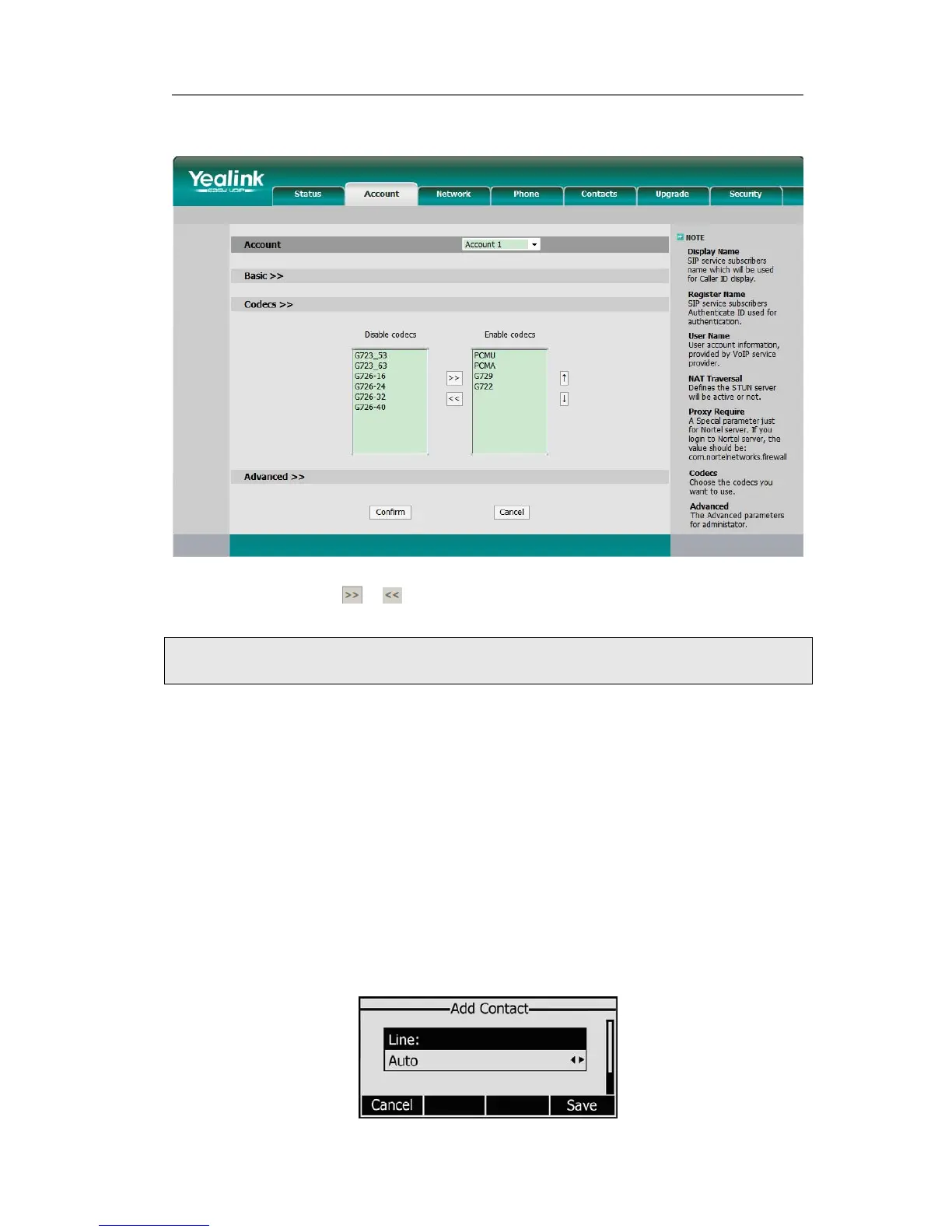
To enable/disable the codecs:
1) Choose Account-> Codecs.
2) Use the navigation keys to highlight the desired one in the Enabled/Disable Codecs
list, and press the
/ to move to the other list.
3) Click Confirm to save the change.
Note:
Codec Selection can only be set via Web interface.
Contact Management
Edit/Add/Delete Contact
You can store a large number of contacts in your phone's contact list. You can add, edit,
delete, dial, and search for a contact in this contact list.
To add a contact via Phone interface:
1) Press Addr->Contact List->Enter.
2) Press Add softkey; enter Name, Office/Mobile number of the contact from the
keypad. Use the 123 soft key to select between numeric and upper/lower case
alphanumeric modes.
- 18 -



 To Next Page
 Loading...