EasyManua.ls Logo

York J Series - User Manual

York J Series
92 pages
Print Icon
To Next Page IconTo Next Page
Loading...
INSTALLATION, OPERATION & MAINTENANCE
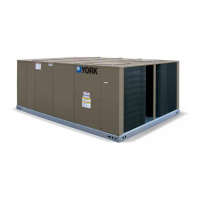
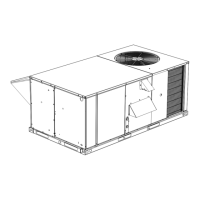
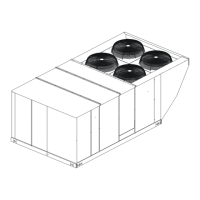
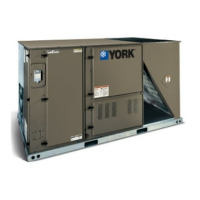
MILLENNIUM PACKAGED ROOFTOP
OPTILOGIC CONTROL SUPPLEMENT
R410A ONLY, GEN3
New Release
Form 100.50-NOM7 (808)
25 THROUGH 40 TONS
"J" SERIES, R410A
P/N 417631-A

Table of Contents

Other manuals for York J Series

Questions and Answers

  • A
    Angela RamosJul 25, 2025
    What to do if my York J Series unit does not operate?
    • C
      Carlos LewisJul 26, 2025
      If your York Air Conditioner unit isn't working, here are a few things to check: * First, ensure there isn't a power failure or a blown fuse by checking the power supply. * Make sure the power plug is properly connected. * Verify that the delay timer is correctly set. If the problem continues after checking these, contact the air conditioner unit installer.
  • B
    belinda17Jul 30, 2025
    What to do if there is condensation on the front air grille of my York Air Conditioner indoor unit?
    • J
      Jessica EvansJul 30, 2025
      Condensation on the front air grille of your York Air Conditioner's indoor unit can occur due to air humidity after extended operation or if the set temperature is too low. Try increasing the temperature setting and operating the unit at a high fan speed. You can also try simply increasing the temperature setting.
  • M
    Matthew StephensAug 4, 2025
    Why does my York J Series Air Conditioner discharge air flow have a bad odour?
    • S
      Sarah SkinnerAug 4, 2025
      A bad odor from your York Air Conditioner's discharge air flow may be due to particles from cigarettes, smoke, or perfume that have stuck to the coil. Cleaning the coil might help.
  • J
    James BellAug 10, 2025
    Why does the York J Series Air Conditioner compressor not operate immediately after starting?
    • C
      Carrie ThomasAug 10, 2025
      If the compressor in your York Air Conditioner does not start right away, wait 3 to 4 minutes for it to begin operating.
  • S
    Sandra KellyAug 14, 2025
    Why is the air flow too low in my York J Series Air Conditioner?
    • N
      Nancy PetersonSep 12, 2025
      If the air flow from your York Air Conditioner is too low, it could be due to several reasons: * The air filter may be dirty, so try cleaning it. * Open doors or windows can affect airflow, so close them. * The air suction and discharge might be blocked; clear any obstructions. * The set temperature might be too low; increase it to improve airflow.
  • K
    Kimberly HamptonAug 19, 2025
    Why is there a hissing sound from my York J Series Air Conditioner during operation?
    • C
      Cheryl ThorntonAug 19, 2025
      The hissing sound you hear from your York Air Conditioner during operation is due to refrigerant fluid flowing into the evaporator coil.

Summary

General Safety and Document Information

Safety Symbols and Document Changeability

Explains hazard symbols and the policy for document updates.

Unit Identification and Installation

Nomenclature and Installation Overview

Details unit components and general installation requirements.

Field Wiring and Control Connections

Explains field wiring, thermostat, space sensor, and control input/output connections.

Start-Up and Operation Sequences

Start-Up Procedures

Covers pre-start checks, unit checks, and initial start-up steps.

Sequence of Operation

Details compressor staging, fan operation, VAV sequences, and modes.

Economizer, Ventilation, Exhaust, and Purge Operations

Covers economizer, ventilation, exhaust fan, and smoke purge operational sequences.

Control Interface and Parameters

Menu Navigation and Control Center

Guides on using the OptiLogic control center and navigating menus.

Setpoints, Unit Setup, and Configuration

Explains how to view and modify unit setpoints, setup, and configuration parameters.

Service, Troubleshooting, and Diagnostics

Service Navigation and Parameters

Covers accessing service data, runtimes, lockouts, and controller information.

History, Faults, and Passwords

Details accessing unit history, fault descriptions, and password entry procedures.

MOD-DCU Controller, I;O, and Analog Operations

Explains the MOD-DCU controller, its I/O, and analog input/output operations.

Fault Descriptions and Handling

Covers fault classification, handling, and specific fault types for troubleshooting.

Wiring and Diagrams

Wiring Diagrams

Provides wiring diagrams for the OptiLogic controller and system components.

Connection and Elementary Diagrams

Offers detailed connection and elementary diagrams for various unit configurations.

York J Series Specifications

General IconGeneral
RefrigerantR-410A
Compressor TypeSingle-Stage
Operating Voltage208/230V
Warranty10-year limited warranty on compressor, 5-year limited warranty on parts
Sound LevelAs low as 72 dB
Cooling Capacity1.5 to 5 tons

Related product manuals