17
Operation
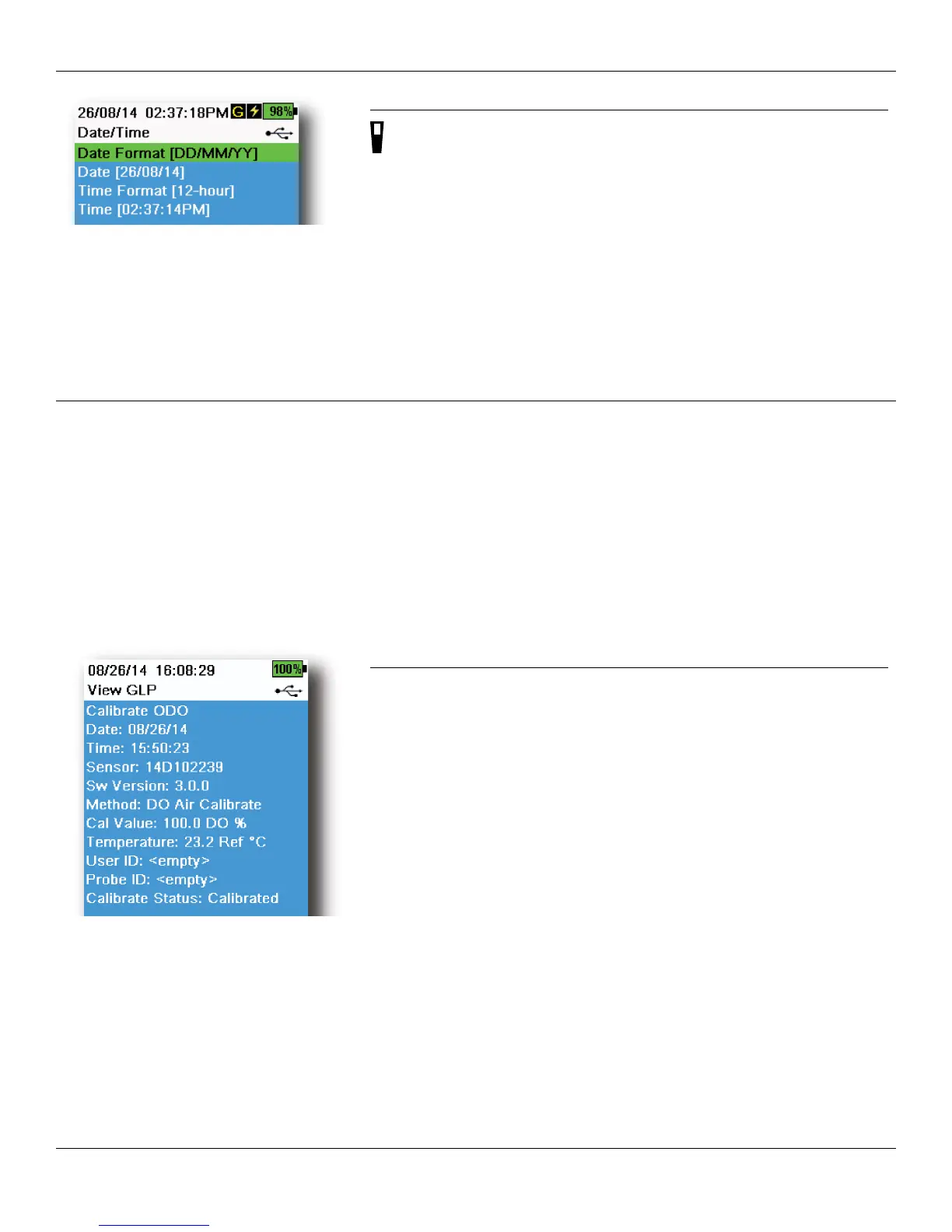
Figure 11 Date/Time
Date/Time
→ Date/Time
For accurate logging and GLP data, correctly set the date and time
options (Figure 11). Select any of the following options to set the Date/
Time in the ProDSS.
Date/Time options:
• Set YY/MM/DD, MM/DD/YY, DD/MM/YY or YY/DD/MM date format
• Set the correct date
• Select 12 or 24 hour time format
• Set the correct time
GLP menu
Detailed sensor calibration information is stored in the Good Laboratory Practice (GLP) file for later review.
One GLP file is used to store all calibration records. The instrument’s internal memory can save up to 400 individual
calibration records. After 400 records, the instrument will overwrite previously stored calibration records, starting with
the oldest.
To prevent the permanent loss of GLP records, periodically download the GLP file to a computer using the KorDSS
software.
NOTE: GLP files uploaded to the PC will overwrite a previously downloaded GLP file if it has the same file name.
To prevent data loss, move or rename previously downloaded GLP files before downloading the GLP file.
Figure 12 GLP record example (single
point % DO calibration)
GLP saved information
See Figure 12.
• Sensor calibrated
• Date/time stamp
• Sensor ID
• Sensor software version
• Calibration method (Conductivity and ODO calibrations)
• Calibration value
• Temperature
• User ID (optional)
• Probe ID (optional)
• User fields #1 and #2 (optional)
• Calibration status




 To Next Page