21
Operation
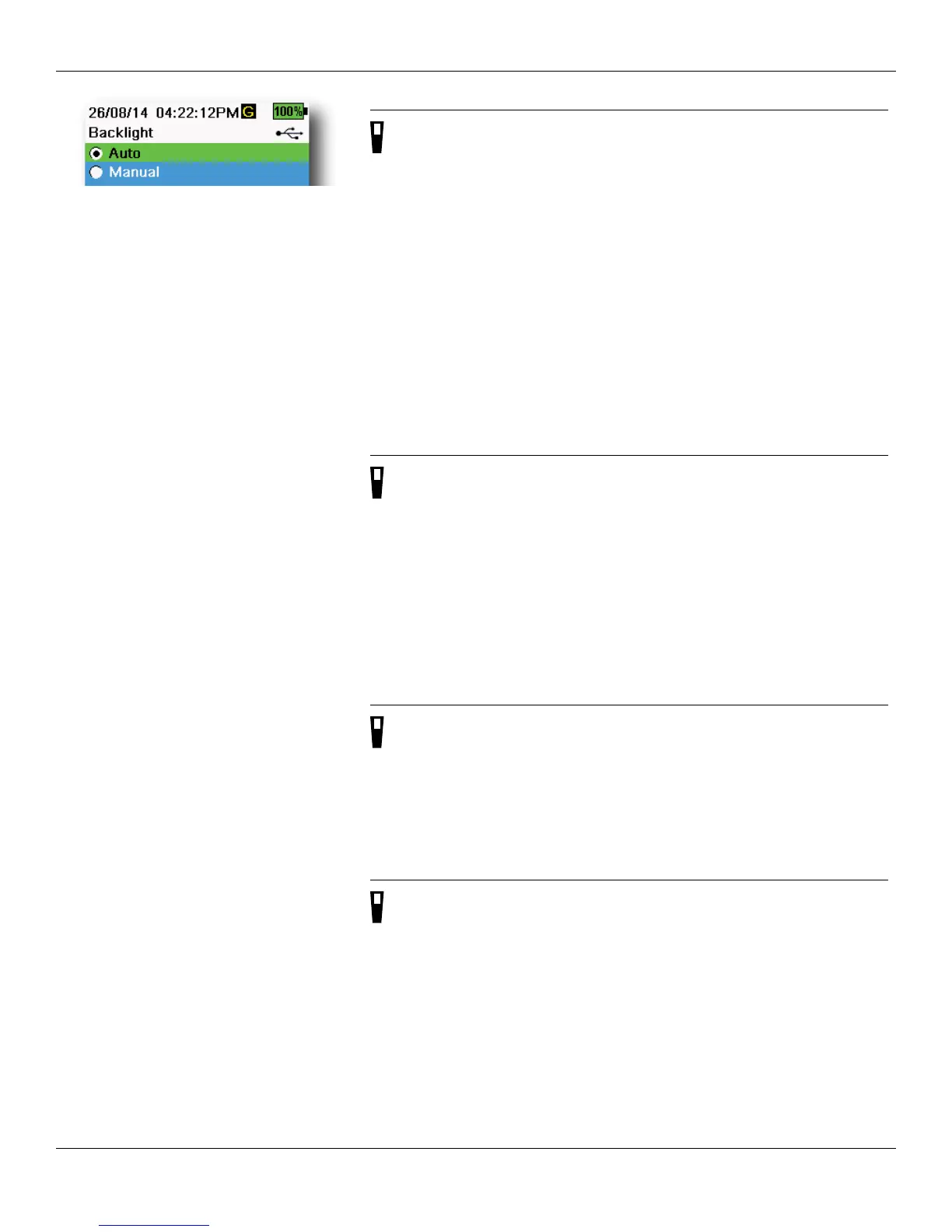
Figure 21 Backlight
Backlight
→ Backlight
In Automatic mode, the instrument display will dim 60 seconds after the
last key was pushed. Once any key is pushed, the instrument display will
return to the user-defined brightness setting and the keypad backlight
will turn on. The screen will dim and the keypad backlight will turn off
after another 60 seconds of inactivity.
In manual mode, the instrument display remains at the user-defined
brightness until manually changed and the keypad backlight is turned on
and off by the Backlight key (Figure 21).
NOTE: In bright conditions, set the backlight to Manual mode.
Software (Sw) Version
→ Sw Version
Sw Version (System menu on page 16)
Sw Version shows the ProDSS software version number. The latest
instrument software version is available at ysi.com. Instrument software
can be updated through the KorDSS PC software program when
connected to the internet or if the firmware file has been transferred to
the PC. See the KorDSS help section for more information.
Serial #
→ Serial # (System menu on page 16)
Serial # shows the serial number of the ProDSS handheld instrument.
Note the serial number when contacting YSI support.
Unit ID
→ Unit ID (System menu on page 16)
Unit ID identifies the instrument in the KorDSS PC software program that
was included with the instrument.
Select Unit ID to change the default ID.




 To Next Page