20
Operation
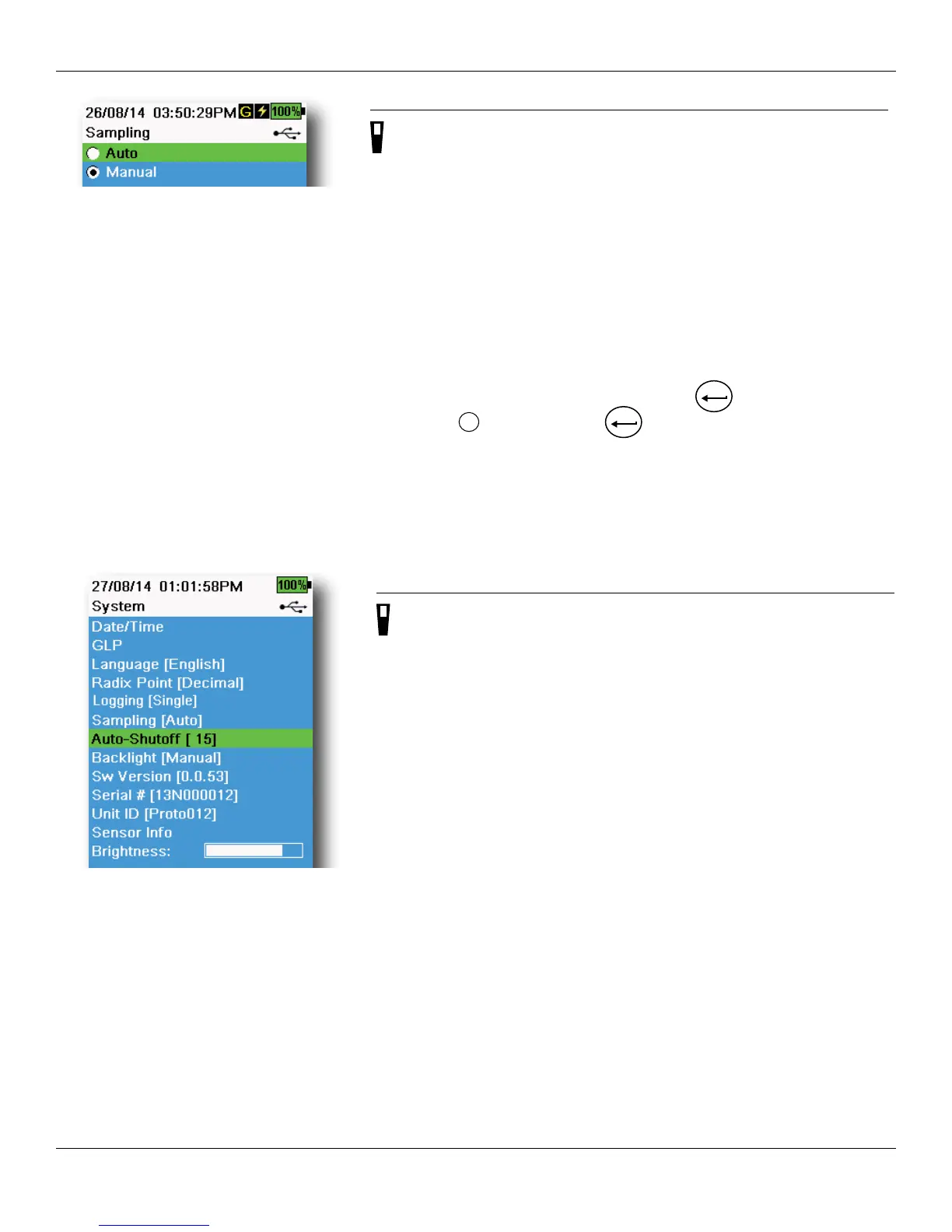
Figure 19 Sampling
Sampling
→ Sampling
Auto sampling mode continuously updates measurements on the display
(Figure 19).
Manual mode helps conserve battery power. The user-defined Sample
Period determines the measurement time limit.
When in Manual mode, the instrument will take measurements for the
duration of the Sample Period then “lock” or hold the readings on the
display (sample period default 50 seconds, user-defined between 15 to
60 seconds).
Once the measurements are locked, push the
ENTER
key to log the held
data, or the
key and then the
ENTER
key to take a new measurement.
Enter the desired Sample Period time.
NOTE: When both Continuous Logging Mode and Manual
Sampling mode are enabled, the ProDSS will power the
sensors on and take measurements for 15 seconds before
logging a data set.
Figure 20 Auto-Shutoff
Auto-Shutoff
→ Auto-Shutoff
To conserve battery power, auto-shutoff powers off the instrument after
a user-defined time period (in minutes) (Figure 20). Set to 0 (zero) to
disable Auto-Shutoff.




 To Next Page