22
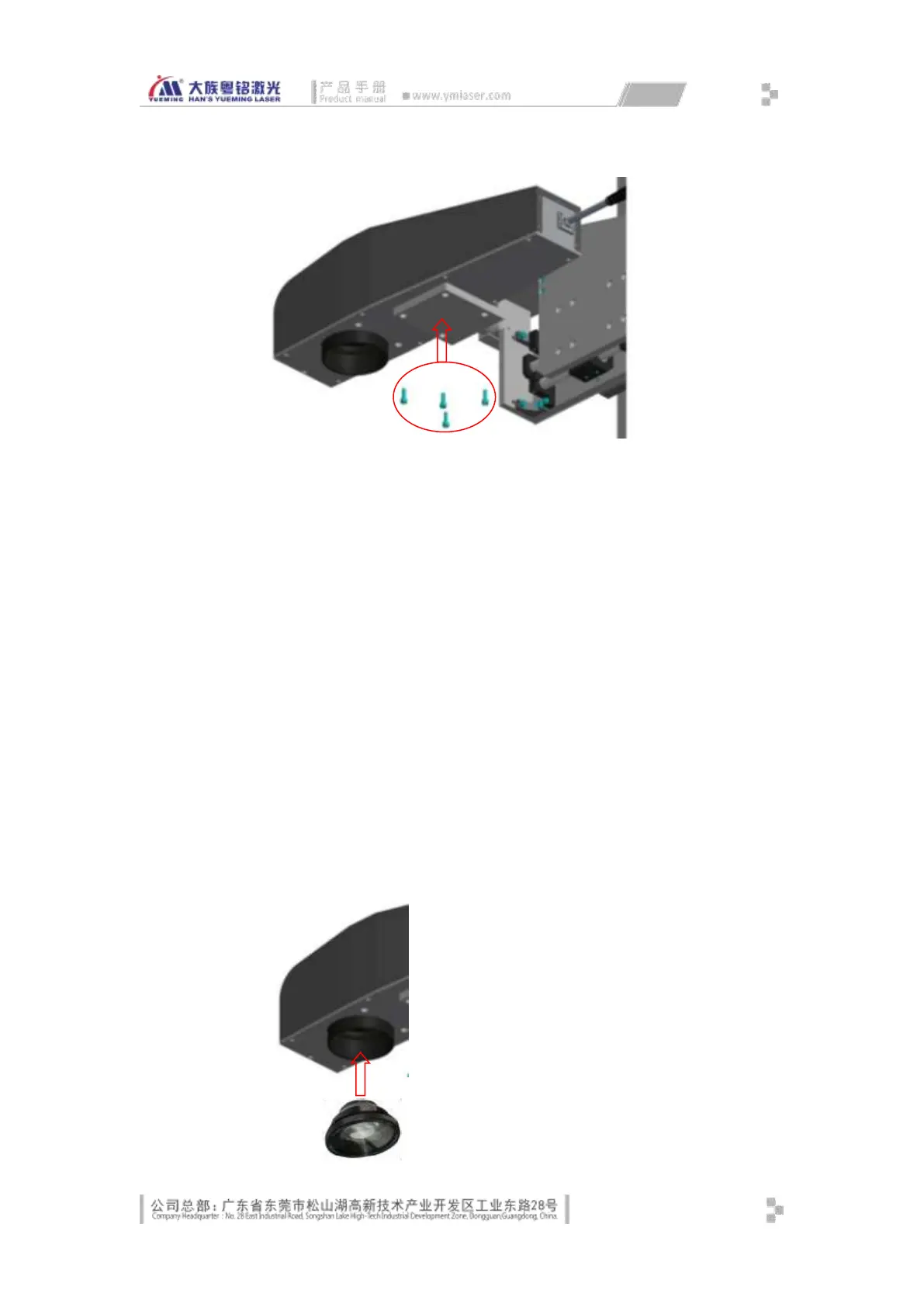
Fig. 3-3 Installation and Fixation Diagram of Fiber Marking Cavity
3.1.2.2 Installing Computer, Keyboard & Mouse
Take out the computer, open the front door of the control cabinet, insert the computer
into the guide slot, and insert the 3-pin power cord plug into the power port of the
computer.
Take out the monitor, snap in the monitor base, place on the control cabinet, connect
the video cable to the host, and insert the 3-pin power cord plug into the power port.
Take out the mouse and keyboard, put in the corresponding position and insert the
cords into the mouse and keyboard ports respectively.
Connect the USB cable of the control card to the USB port of the host computer.
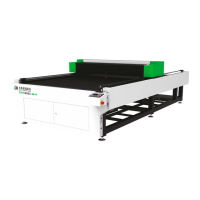
3.1.2.3 Installing Scanning Focus Lens
Take out the optical scanning focus lens carefully from the packaging case, remove the
protective plastic cover, and screw the threaded end of the lens gently into the field
lens ring in the marking head. In the installation process, do not touch the lens with
hands or other objects to ensure clean and avoid damage.



 To Next Page