9
English
4. Installation
Prepare for the installation in the Zaptec Portal
Only Zaptec installation technicians/service partners can add installations
in the Zaptec Portal cloud solution. New installation technicians/service
partners must contact Zaptec’s technical support via zaptec.com in order
tohave service authorisation added to their user profile. They will then
beable to add new installations.
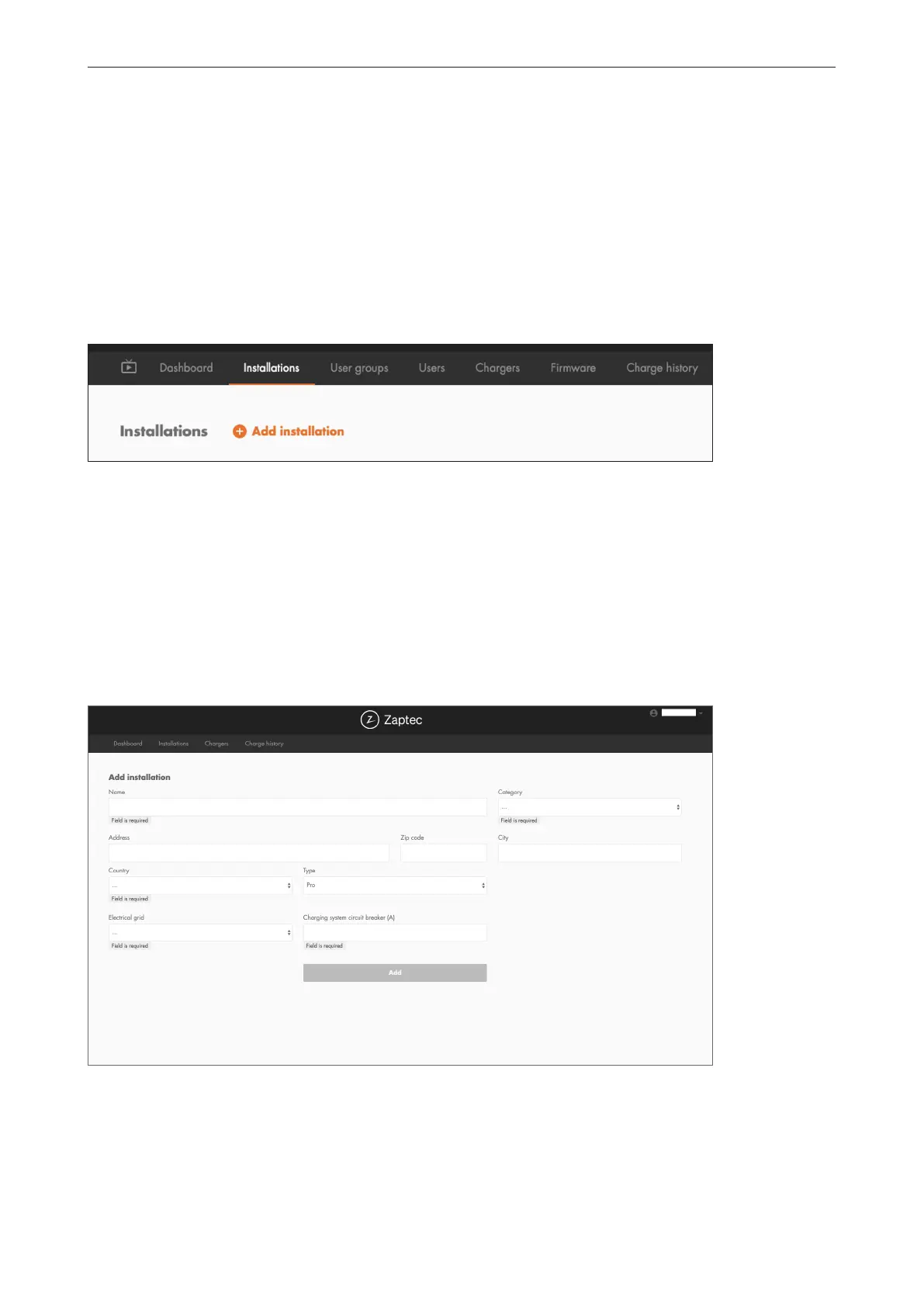
Log on at https://portal.zaptec.com. If you wish to add a new Zaptec Portal
installation, go to Installations and fill in the form shown below:
Name: Give the installation a name.
• Address: The address of the installation’s physical location.
• Category: Select the installation category from the drop-down list.
• Network type: Choose the appropriate power grid for the location
ofthecharging system.
• Protection for charging system: The maximum current that the installation
can use for charging. This could be a digital budget or the value of the
physical overload protection or the power switch. If the charging station
is located on a separate circuit, the maximum current per phase must
normally be set to the rating of the circuit breaker.



 To Next Page