Operation of the instrument
000000-1865-713-GA-en-US-080622
Several single measurements are taken at short intervals for a single
keratometer measurement. Following this, the radii or corneal K's
(depending on program settings in the Settings - Measurement tab) of the
two main sections will be displayed, together with the respective axial
orientation and the astigmatic difference.
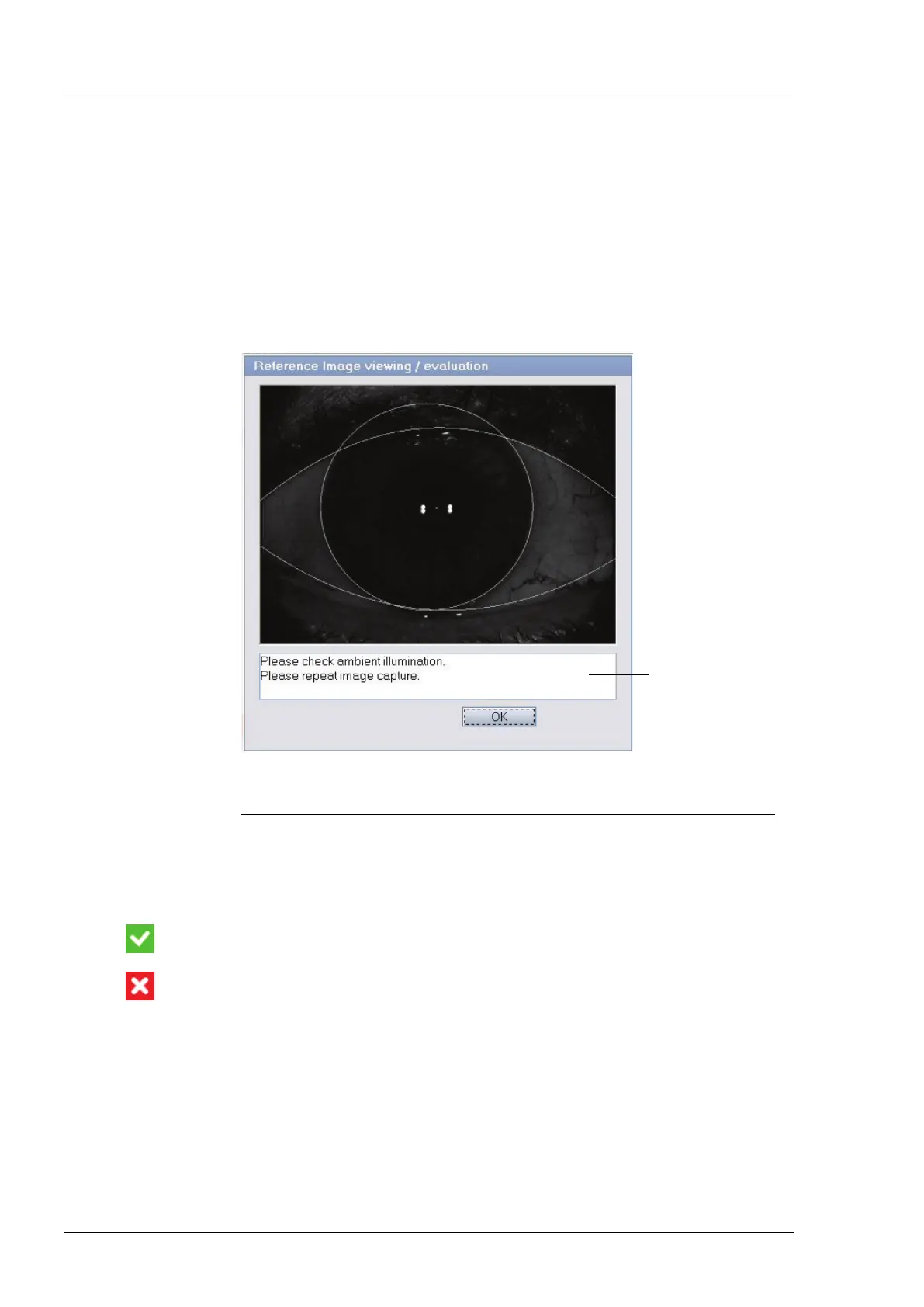
Following keratometry a pop-up window will show the best image of the
Reference Image series. If applicable, hints will be given on how to improve
image quality in subsequent measurements.
1
Text field for information on image improvement in case of uncertain or poor image
quality
Fig. 10 Image capture in Reference Image mode
The image quality and consistency of the keratometer measurement are
evaluated using a software algorithm and indicated using different
pictograms.
A white tick against a green background indicates sufficient image quality
and keratometer measurement consistency.
A white cross on a red background indicates that the image quality or the
consistency of the keratometer measurement is insufficient. The
measurement results and the image will not be saved. The measurement
must be repeated. Click on OK and perform a new measurement.





 To Next Page