Installation
000000-1865-713-GA-en-US-080622
Installation
Software update to version 7.7
1
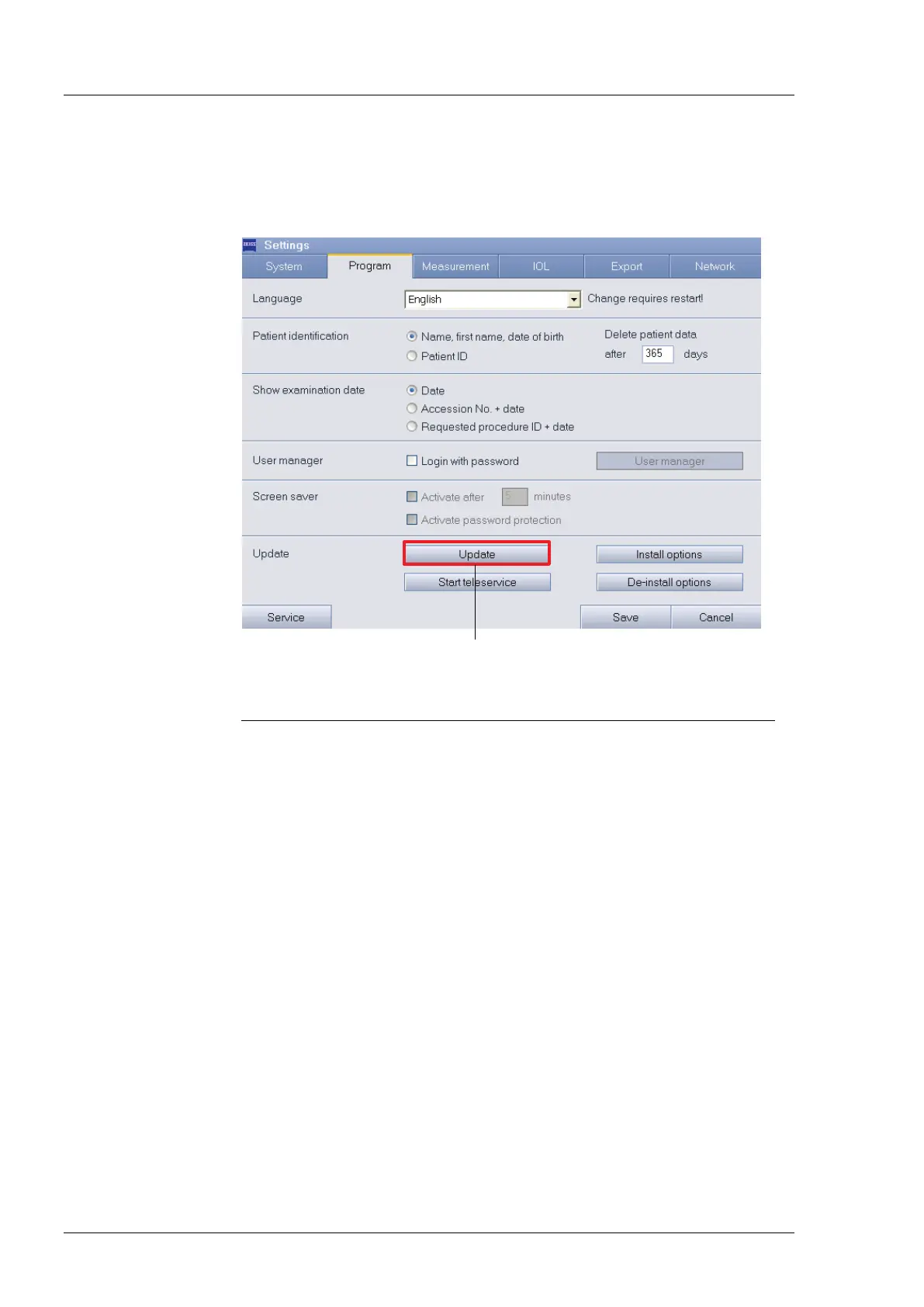
Button for starting software update
Fig. 3 Software update
To install a new software version from a USB flash drive, proceed as follows:
1. Connect the USB flash drive with the new software version.
Prior to installation all other flash drives must be removed from the
IOLMaster. During installation only the USB flash drive with the
new software may be plugged in.
A software update to Version 7.7 requires the installation of
Version 7.x. If you do not have Version 7.x you must perform the
update in two steps (first to Version 7.x, then to Version 7.7).





 To Next Page