18 Rev.A
OPERATING CONCEPT
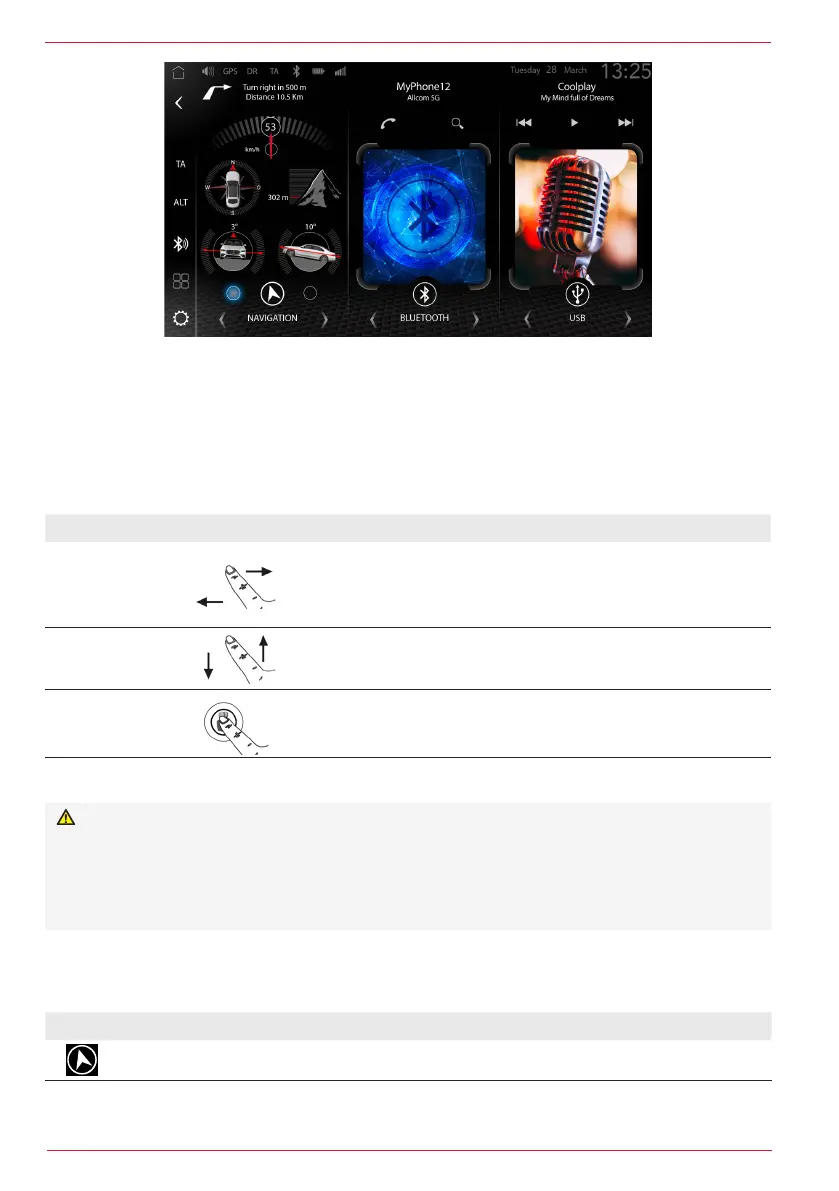
The Zenec operating concept includes numerous functions. These functions can be operated via the
touch screen, some via the CarPlay and Android Auto voice function or the various sensor buttons
and, depending on the configuration, via steering wheel operation.
Contact-sensitive operation
Function Display Operation
Slide
Navigate by wiping to the left or right within the Media Album
Cover- or the DAB MOT Slideshow area in the respective
source,and within the Media Widget (Widget 3), to change the
track or the station, for example.
Scroll
Wipe (scroll) downwards or upwards within the USB playback
list, for example, to display the next or previous list contents.
Select
The required operating functions or also the source can be
called up by tapping the buttons, icons or symbols.
Safety instruction
WARNING:
The operation of integrated information systems and communication devices while driving can
distract you from the traffic conditions. You may lose control of the vehicle. Risk of accidents. Only
operate the systems or devices if the traffic situation permits it. If necessary, stop and operate the
systems or devices with the vehicle stationary.
WIDGET ASSIGNMENT AND SOURCES
Widget 1 Navigation
Icon Available navigation sources
Native iGO Navigation


 To Next Page