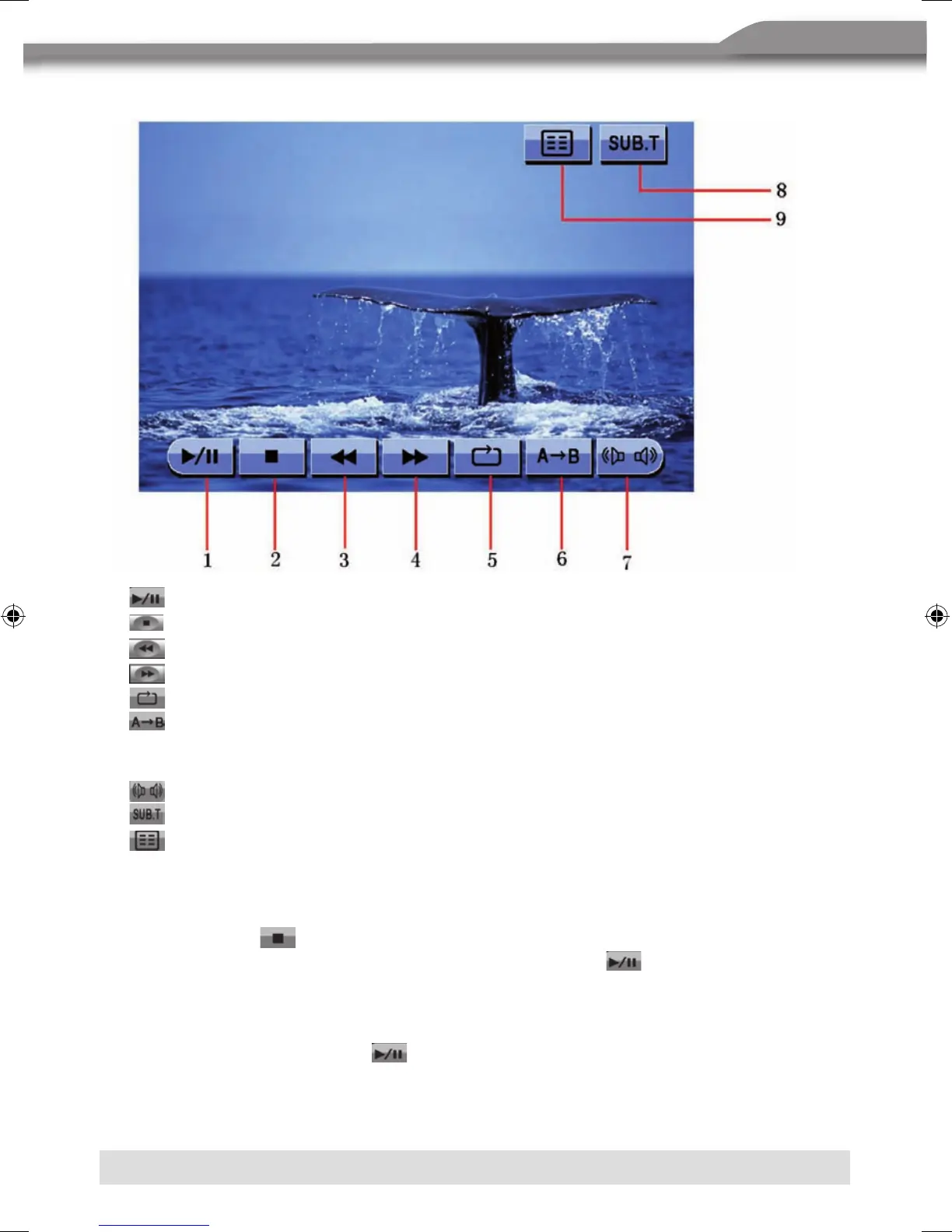
USING THE TOUCH-SCREEN CONTROLS
1.
Touch to play/pause.
2.
Touch to stop playback.
3.
Touch to fast reverse.
4.
Touch to fast forward.
5.
Touch to repeat playback.
6.
Touch to repeat from A to B. Select the repeat point A whenever you want to start
and the point B whenever you want to end, then, the DVD will be played back from A
to B continually.
7.
Touch to choose a language, if the disc is recorded in multiple languages.
8.
Touch to display subtitles.
9.
Touch to return to the DVD main menu.
CONTROLLING PLAYBACK
Stopping playback
■ Touch the stop
button on the screen or press the [■/BAND] button on the remote
control to stop DVD play and touch the play/pause button
on the screen or the [OK]
button on the remote control to resume the disc play.
Pausing playback
■ Touch the play/pause button
on the screen to suspend or resume the disc play.



 To Next Page