SYSTEM MENU SETUP
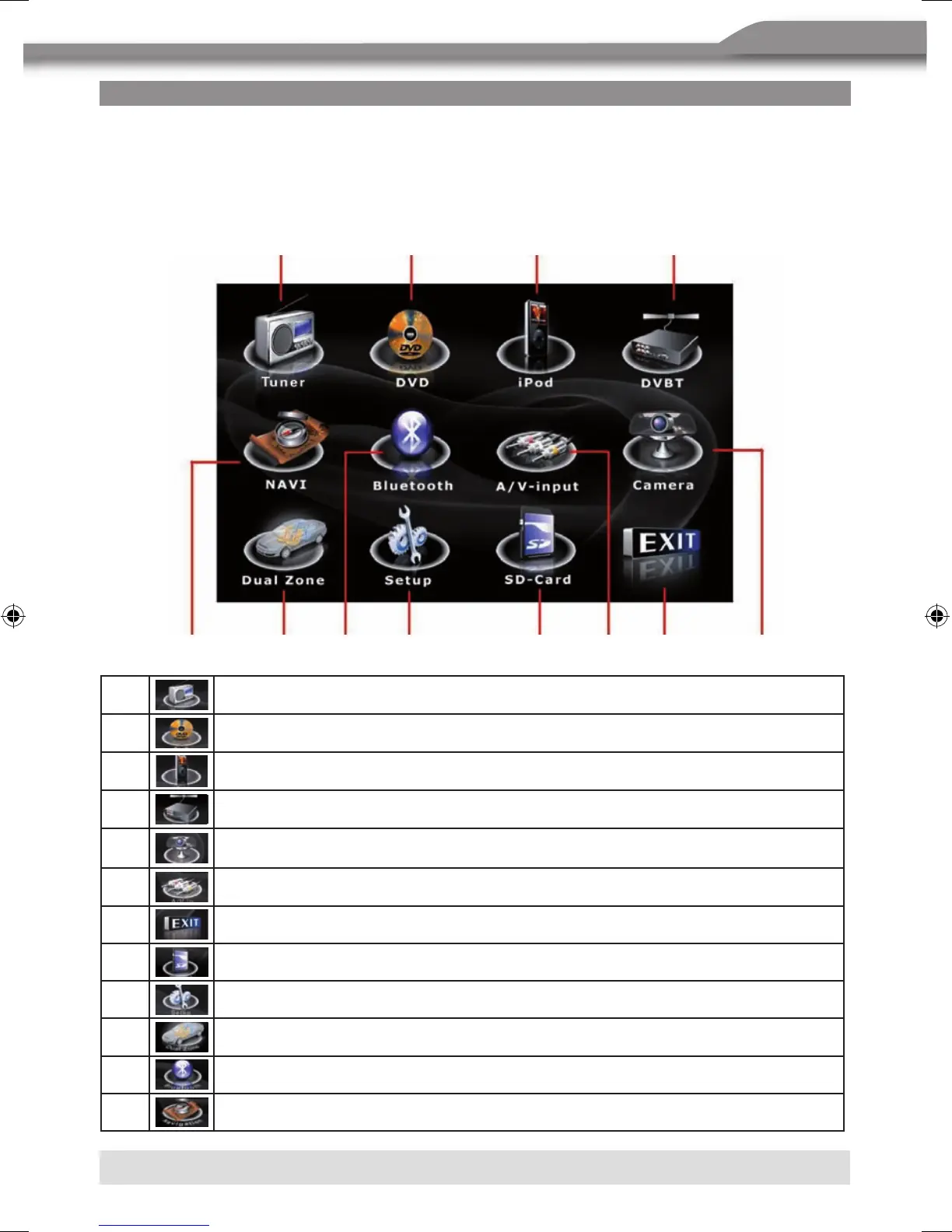
MAIN MENU
There are two methods to access the MAIN menu.
■ Press the [MENU] button on the remote control.
■ Touch the A area on the touchscreen.
1
Touch to access the Tuner mode.
2
Touch to access the DVD mode.
3
Touch to access the iPod mode.
4
Touch to access the DVBT mode.
5
Touch to access the Camera mode.
6
Touch to access the AUX IN mode.
7
Touch to turn to the previous menu.
8
Touch to access the SD Card mode.
9
Touch to access the General setup mode.
bl
Touch to access the Multizone mode.
bm
Touch to access the Bluetooth mode.
bn
Touch to access the Navigation mode.
5
bn
21 3 4
9 8 7bl bm 6



 To Next Page