ETS PARAMETERISATION
As new groups are enabled (see section 2.3), additional sub-tabs will be incorporated
with name “Group N”, being N their specific numbers. These tabs, on their side, contain
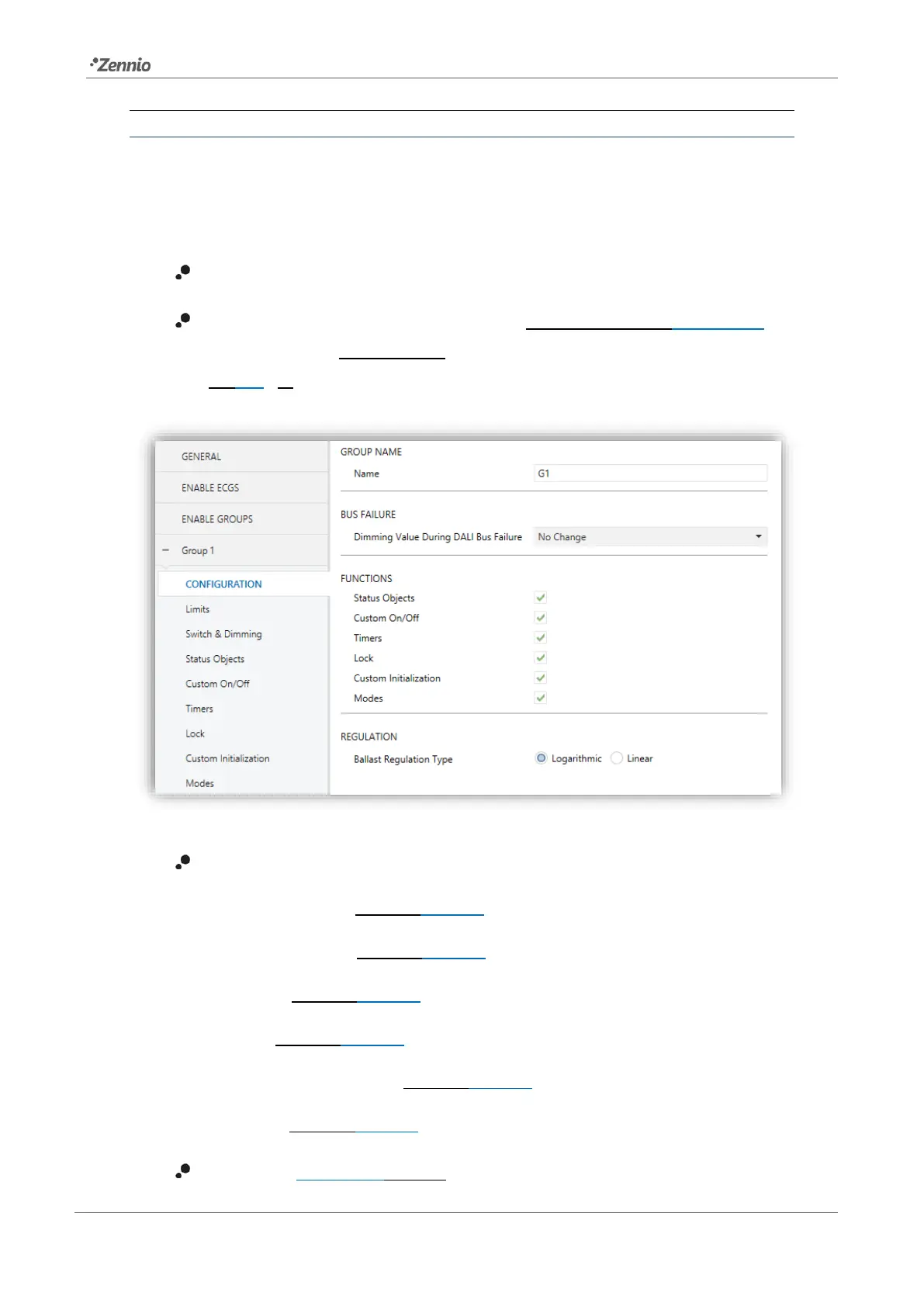
a set of new sub-tabs. The first one, “Configuration”, provides the following parameters:
Name: desired identifier for the group (up to twelve characters).
Diming Value During DALI Bus Failure [Off / Defined Vale / No Change]: in
case of selecting “Defined Value” the ballast will switch to a customisable value
[0…100] [%].
Figure 13. Group 'N'. Configuration
Functions: checkboxes to enable additional functions for the group:
➢ Status Objects [enabled/disabled]. See section 2.5.5.
➢ Custom On/Off [enabled/disabled]. See section 2.5.6.
➢ Timers [enabled/disabled]. See section 2.5.7.
➢ Lock [enabled/disabled]. See section 2.5.8.
➢ Custom Initialisation [enabled/disabled]. See section 2.5.9.
➢ Modes [enabled/disabled]. See section 2.5.10.
Regulation [Logarithmic / Linear]: sets the ballast regulation type.



 To Next Page