ETS PARAMETERISATION
In case the default button beep sound matches the requirements of the installation and
the doorbell and alarm functions are not necessary, the Sounds parameter in the
general “CONFIGURATION” tab (see section 2.1.1) can be set to “Default”. This will
also imply that the button beeps will be unconditional, as it will not be possible to
disable this function through an object.
On the other hand, if set to “Custom”, a specific tab named “Sounds” will show up in
the tab tree on the left. The initial configuration of this screen is equivalent to the
aforementioned default option. However, the following parameters will be configurable.
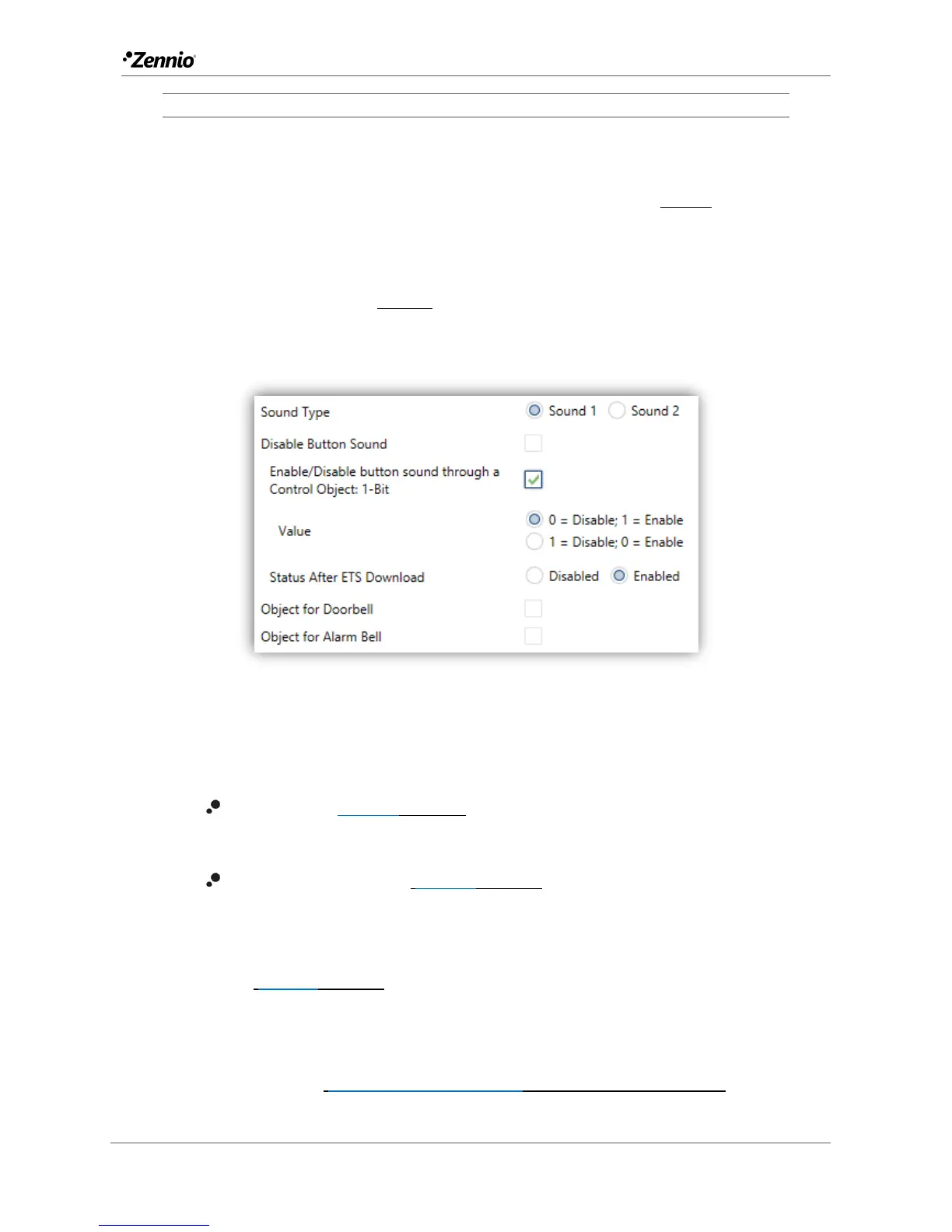
Figure 5. Sounds.
The default configuration of this tab is equivalent to the one mentioned above.
However, the following parameters can be customized:
Sound Type [Sound 1/Sound 2]: sets which sounds range incorporates the
device.
Disable button sound [disabled/enabled]: enables the buttons beeping. If
enabled, the following parameters will also be available:
Enable / Disable button sounds through a 1-bit object
[disabled/enabled]: makes it possible to disable / resume the button
beeping function in runtime by writing to a specific object (“[General]
Sounds – Disabling button sound”). If enabled, it will be shown:
Value [0 = Disabled; 1 = Enabled/1 = Disabled; 0 = Enabled]: allows
configuring the values (0 or 1) that will disable/resume the sounds.



 To Next Page