2.2 BUTTONS
As indicated in previous sections, Flat / Flat 55 have one, two, four or six (only in Flat)
capacitive buttons (depending on the model) at the user’s disposal for the execution
of actions.
The distribution of the buttons will depend on the model, being possible to configure
them as single-button controls or in pairs by combining any two of them.
There are some differences in the button configuration depending on the model:
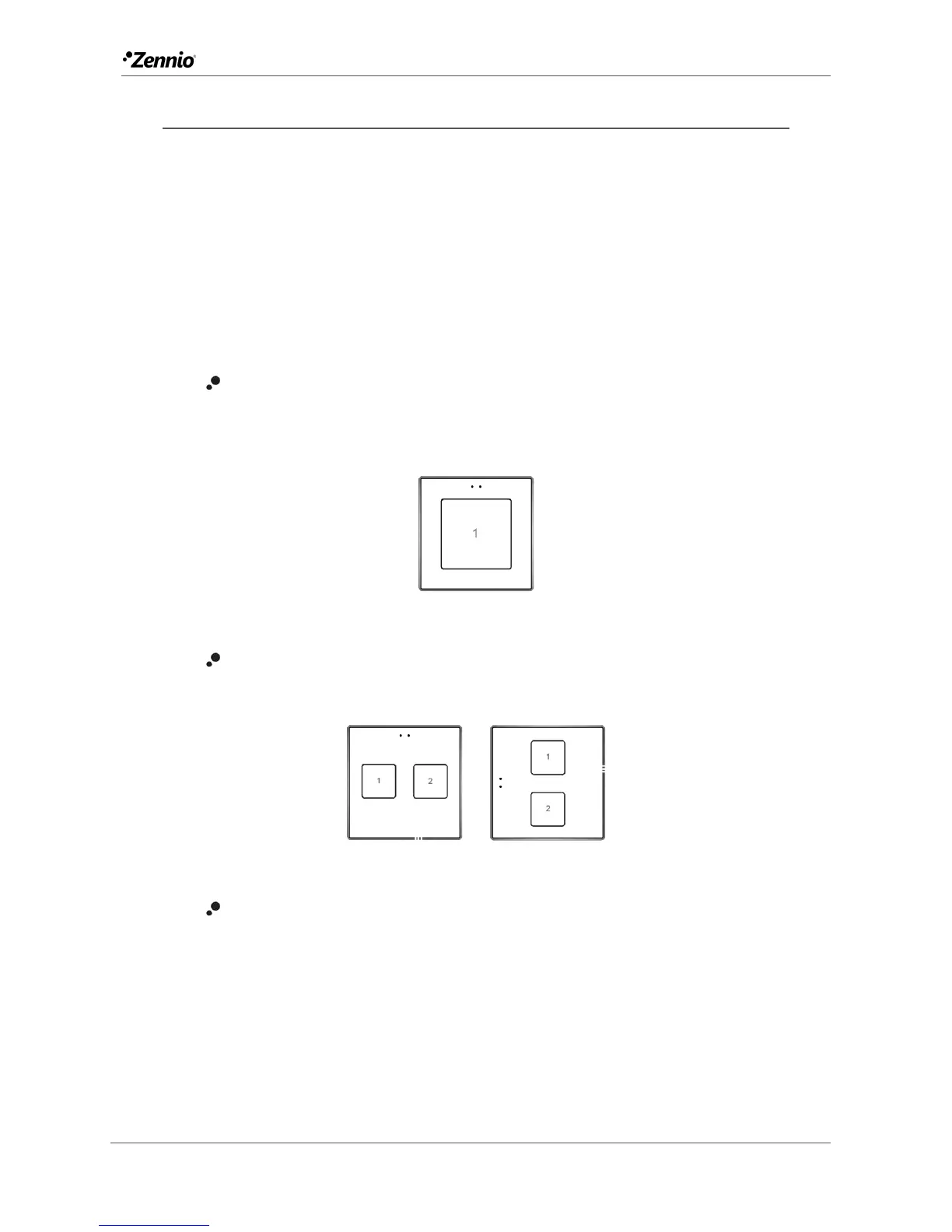
Flat 1 / Flat 55 X1: due to the existence of only one push button, only one
individual control is possible (two-button controls are not available).
Moreover, it can only be configured under the normal (vertical) orientation.
Figure 11 Flat 1 and Flat 55 X1
Flat 2 / Flat 55 X2: up to two one-button controls can be configured, or either
one two-button control, under any of the two orientations.
Figure 12 Flat 2 and Flat 55 X2. Normal orientation (left) and rotated (right).
Flat 4 / Flat 55 X4: up to four one-button controls can be configured, or up to
two two-button controls (by combining any two buttons for each pair). The
figure shows which number identifies each button during the configuration
process.



 To Next Page