2 CONFIGURATION
After importing the corresponding database in ETS and adding the device into the
topology of the project, the configuration process begins by entering the Parameters
tab of the device.
2.1 GENERAL
In order to allow the device to perform the desired functions, a number of options must
be parameterized, either related to its general behaviour (horizontal/vertical
orientation, sounds, LED brightness levels…) or to advanced features (lock procedure
of the touch panel, cleaning function, welcome back object).
2.1.1 CONFIGURATION
In the "GENERAL" tab, the general settings are displayed. Most are checkboxes that
enable/disable other functionalities
ETS PARAMETERISATION
The following parameters are shown:
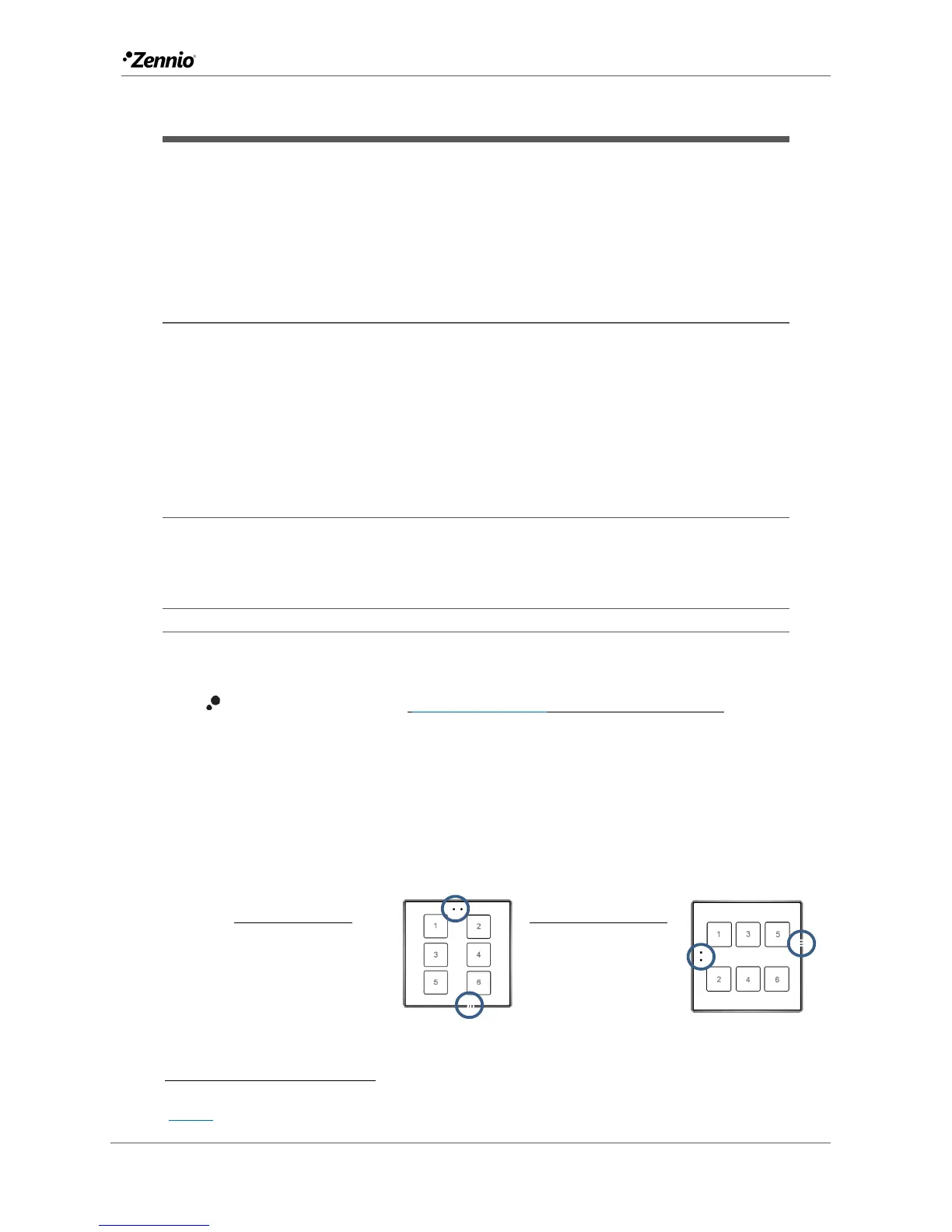
Device Orientation [Vertical (Normal)
/Horizontal (Rotated)]: allows
assigning a horizontal or vertical orientation to the device, making it easier
to identify the push-buttons during the configuration process (ETS will show a
figure with the final distribution of the push-buttons).
To prevent inconsistency in the configuration, please note the following
criterium:
The default values of each parameter will be highlighted in blue in this document, as follows:
[default/rest of options].



 To Next Page