10
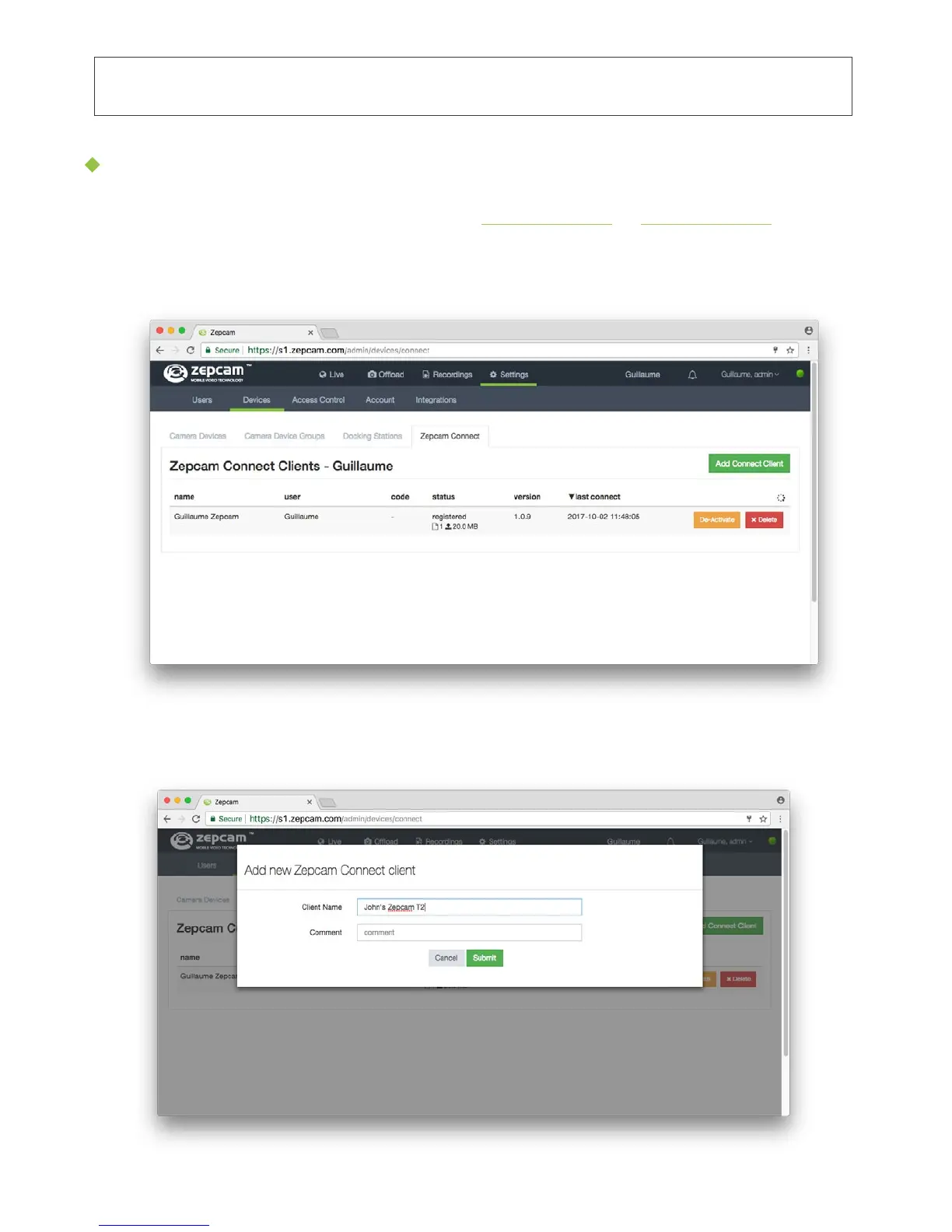
3. Press “Add Connect Client” (Green button)
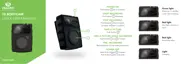
4. Enter Zepcam Connect name (e.g. name of the person using Zepcam Connect):
1. First, log in to Zepcam Manager (cloud s1.zepcam.com or s4.zepcam.com or
server software) and follow the steps below.
2. Then go to Settings->Devices->Zepcam Connect:
Pairing Zepcam Connect with Cloud or Zepcam Server
• Please follow these steps in case you want to use Zepcam cloud or server for
storage and video management.


 To Next Page