13
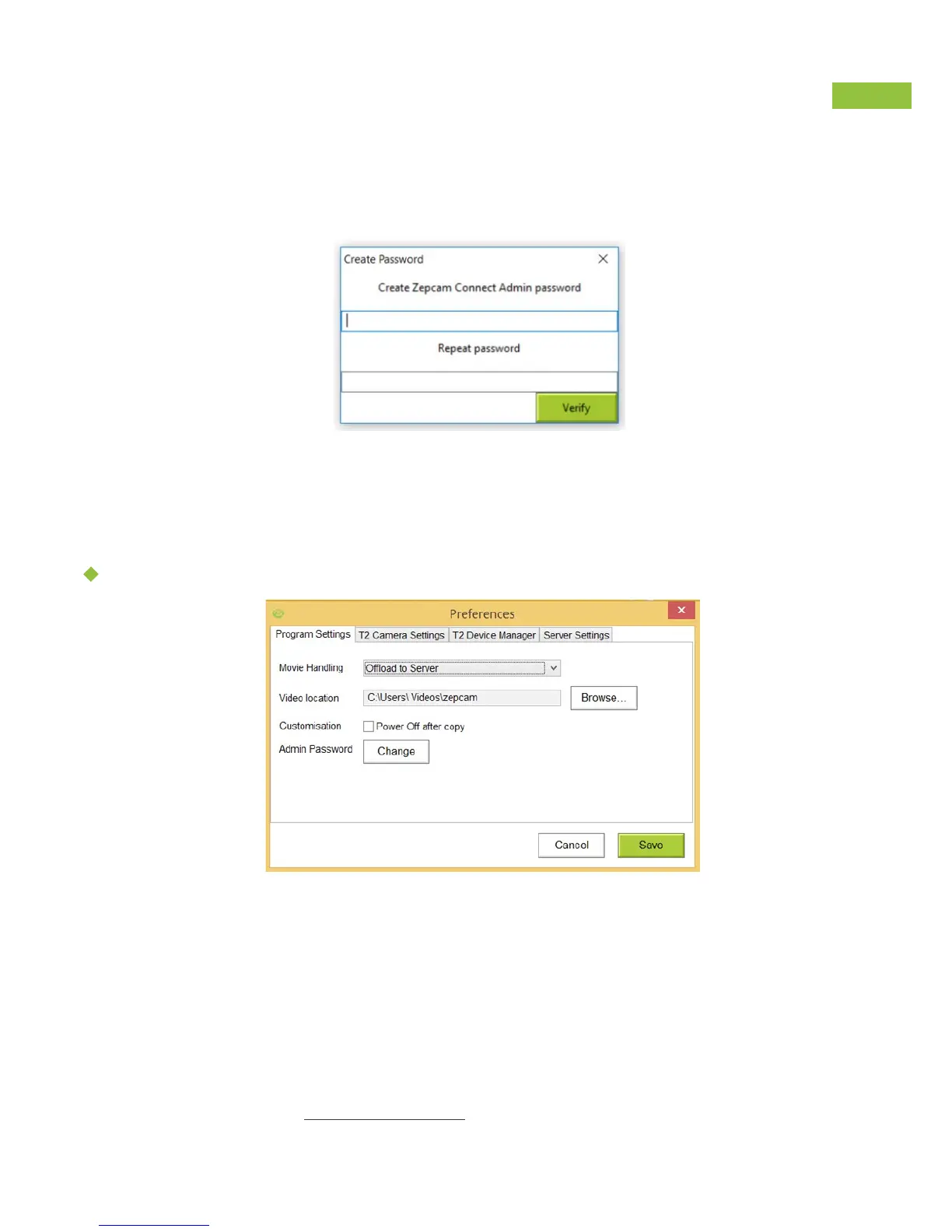
When accessing “Preferences” for the first time, you will be asked to create a
Zepcam Connect Admin password (password prevents end users adjusting T2 settings).
Pay attention to put a password you will remember. You will need it to
make changes on your Zepcam T2 camera.
SOFTWARE OPTIONS
Movie handling:
Program settings
• Copy to PC
• Offload to Server ( Only available when paired )
• Copy to Pc and Offload to Server ( Only available when Paired )
When paired content is automatically offloaded to
the Zepcam Cloud or Zepcam Server.
Video location: Local drive or network share.
Power Off after copy: for faster charging.
Admin Password: Change admin password



 To Next Page