18
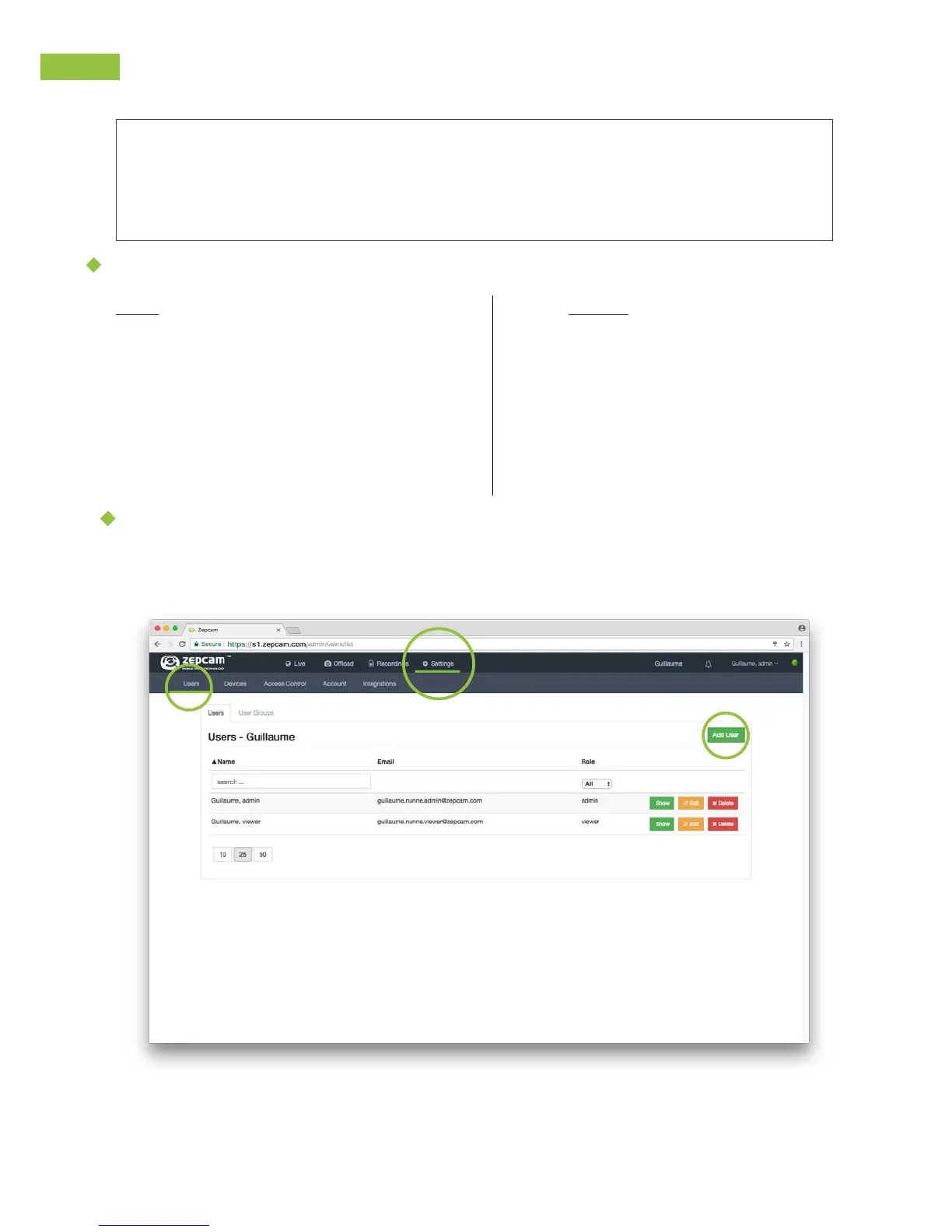
Add Users to Zepcam Manager
1. Go to Settings->Users:
USER MANAGEMENT
In this section, find how to:
1. Add users to Zepcam Manager
2. Pairing Zepcam Connect with Cloud or Zepcam Server
3. Give users access to view specific camera and camera recordings
There are 2 user levels within the Zepcam Manager:
User:
• Log in to the Zepcam Manager
• See offload status
• View videos and GPS data
• Archive files
Admin:
• Manage users
• Manage cameras
• Manage camera access
• Manage docking stations
• Manage system
• View videos and GPS data
• Archive and delete files



 To Next Page