15
9.0 EMERGENCY/STOP
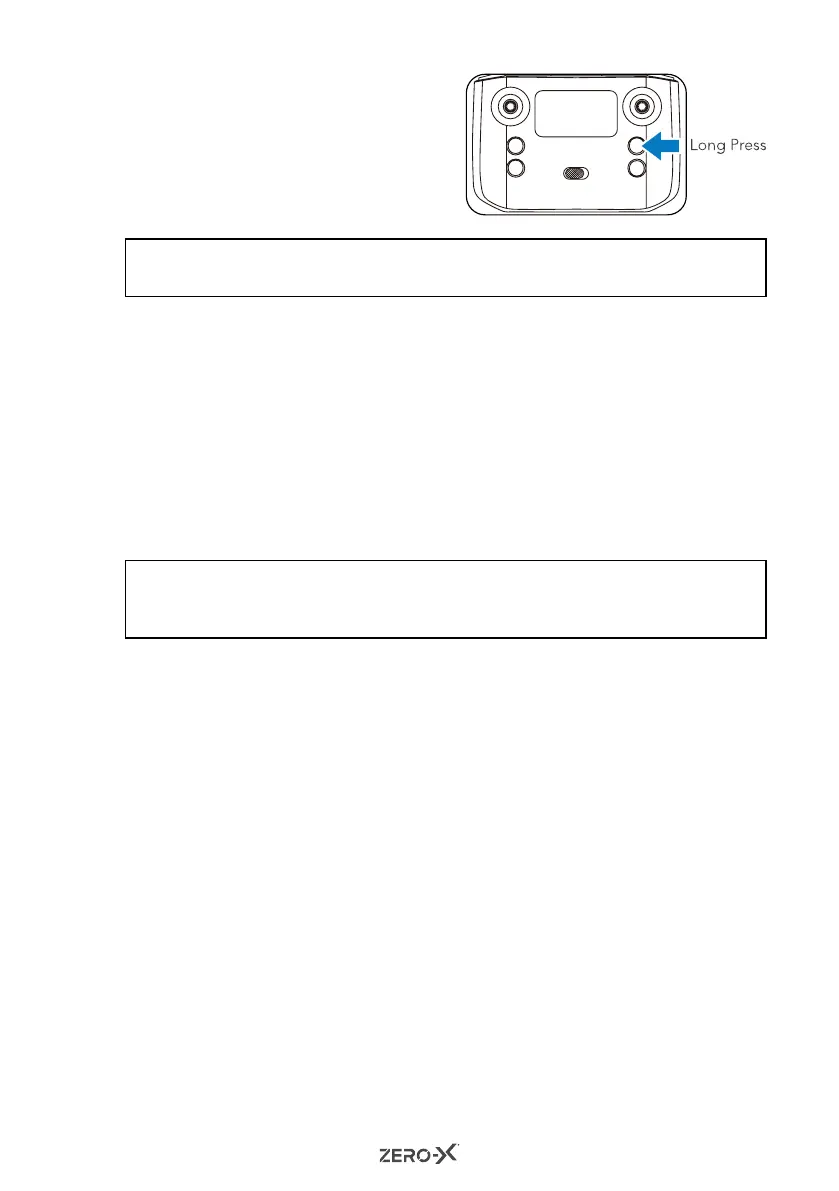
To activate an emergency stop while
the Drone is airborne, long press the
One Key Take Off/Landing button.
The rotor blades will lock and the
drone will fall to the ground.
NOTE:
• It is highly recommended that you do not push this button unless it is an emergency.
10.0 OPTICAL FLOW POSITION
The Optical Flow Position enables your Drone to fly stably so that it can take
photos and videos with high quality results.
1. For drones with an optical flow function, the drone will come with
2 cameras.
2. The front camera comes with a full 1080p resolution while the bottom
camera features a 480p resolution.
3. During flight, the Drone will follow the image from the bottom camera
which enables the Drone to fly in a stable position.
NOTE:
• The ground surface under your Drone will need some gradient or variation to it in
order for the Drone to recognise the ground and remain stable.
11.0 SAVING VIDEOS AND PHOTOS USING YOUR SMARTPHONE
The Drone uses your connected smartphone to save all videos and photos.
This makes reviewing and transferring your Drone footage simple and easy.
If you do not have your smartphone connected to the Drone via Wi-Fi during
flight, then no footage will be recorded or saved.



 To Next Page