Motherboard Installation
Page 10
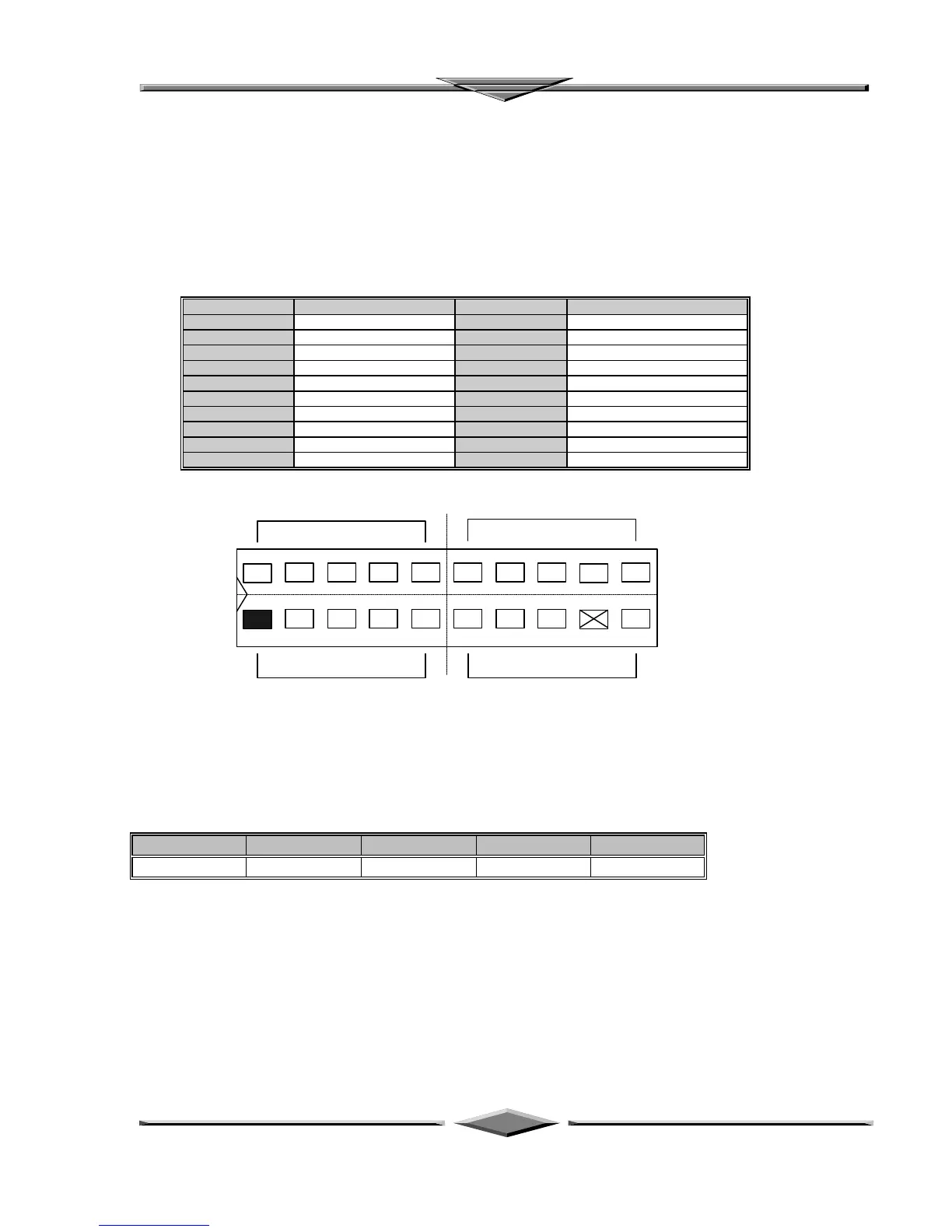
Integrated USB, Infra-Red and PS/2 Mouse connector
The total of two USB device connectors, a PS/2 mouse, and an Infrared devices are all allocated at this
connector (JP15).
• Pin1 to Pin5 for USB1 connector
• Pin11 to Pin15 for USB2 connector
• Pin6 to Pin10 for PS/2 connector
• Pin16 to Pin20 InfraRed connector
The connector pin out signal definitions are described as the table below:
Pin Signal Name Pin Signal Name
1 (USB1) USB +5 Volt 11 (USB2) USB +5 Volt
2 USB Port 1- 12 USB Port 2-
3 USB Port 1+ 13 USB Port 2+
4 Ground 14 Ground
5 No Connect 15 No Connect
6 (PS/2 Mouse) PS/2 Data 16 (IR) +5V
7 PS/2 Clock 17 No Connect
8 Ground 18 Infrared Receive
9 No Connect 19 Ground
10 +5V 20 Infrared Transmit
On-board Sound Connector ( TX98-3D )
The total of three connectors are using to support the On-board sound features. JP18 including the Line-
In, Mic-In, Line-Out and MIDI/JOYSTICK. J6 and J7 are the CD-Audio input headers, and there pin out
signal definitions are described as the table below:
Header Pin1 Pin2 Pin3 Pin4
J6, J7 Ground Right Ground Left
REPLACING BATTERY
A 3V, CR-2030, Lithium battery is installed on the on-board battery socket. This battery is used to supply
the CMOS RAM backup power during system powered-off. Danger of explosion if battery is incorrectly
replaced. Therefore, if you have any difficulties, please consult to the technical personnel.
IR
USB 11
11 20USB 2
10
PS/2 Mouse



 To Next Page